

Atlas Org
Atlas Org · Leaning · Chatbot
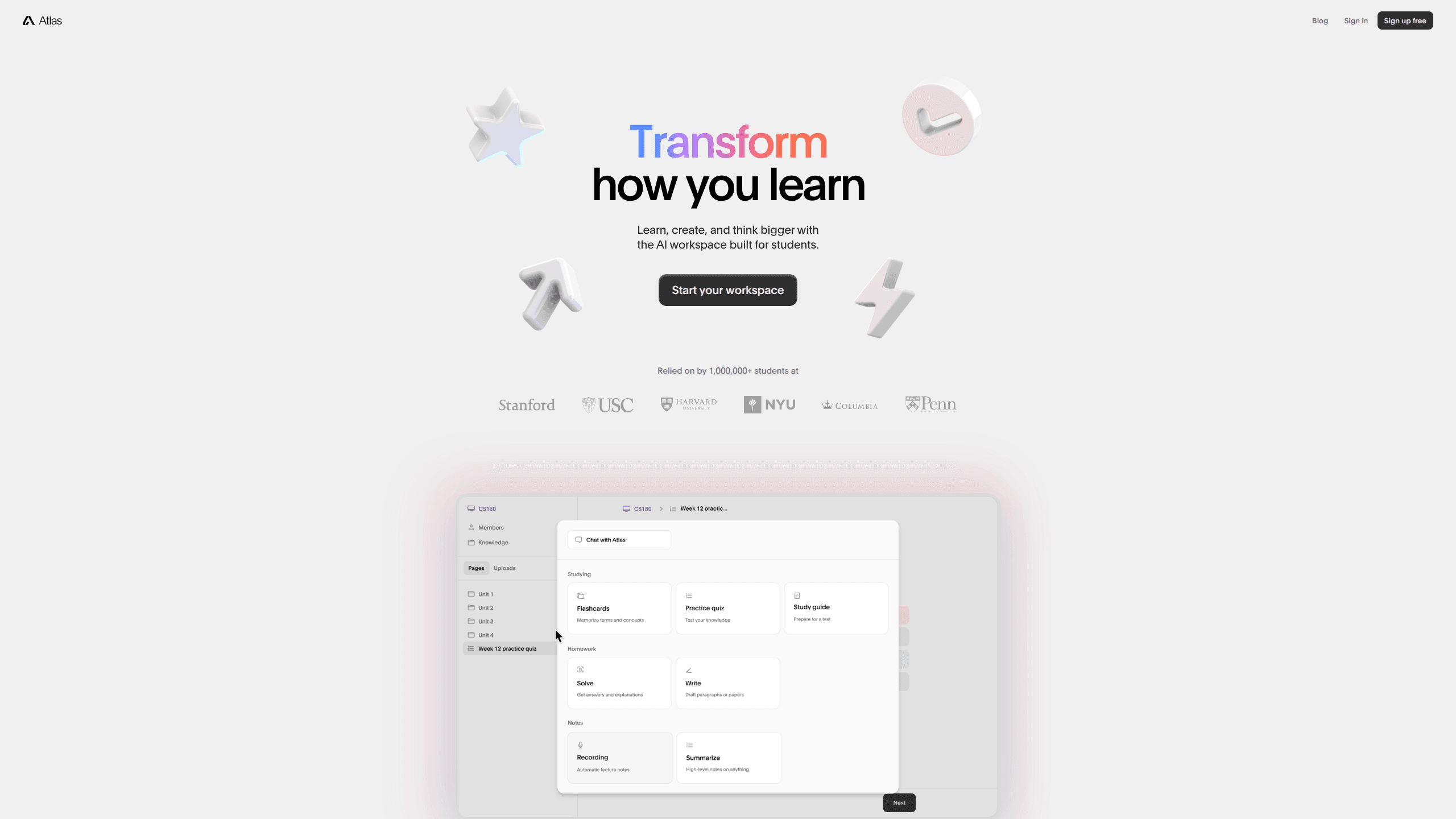
Atlas Org is an AI study assistant built for schoolwork. It reads your class materials, lecture recordings, and notes, then turns them into study guides, quizzes, flashcards, and homework answers. The pitch is simple. You get an AI tutor for students that works from what your teacher actually assigned, not from a generic web answer. It runs in a browser and on iOS and Android. A free tier covers light use.
About Atlas Org
What Is Atlas Org
Atlas Org is a study-focused AI assistant made by a small team of current students, recent graduates, and former teachers. Instead of answering from scratch, it works from the documents you upload, so its responses stay tied to your course content. That distinction matters. A generic chatbot can give a confident answer that doesn't match the reading your class is using.
The product splits its work into three areas: studying, homework, and note taking. In the study area you can generate a study guide, a practice quiz, or a set of flashcards. In the homework area you can record a lecture and let Atlas turn it into class notes, or ask for a detailed walkthrough of a problem. Both work well.
Two limits are worth knowing up front. Every upload is saved permanently in your account, which is great for building a running knowledge base but less great if you'd rather not leave a paper trail of your coursework. And the free tier is tight enough that most regular users hit the paid plan fast. Is it worth paying? That depends on how often you'd use it.
Getting Started
- Go to atlas.org and sign up with email or a third-party login.
- Pick a subject or create a separate space so your notes stay organized by class.
- Upload your materials, such as a syllabus, a PDF reading, or a slide deck.
- Open the study, homework, or notes area and choose what you want: a study guide, flashcards, a quiz, or an answer walkthrough.
- Record a lecture if you want notes generated from audio, then review and edit the output before you rely on it.
Product Information
A quick look at Atlas Org's pricing, supported platforms, and performance.
Best for
The users, tasks, and scenarios where this tool fits best.
Users
- Students in high school or college who want study material built from their own readings, with the free tier used to test whether the output fits how they study.
- Note takers who record lectures and would rather get a written summary than replay hours of audio, as long as they check the transcript against key terms.
- Tutors and study groups that need to spin up practice questions on demand from a shared document set.
Tasks
- Turning a dense reading into a study guide or a set of flashcards before an exam.
- Generating practice quizzes so you can test recall instead of just rereading notes.
- Requesting a step-by-step explanation of a homework problem when you're stuck at a specific point.
- Converting a lecture recording into structured class notes you can edit afterward.
Scenarios
- The night before a midterm, when you have three chapters and no time to build a review sheet by hand.
- During a lecture, when you want a first draft of notes you'll clean up later.
- Mid-semester, when your uploaded materials start to form a searchable library across several classes.
- Group projects, where one shared upload can seed questions and summaries for everyone.
Key features
Class-Material Grounding
The core feature is that Atlas answers from what you upload, not from the open web. When you ask a question, it pulls from your syllabus, readings, and recordings, so the response tracks the same sources your class uses. For students who've been burned by a chatbot that mixed up two similar topics, this is the whole reason to switch. The tradeoff: garbage in, garbage out. Upload the right chapter and the answer holds up; upload the wrong file and you'll get a confident answer to the wrong question.
Study Guide and Quiz Generation
The study guide generator turns a document into a guide, a quiz, or a set of cards with a few clicks, and the built-in flashcard maker pulls the same source into review decks. The quiz feature is the one people reach for most, since active recall beats rereading for most learners. What comes back is a solid draft, not a finished exam: you'll usually want to cut a question or two that miss the point your professor actually stresses. Think of it as a fast first pass that saves the time of writing questions from a blank page.
Lecture-to-Notes Capture
Record a class and Atlas turns the audio into written notes you can organize later. This is the feature that sells the mobile apps, because your phone is already in your pocket during lecture. Accuracy depends on audio quality. A noisy room or a thick accent will produce rough patches. Use it as a backup to your own notes, not a replacement. Compare the two before an exam.
Homework Walkthroughs
For a problem you can't crack, this homework help AI gives you a detailed explanation rather than just a final number. The value is in the steps, since a bare answer doesn't teach you anything you can reuse on the next problem set. As with any AI, verify the reasoning against your textbook. A wrong step can look convincing when it's formatted cleanly.
A Growing Personal Knowledge Base
Everything you upload stays in your account, so the library builds over a semester. You can keep separate spaces for each subject, which keeps a chemistry reading from bleeding into your history notes. Over months this turns into a searchable record of your coursework, useful when an old concept resurfaces in a new class. The flip side is permanence: once it's uploaded, it's there.
Native Mobile Apps
Atlas ships iOS and Android apps alongside the web version, so you can study away from a laptop. The mobile side is best for capture, like recording a lecture or uploading a photo of a handout. Long documents are still easier on the web. There you have a real screen and a keyboard.
Pros and cons
Pros
- Answers stay tied to your uploaded class materials, which reduces the generic-answer problem.
- Study guides, quizzes, and flashcards come from the same document, so you set up once and reuse.
- Lecture recording to written notes saves real time on note-heavy courses.
- iOS and Android apps make it practical to capture material during class.
- Free tier lets you judge the output quality before paying.
Cons
- The free plan is restrictive, so regular users will likely need the $18/mo Pro tier.
- Everything you upload is stored permanently, which is a problem if privacy around your coursework matters to you.
- Note and answer quality drops with poor audio or messy source files, so it needs clean inputs.
- No public API is documented, so you can't build it into your own study tools.
Frequently asked questions
It's an AI assistant for school. You upload your class materials, then it generates study guides, flashcards, quizzes, and homework explanations from those sources rather than from the open web.
Related content
Explore related tools, skills, and articles for Atlas Org.
Atlas Org Alternatives

Kaggle AI
Google · Coding · LeaningKaggle AI is a community platform where people build, test, and compare machine learning models against shared data. It combines data science competitions, tens of thousands of public datasets, and free cloud notebooks with GPU and TPU access, so anyone with a browser can train a model without buying hardware. Google owns the platform, and joining costs nothing.

Bunch
Bunch AI · Leaning · BusinessBunch is an AI leadership coaching app that turns a few spare minutes a day into real management practice. It hands you one short, personalized tip each day, tracks how you respond, and lets you compare notes with peers inside private groups. The pitch is simple: you lead better by practicing a little, often, instead of sitting through a weekend seminar. Think of it as a leadership training app you actually open.

AI Mock Interview
SQLPad · Coding · LeaningAI Mock Interview is a practice tool built into SQLPad that simulates real job interviews and gives you instant feedback on both what you say and how you say it. You pick a role template or upload a job description, answer questions out loud in real time, and then review a transcript with notes on structure, clarity, and grammar. It's aimed at data professionals prepping for SQL, Python, data engineering, machine learning, and system design roles, and it works entirely in the browser. No install needed.