

Atwork
Atwork · Productivity
Atwork is an all-in-one no-code work OS that combines tasks, docs, chat, databases and dashboards in one workspace, with AI built into every plan.
About Atwork
What Is Atwork
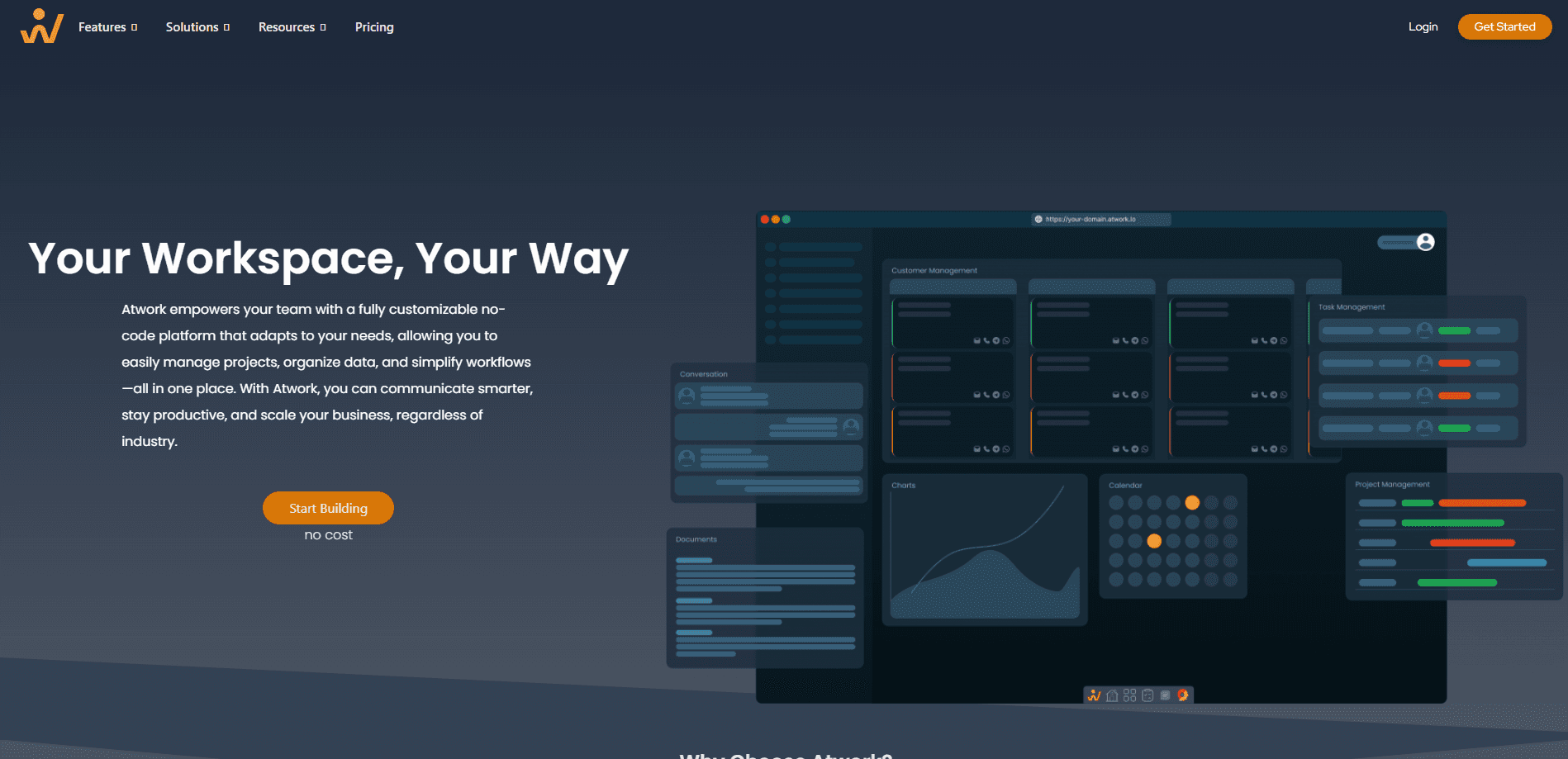
Atwork is a no-code workspace that puts tasks, documents, chat, databases and dashboards on one platform. The company calls it an AI Work OS, and the pitch is simple: instead of paying for five tools that don't talk to each other, a team shapes one workspace around its own process.
The product started in 2021 out of a common frustration. A growing team had collected a dozen apps, no single place where the work actually lived, and a maze of logins for every new hire. Atwork's answer is a flexible workspace you can model without code, plus AI that reads your tasks, docs and data as context. The company says more than 10,000 teams across 60 or more countries run on it.
The limits matter too. Atwork is a web platform, so there's no native mobile app to install. The free plan caps you at 5 members and 1,000 items per sheet, and the AI features are metered by a monthly budget rather than offered as unlimited use. Teams that need to connect outside tools should check the integration list before committing, because it's smaller than what a mature suite offers.
Getting Started
- Create a free account at atwork.so. No credit card is required, and sign-up takes a few minutes.
- Build your first sheet, either blank or from a template, and add the fields your work needs.
- Switch views to match how each person thinks: board for standups, timeline for planning, calendar for deadlines.
- Turn on automations so repeated steps run on their own, and let Atwork AI draft, plan and summarize.
- Invite your team and bring in existing spreadsheets to shape them into structured, connected sheets.
Product Information
A quick look at Atwork's pricing, supported platforms, and performance.
Best for
The users, tasks, and scenarios where this tool fits best.
Users
- Startup and small business teams
- Operations and project managers
- Agencies and consultancies
Tasks
- Tracking projects across views
- Building lightweight CRM and pipelines
- Automating busywork
Scenarios
- Replacing a patchwork of tools
- Onboarding a growing team
- Running operations from one grid
Key features
One no-code workspace
Atwork puts tasks, docs, chat, databases and dashboards on one platform instead of five. Every workflow gets a home, and your data stays in one place. That's the setup AI needs to be useful, because it can read the whole workspace rather than a single silo.
Flexible views on the same data
The same work appears as a board, list, timeline, calendar or gallery. Each team picks the view that matches how it thinks, without copying data into a second tool. Custom fields, statuses and pipelines are built with no code, so you shape the system around your process rather than the other way around.
Atwork AI inside every plan
AI is built into the product, not sold as an add-on. Because tasks, docs and data live in Atwork, the assistant has context to plan a sprint, write a spec, summarize a thread or build an automation from a plain-language request. Each plan includes a monthly AI budget, from $1 per organization on Free up to $15 per seat on Business.
Automations and workflows
You set a trigger, and Atwork runs the steps when things change. Multi-step workflows are built visually, so no developer is needed. This is where teams recover the most time, since repeated follow-ups, handoffs and status changes stop depending on someone remembering them.
Data management with typed columns
Sheets hold relational data with typed columns, formulas and rollups, and the same sheets can power a public site. Importing an existing spreadsheet reshapes it into structured data, which is how most teams migrate their tracking out of a flat file.
Forms, charts and dashboards
Form Studio collects submissions and feeds them straight into your sheets, while charts and dashboards turn that data into live reports. Progress and risk stay visible and shareable, so results don't wait for someone to assemble a deck by hand.
Integrations and AI assistant (MCP)
Atwork connects to tools like Telegram, LinkedIn, email and calendar, so work reaches the places your team already uses. The AI assistant also works over MCP, which means you can ask about your workspace from Claude or ChatGPT and keep answers grounded in your own data.
Pros and cons
Pros
- Consolidates tasks, docs, chat, data and dashboards into one workspace and one login.
- The free plan is genuinely usable, with up to 5 members and no credit card required.
- AI is included in every plan rather than gated behind a separate purchase.
- No-code building means teams shape their own fields, views and workflows without developers.
- Transparent per-seat pricing with an annual discount of two months.
Cons
- The free plan caps you at 5 members and 1,000 items per sheet, so growing teams hit the ceiling quickly.
- AI usage is metered by a monthly budget, so heavy users can run out and wait for the next cycle.
- It's a web platform with no native mobile app, which is a gap if your team works from phones.
- The integration list is shorter than what established work-management suites offer, so connecting niche tools may take extra effort.
Frequently asked questions
Atwork is a no-code workspace for running work in one place. You build sheets for tasks, projects or a lightweight CRM, then view the same data as a board, timeline, calendar or dashboard. Automation and built-in AI handle the repeated steps.
Related content
Explore related tools, skills, and articles for Atwork.
Atwork Alternatives

Udon
Udon · Coding · ProductivityUdon turns an Apple Silicon Mac into a home server you run from a browser, with container controls, file shares, and an optional AI sysadmin.

offstage
offstage cloud · Coding · Productivityoffstage gives AI coding agents and CI jobs a real Mac: a fresh macOS account on Apple silicon, driven over an API and billed by the second.

BotBus
Chengdu Tuyang Tusen Technology Co., Ltd. · Coding · ProductivityBotBus lets you control AI coding agents from your phone and watch: approve commands, start tasks and read results while the code stays on your desktop.