

Audionotes: AI Notes & Minutes
Audionotes (Vatsal Sanghvi) · Productivity
Audionotes is an AI note taker that turns recordings, files, images, and YouTube links into transcripts, summaries, and meeting minutes in 99+ languages, on iOS, Android, Web, and Mac.
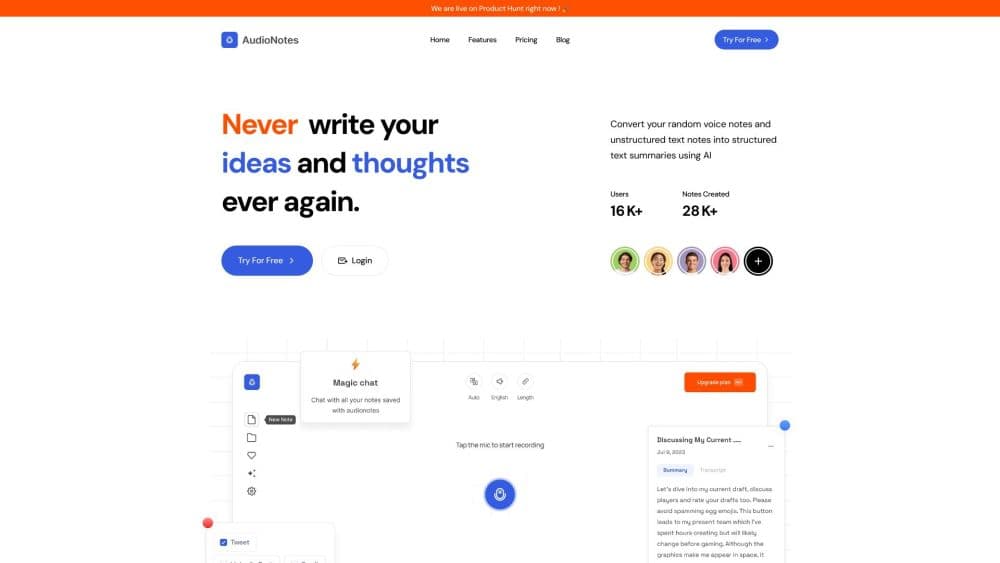
About Audionotes: AI Notes & Minutes
What Is Audionotes
Audionotes is a note-taking app built around speech. You record a thought in the elevator, upload a lecture file, or paste a YouTube link, and the app returns audio to text transcription, a summary, and whatever structured output you asked for. Meeting minutes, lecture notes, flashcards, action items, email drafts, and LinkedIn posts all come from the same pipeline. That range of outputs is what separates it from a plain recorder.
The product covers a lot of ground for users who mostly want one problem solved: not losing what was said. Students look for a dependable AI notes app for lectures and want study material back. Consultants record client calls and need minutes they can forward. Writers use voice to text notes instead of typing and want a polished draft an hour later. The app handles all three without asking you to pick a mode first.
Two limits matter before you subscribe. The free plan caps every voice recording at one minute, which is enough to test the flow and not much more. And the app only records from your device microphone, so capturing a call that plays through your speakers takes another tool or a wired setup. Audionotes is still useful without those, but the constraints shape how you use it.
Getting Started
- Create an account with email, Apple, or Google on the web at audionotes.app, or install the iOS or Android app. The free plan needs no payment details.
- Pick an input. Tap record for live audio, type or paste text, upload an audio, video, or image file, or drop in a YouTube link.
- Set the language if auto-detection gets it wrong, or leave it on automatic for mixed-language recordings. Choose a template or write your own prompt for the output you want.
- Let the AI process the note. You get a transcript with speaker labels, a summary, and the custom output once processing finishes.
- Review, edit, and share. Chat with the note to pull out details, rename speakers, then publish a link, export, or push it to Notion, Zapier, or a webhook.
Product Information
A quick look at Audionotes: AI Notes & Minutes's pricing, supported platforms, and performance.
Best for
The users, tasks, and scenarios where this tool fits best.
Users
- Students and lecturers
- Meeting-heavy professionals
- Journalists and writers
- ADHD and voice-first users
Tasks
- Turning a meeting into minutes
- Building study material from a lecture
- Drafting an email or a post from a voice memo
- Transcribing an interview for quotation
Scenarios
- A back-to-back day of client calls
- Last-minute lecture catch-up
- Writing on the go, hands free
Key features
Multi-Source Input and 99+ Language Transcription
Audionotes accepts live voice, text notes, audio and video files, images, and YouTube links, then transcribes them in 99+ languages with automatic language detection. You can also pin a language when a recording mixes accents or switches mid-sentence, so the transcript doesn't drift into the wrong alphabet. For anyone who records in more than one language, that manual override is the difference between usable and unusable output.
Speaker Separation and Labelled Transcripts
Every recording, media upload, and YouTube video gets speaker separation by default. The transcript labels each voice as Speaker 1, Speaker 2, and so on, and you can rename them in the editor. Meeting minutes stop being a wall of text and turn into a record you can attribute. The official site claims up to 95% transcription accuracy in clear, single-speaker audio under good conditions, so expect the number to drop with crosstalk and background noise.
Chat With Your Notes
Once a note exists, you can ask it questions rather than reread it. The chat answers from the transcript, which is quicker than searching 40 minutes of audio for one figure. Typical questions look like "what did we decide on the budget" or "list the deadlines mentioned". Answers are only as good as the transcript, so a noisy recording produces a vaguer reply.
Custom Outputs and Templates
Instead of a single fixed summary, Audionotes runs your note through a template or a prompt you write. Lecture notes AI output, flashcards, quizzes, SOAP-style medical notes, client meeting minutes, LinkedIn posts, email drafts, and task lists all come from the same recording. Templates are the fastest start, and custom prompts are where the flexibility shows. This is the feature that makes the app a writing assistant and not only a transcriber.
WhatsApp Bot
You can send a voice note or a file to the Audionotes WhatsApp bot and get the summary back in the chat. The bot handles transcription and summarising for quick captures when opening the app is too much friction. It's the least documented part of the product, and heavy users should check current limits before relying on it for daily work.
Integrations and Exports
Notes sync across iOS, Android, Web, and Mac (beta), and you can push them to Notion, Zapier, or a webhook on the Pro plan. Exports cover Markdown, plain text, audio, and a shareable webpage. For teams, the webhook route is the one that matters: it sends the full transcript, the AI summary, and action items as JSON to your own backend. The gateway is documented as a Zapier trigger rather than a full public API, so check whether your workflow fits before planning around it.
Privacy by Default
Recordings and transcripts are private unless you publish them, encrypted in transit and at rest, and the company states it has opted out of using customer data for AI training. Audionotes says it's GDPR compliant. It is not HIPAA certified, which rules out clinical documentation for US practices. Medical note templates are available for personal use only.
Pros and cons
Pros
- One app covers meetings, lectures, files, images, and YouTube links, which cuts down on switching between a recorder, a transcriber, and a summariser.
- Speaker labels and chat with notes make long recordings genuinely reusable instead of something you archive and never open again.
- 99+ languages with a manual override suit international teams and bilingual study.
- Free plan is real rather than a tease: unlimited notes and unlimited text notes, with the one-minute cap as the only catch.
- Notion, Zapier, and webhook access means notes can land in a knowledge base or CRM without copy-paste.
Cons
- Free voice recordings stop at one minute, so testing real meeting or lecture scenarios requires a paid plan.
- The app records only from the device microphone, which makes it awkward for video calls and speakerphone meetings.
- Integration depth is thinner than a dedicated meeting bot: there's no calendar auto-join and no full public API beyond the Zapier and webhook routes.
- It is not HIPAA certified, so US healthcare users can't treat it as a compliant clinical tool.
Frequently asked questions
Audionotes records or accepts audio, video, images, and text, then produces transcripts, summaries, and structured outputs like meeting minutes, lecture notes, or flashcards. People use it to avoid writing notes by hand during meetings, classes, and interviews.
Related content
Explore related tools, skills, and articles for Audionotes: AI Notes & Minutes.
Audionotes: AI Notes & Minutes Alternatives

Base Code
Base44 (Wix) · Coding · ProductivityBase Code is a shared cloud development environment from Base44. Teammates describe changes to an existing GitHub codebase in chat, preview them live and send them back as pull requests.

Knocket
Knocket (Tencent RTC team) · Productivity · Business · ChatbotKnocket is a free live chat and contact page tool that lets visitors message you from your website, app, or a shareable link, with every reply handled from Telegram or one inbox.

FloorGen
Vinit Kumar (FloorGen) · Productivity · China AIFloorGen is a browser-based floor plan maker that turns a sentence or a sketch into an editable 2D plan and a 3D walkthrough. Export to PDF, DXF or video, and draw without an account.