
AudioX
AudioX · Image · Video
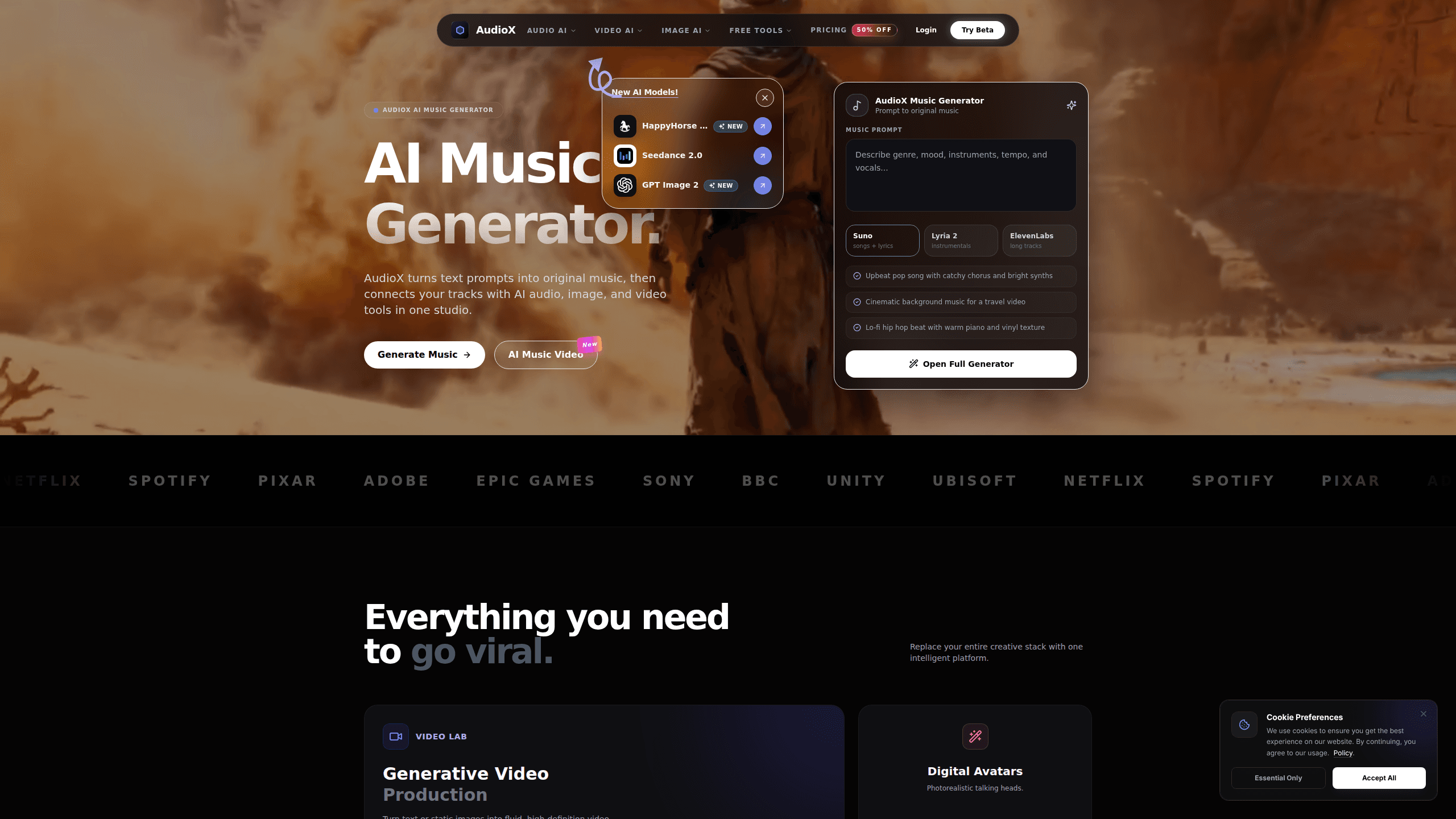
AudioX is an AI music generator and AI song maker that turns a text prompt into an original track, then hands that track to a wider set of audio, image, and video tools inside the same studio. The platform leans on third-party engines like Suno, Lyria 2, and ElevenLabs rather than training its own, so you get several music and sound models under one login. Same login. Same wallet. It suits creators who want a first draft of a song, a sound effect, or a short video score without juggling five subscriptions. New accounts start free. You top up with credit packs when you need more.
About AudioX
What Is AudioX
AudioX is a browser-based creative studio built around a single pitch: stop paying for five separate AI tools and run your whole music and video workflow in one place. The core job is text to music. Type a mood, a genre, or a scene, and the platform generates a finished track you can download or push into another tool.
The bigger draw is that everything sits side by side. Music generation shares a workspace with video generation, image upscaling, sound effects, voice cloning, and video-to-audio conversion. For a solo creator or a small marketing team, that cuts the app-switching that eats into a project.
The main limit is control. You're renting models made by other companies and paying per generation in credits, so heavy users can burn through a pack faster than expected. AudioX is a fast way to get ideas out, not a replacement for a full digital audio workstation. Want to mix a track properly? You'll still need a DAW.
Getting Started
- Open audiox.app in a browser. No download is required, and you can start on the free plan without a credit card.
- Pick a creation mode from the studio, such as Music, Video to Audio, or Sound Effects.
- Describe what you want in the prompt box, then choose a model and any style settings the mode offers.
- Generate the output, preview it, and regenerate with a tweaked prompt if the first pass misses.
- Download the file or move it into another AudioX tool to build out a video or a full track.
Product Information
A quick look at AudioX's pricing, supported platforms, and performance.
Best for
The users, tasks, and scenarios where this tool fits best.
Users
- Solo content creators
- Social media marketers
- Musicians sketching ideas
- Small teams without an audio engineer
Tasks
- Turning a text prompt into a full song
- Adding sound to silent video
- Generating short sound effects
- Cloning a voice
- Upscaling images
Scenarios
- Producing a soundtrack for a YouTube upload
- Building a quick ad spot
- Prototyping a song before studio time
- Filling a content calendar
- Localizing a voiceover
Key features
Text-to-Music Generation
The headline tool takes a written prompt and returns an original track. You can lean on different engines depending on the job, and the platform's own examples run from upbeat pop to lo-fi hip hop and cinematic scores. It's the fastest part of the studio to reach for when you just need something that sounds finished. Press generate, and you have a track.
Multiple Music Engines in One Place
AudioX doesn't train its own models. It routes your request to engines like Suno for full tracks, Lyria 2 for instrumentals, and MMAudio for video-to-audio. That means you can compare results without separate accounts. The trade-off is you're paying each engine's credit rate, which varies a lot from job to job. Some cost a little. Others cost a lot.
Video to Audio
Feed the tool a clip and it generates audio that fits what's happening on screen. Credits are spent per generation, and it's the cheapest engine in the lineup by a wide margin. It's aimed at creators who have footage but no score and no time to hunt for one. Feed it a clip. Get audio back.
AI Sound Effects
Short effects come from ElevenLabs SFX and Beatoven SFX. You describe the sound, and the tool returns a clip you can drop into a video or a track. Beatoven runs per request and costs noticeably more, so it's better saved for effects you can't get elsewhere.
Voice Cloning
Upload a voice sample and generate new lines in that voice. It's built for creators who'd rather not re-record themselves for every revision. One caveat: always check that you have the right to clone a given voice before you use it.
Visual Canvas and Image Upscaling
The image side of the studio creates and enlarges visuals at high fidelity. If a video project needs a cleaner still or a background, you can make it without leaving the workspace. It rounds out the promise of one dashboard instead of a stack of tools.
Credit-Based Access
Everything runs on credits, and you buy packs of $50, $100, $200, or $500. Bigger packs add bonus credits and lower the per-credit cost. The pricing page includes an estimator so you can see how far a pack stretches before you buy. No surprise math required.
Pros and cons
Pros
- Several music and audio models under one login, so you skip keeping separate Suno, Lyria, and ElevenLabs accounts.
- Music generation sits next to video, image, and voice tools, which cuts app-switching on a single project.
- A free plan lets you test the workflow before spending anything.
- Larger credit packs carry bonus credits and a lower effective price per 1,000 credits.
- Video-to-audio spends credits slowly, so it's cheap for adding sound to existing footage.
Cons
- You're renting third-party engines, so you have little control over how each one sounds or how it's updated.
- Credit costs swing hard between engines, which makes budgeting a full project hard to predict.
- The monthly pricing isn't spelled out on the site, so you can't easily compare it to a flat-rate subscription elsewhere.
- Free and small packs limit heavy use, so anyone generating daily will need a bigger pack fast.
Frequently asked questions
It generates music from text prompts and also handles sound effects, voice cloning, video-to-audio, image creation, and upscaling, which means a single project can move from a written idea to a finished clip without opening a second app or paying for a second subscription. Think of it as a small creative suite built around an AI music generator rather than a single-purpose music tool.
Related content
Explore related tools, skills, and articles for AudioX.
AudioX Alternatives

Google EmbeddingGemma 2
Google DeepMind · Writing · Image · CodingGoogle EmbeddingGemma 2 is a 740M-parameter open model that turns text, code, images, audio, and video frames into vectors in one 768-dimension space, running on phones and laptops.

Tractionwave
TractionWave · Image · MarketingTractionWave is an AI attention heatmap tool for static ads. Upload a PNG or JPG and it returns predicted attention, ranked hotspots, and fixes before you spend budget.

Imejis.io
Imejis.io · Image · MarketingImejis.io is an AI design studio for agents and marketing teams. Describe an image in plain words, and it writes the copy, builds the layout, reflows it to every size, then exports a finished file.