

Bannerify
Duc An (Bannerify) · Image · Video
Bannerify is a developer-first API that turns templates into images, PDFs, and tables. Design once, send JSON, get a finished file back in one request.
About Bannerify
What Is Bannerify
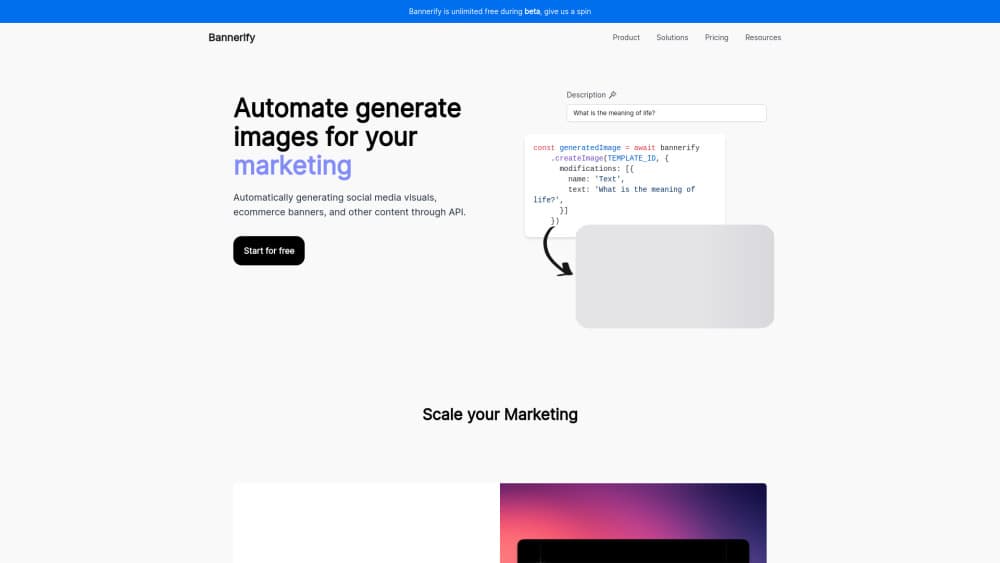
Bannerify is a hosted image generation API and PDF generation API built by Duc An. You design a layout once in a Figma-style editor, then send JSON to swap text, images, colors, or table rows. The service returns the finished image or PDF inside the same HTTP response, so there's no job id to poll and no queue to watch.
The product exists to remove the plumbing behind automated image generation. Most teams that need thousands of visuals end up maintaining headless Chromium, a canvas renderer, a separate PDF pipeline, plus storage and caching on top. Bannerify runs its own chromeless rendering engine instead, and the company says simple images finish in under a second.
Three limits matter before you commit. The maximum image size is 5000x5000 pixels. The free plan allows one template and 10 generations a day. Your own S3 bucket is only available from the Scale plan up. Bannerify is also not a pixel-level editor, so it won't replace a general design tool.
Getting Started
- Create an account at bannerify.co and copy an API key from the dashboard.
- Design a template in the editor, or start from the gallery, and name every layer you plan to change.
- Send a POST request to
/v1/templates/createImageor/v1/templates/createPdfwith atemplateIdand amodificationsarray. - Save the returned bytes, or call
createStoredImageto get a public URL you can drop into animgtag.
Product Information
A quick look at Bannerify's pricing, supported platforms, and performance.
Best for
The users, tasks, and scenarios where this tool fits best.
Users
- Developers adding image or PDF output to a product
- Ecommerce and marketing teams
- Automation operators
Tasks
- Bulk image generation from a spreadsheet
- Invoices, receipts, certificates, and shipping labels
- Social cards and og
Scenarios
- A marketplace that needs a clean listing image for every new product, generated the moment a seller publishes.
- A SaaS that wants to offer an editor to its own customers
- A campaign that ships in six languages
Key features
Synchronous renders on every plan
Every endpoint returns the finished file in the response body, including on the Free tier. There's no webhook, no polling loop, and no separate status endpoint to handle. For a script that renders 50 images, that turns into 50 straightforward calls.
One canvas for images, PDFs, and tables
You don't design a banner in one tool and an invoice in another. The same template holds text, image, table, and chart layers, and the render endpoint decides the output format: PNG, JPG, WebP, or PDF. Table and chart layers read their data from the modifications payload, so a report updates without touching the layout.
Signed URLs that render on first view
Instead of storing files and cleaning them up later, you build a URL that carries the template id, your data, and a signature. The image gets made when a browser or email client requests it. Cached output is served for up to 7 days, and a cache hit doesn't count as a new generation.
Data-bound layers and targeted modifications
Each layer has a name, and a modification targets that name to change text, an image source, a color, or a row of data. You can list templates and read their layer names through the API, which means a deploy can update copy without a designer opening the editor.
Bring your own S3 bucket
On Scale and Enterprise, s3Config writes each generated file straight into your own S3-compatible bucket. Files land where your existing permissions and retention rules already apply. On Free and Automate, the request returns a 403 if you send that field.
No-code automation and an MCP server
Bannerify ships connectors for Zapier, n8n, Pipedream, and Notion, plus an MCP server at api.bannerify.co/mcp. An AI assistant in Claude, Cursor, or VS Code can list templates and render a file from a chat message, which is handy for one-off jobs inside a longer build.
Pros and cons
Pros
- Synchronous responses make the integration a single function call, with no async job handling to write.
- The free tier includes API access and every feature, not a cut-down sandbox.
- Cache hits don't consume quota, so repeat traffic on the same asset costs nothing.
- Four official SDKs plus no-code connectors cover both engineering and ops teams.
Cons
- The 5000x5000 pixel ceiling rules out large-format print work, so posters and signage need another tool.
- The free plan stops at one template and 10 generations a day, which is tight for testing a multi-template flow.
- Bring-your-own storage is locked to Scale at $89/mo, so small teams on Automate keep files on Bannerify's side.
- Free-form pixel editing isn't supported, so every output has to come from a prepared template.
Frequently asked questions
One rendered image or PDF. If the same file is already in the cache, the request is served from cache and doesn't count. An image stays cached for up to 7 days and may expire sooner when nobody requests it.
Related content
Explore related tools, skills, and articles for Bannerify.
Bannerify Alternatives

Google EmbeddingGemma 2
Google DeepMind · Writing · Image · CodingGoogle EmbeddingGemma 2 is a 740M-parameter open model that turns text, code, images, audio, and video frames into vectors in one 768-dimension space, running on phones and laptops.

Tractionwave
TractionWave · Image · MarketingTractionWave is an AI attention heatmap tool for static ads. Upload a PNG or JPG and it returns predicted attention, ranked hotspots, and fixes before you spend budget.

Imejis.io
Imejis.io · Image · MarketingImejis.io is an AI design studio for agents and marketing teams. Describe an image in plain words, and it writes the copy, builds the layout, reflows it to every size, then exports a finished file.