
Aux Machina
Berserq · Image
Aux Machina is a web-based AI image generator by Berserq that turns reference images into custom visuals without writing prompts. Pick what you like, and it builds new images from those choices.
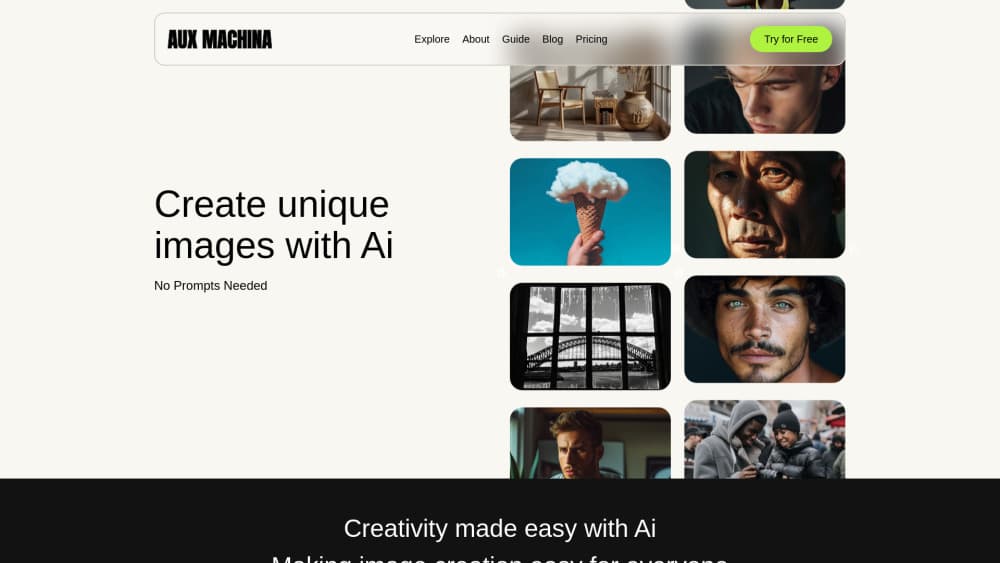
About Aux Machina
What Is Aux Machina
Aux Machina is an AI image generator built for people who want original visuals but don't want to write prompts. You start by browsing a gallery and picking images that fit your style, then like or dislike them. The AI reads those choices as direction and creates new pictures that follow your taste.
The product comes from Berserq, a studio that also ships smaller AI tools. Aux Machina ships its own image engine to everyone for free, and on the paid plan it swaps in bigger engines like Midjourney and Google's Imagen 3. That setup matters because the free tier isn't a stripped-down demo. You get 100 images a month with commercial rights on the same terms as paying users, which is more than most free AI photo generator plans hand over.
The clearest limit is scope. Aux Machina is a browser app, so there's no desktop install or phone app, and the editing tools are still labeled coming soon and sit locked in the interface. If you need a full AI image editor today, this isn't it yet. For fast, prompt-free image creation, it's a lighter option than a general-purpose AI art studio.
Getting Started
- Open the site and create an account to unlock the free trial with its monthly image allowance
- Browse the Explore feed and like or dislike images so the AI learns the style you're after
- Generate a custom image in one click, drawn from the references you picked
- Make small adjustments or download the result right away, since every plan allows commercial use
Product Information
A quick look at Aux Machina's pricing, supported platforms, and performance.
Best for
The users, tasks, and scenarios where this tool fits best.
Users
- Social media managers
- Small business owners
- Marketers and ad teams
- Beginners to AI art
Tasks
- Quick custom visuals
- Social post imagery
- Marketing concept prototypes
- Style-matched image generation
- Ad creative iteration
Scenarios
- A florist wants bespoke images that match the brand
- A solo content creator posts every day
- A small team tests several ad visuals
- Someone brand new to AI image tools
- A limited-budget project needs high-quality images
Key features
Prompt-Free Image Generation
Aux Machina drops the prompt box. You search through a large collection of images, like or dislike what you see, and the AI turns those signals into new pictures. It's a different entry point than typing a description and hoping the model reads it right, and it suits people who think in pictures rather than keywords.
Multiple Image Engines
The free plan runs on Berserq's own AI Artist engine. The Pro plan plugs in bigger models, including Midjourney and Google's Imagen 3, and gives you fast generation for your first 100 images each month before dropping to standard speed. Mixing engines under one account means an upgrade gets you stronger output without moving to a new tool.
Commercial Rights on Every Plan
Both the free tier and Pro allow commercial use, so images you generate can go into client work, ads and products. That's unusual for a free generator, since many rival tools gate commercial rights behind a paid tier. For a freelancer or a small shop, it removes the question of whether a downloaded image is safe to sell.
Gallery-Based Learning
The Explore feed does double duty. It's a place to browse community artwork and a training loop for your own results. Every like and dislike nudges the next generation toward your taste, so output gets more consistent the more you use it. Think of it as building a style profile rather than repeating a prompt.
Image Editing Toolkit in Progress
The site lists a set of one-click edits: vectorize an image to SVG, replace or remove the background, generate automatic variations, correct text inside an image, upscale resolution, turn a sketch into a render, and erase unwanted objects. All of them carry a coming soon label, so treat them as a roadmap rather than features you can use today.
Pros and cons
Pros
- No prompt writing, so beginners can generate images by browsing and choosing instead of learning prompt syntax
- Free plan includes 100 images a month with commercial rights, not just a watermarked preview
- Pro adds top engines like Midjourney and Imagen 3 for $5 a month, a low entry point for stronger output
- Focus on royalty-free, full-ownership visuals keeps licensing questions out of the way
- Web-based, so it runs in a browser without an install
Cons
- Editing tools like background removal, upscaling and vectorize are still marked coming soon, so the polished all-in-one suite isn't ready
- Everything runs in the browser, so there's no desktop or mobile app for offline or on-the-go use
- The free tier runs on Aux Machina's own engine, which won't match the top models until you pay
- Enterprise pricing and features are listed as coming soon, with no confirmed capability details yet
Frequently asked questions
Aux Machina is a web-based AI image generator from Berserq. Instead of writing prompts, you browse a gallery and like or dislike images, and the AI creates new custom visuals based on those choices. It offers a free plan and a $5 a month Pro tier with access to bigger image engines.
Related content
Explore related tools, skills, and articles for Aux Machina.
Aux Machina Alternatives

Google EmbeddingGemma 2
Google DeepMind · Writing · Image · CodingGoogle EmbeddingGemma 2 is a 740M-parameter open model that turns text, code, images, audio, and video frames into vectors in one 768-dimension space, running on phones and laptops.

Tractionwave
TractionWave · Image · MarketingTractionWave is an AI attention heatmap tool for static ads. Upload a PNG or JPG and it returns predicted attention, ranked hotspots, and fixes before you spend budget.

Imejis.io
Imejis.io · Image · MarketingImejis.io is an AI design studio for agents and marketing teams. Describe an image in plain words, and it writes the copy, builds the layout, reflows it to every size, then exports a finished file.