

Avatoz
Joukhar · Image
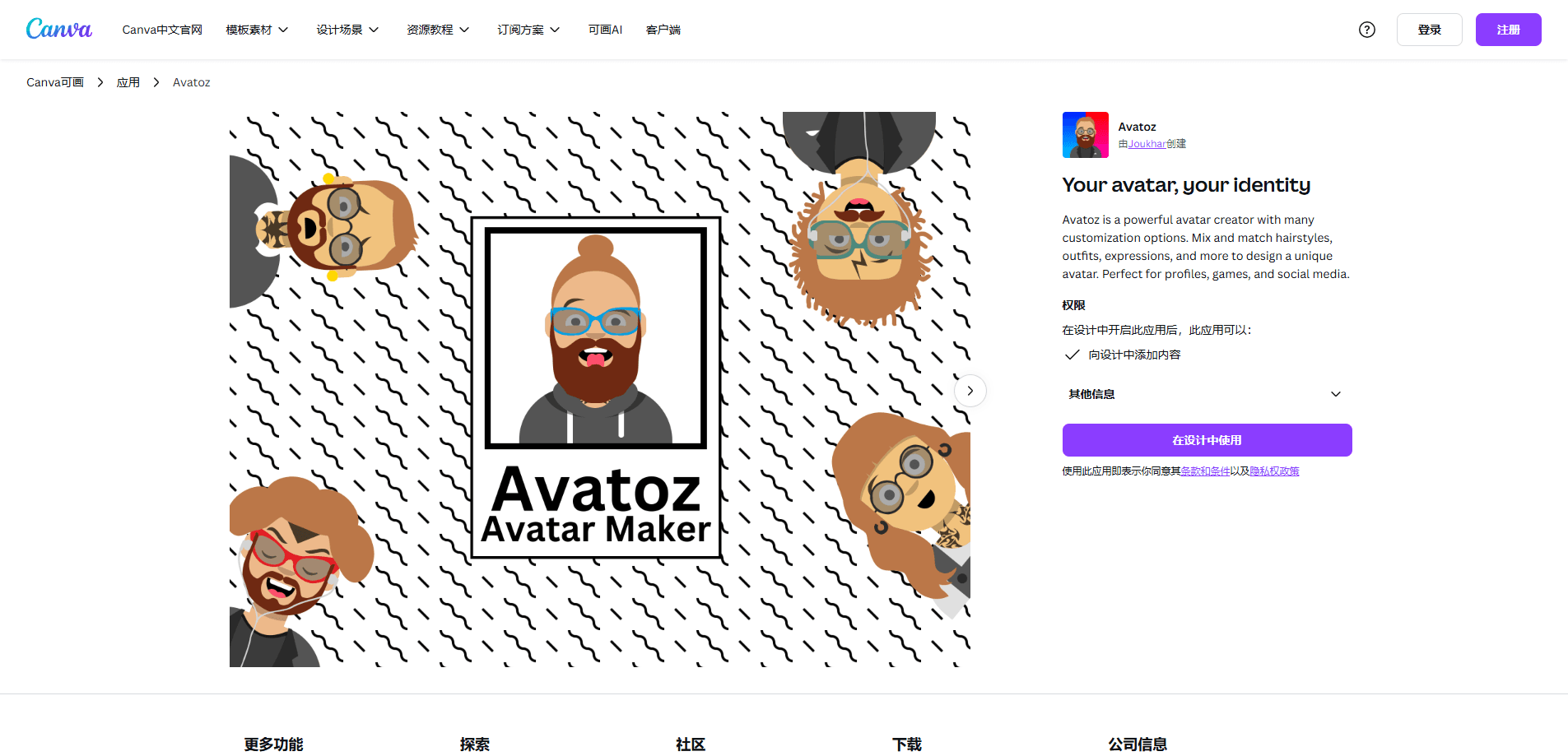
Avatoz is an avatar creator app for Canva that lets you mix hairstyles, outfits, expressions and more to build a custom character, then drop it straight into a design.
About Avatoz
What Is Avatoz
Avatoz is a Canva app that builds custom avatars from ready-made parts. You pick a hairstyle, an outfit, a facial expression and a handful of other details, and the app assembles them into a character you can place on a design. It runs inside Canva, so there's no separate account, no export step and no file shuffling between tools.
The pitch is speed. Making a decent-looking character from scratch usually means opening a drawing tool, learning a layer system and spending an afternoon on it. This Canva avatar maker swaps all of that for a browse-and-pick flow. That's why it fits profile pictures, game assets and social posts where you need something good in minutes, not hours.
The trade-off is control. Everything comes from preset parts, so you won't draw a scar, a specific tattoo or an outfit that doesn't exist in the library. If your character has to look exactly like a real person, this isn't the tool. If you need a clean, consistent look across a set of images, it is.
Getting Started
- Open Canva and start or open any design where the avatar will live.
- Go to the Apps tab in the editor sidebar and search for Avatoz, then add it to the design.
- Browse the parts, starting with a base and working through hair, face and clothing until the character looks right.
- Drop the finished avatar onto the canvas and resize or reposition it like any other Canva element.
Product Information
A quick look at Avatoz's pricing, supported platforms, and performance.
Best for
The users, tasks, and scenarios where this tool fits best.
Users
- Social media managers
- Streamers and gamers
- Small business owners
- Teachers and students
Tasks
- Creating profile avatars
- Designing character sets
- Building social media graphics
- Making game and puzzle assets
Scenarios
- Kicking off a new social account
- Updating a team page
- Putting together slides for a class or talk
- Prepping printable activities
Key features
Avatar Builder With Mixed Parts
The core of the app is a builder that works from preset parts. You choose a base, then layer on hair, clothing, facial features and accessories until the character reads the way you want. Because every part comes from the same library, the result stays visually consistent instead of looking stitched together from unrelated styles.
Broad Hairstyle and Outfit Options
Hair and clothing carry most of the personality in a simple avatar, and Avatoz leans on both. You get a wide spread of hairstyles plus a range of outfits, so the same face can read as casual, formal or playful depending on what you pick. That variety is what makes one character work for several different posts.
Expression and Facial Detail Control
Expressions do a lot of work for a small image. Avatoz lets you set the facial expression and adjust the finer details around the face, which matters when the avatar appears at full size on a profile page rather than tucked into a corner. A smiling version and a serious version of the same character take seconds to produce.
Runs Inside Canva
Avatoz is a Canva app, so it opens in the editor sidebar rather than in its own window. You build the avatar and place it on the canvas in the same session, with no download or re-upload in between. That also means the finished character lands as a normal Canva element you can recolor, crop or animate like anything else in the design.
Design-Ready Output
The avatar arrives as part of the design, so it inherits Canva's editing tools the moment it's placed. You can resize it for a story, a thumbnail or a slide without rebuilding it, and you can pull the same character into other designs through Canva's usual copy and paste.
Pros and cons
Pros
- The browser-based avatar maker turns character creation into a few minutes of work instead of an afternoon in a drawing tool.
- Everything comes from one matched library, so avatars look consistent instead of pieced together from clashing styles.
- It lives inside Canva, which removes exports, re-uploads and account juggling.
- The finished character is a normal Canva element, so it works with tools you already use.
Cons
- There's no free tier, so you can't test the builder before paying for a Canva plan.
- You can't adjust parts outside the library, which means a specific tattoo, scar or custom outfit simply isn't possible.
- It needs a Canva account and an active plan to use, so people outside Canva can't touch it.
- The look is limited to the app's preset art style, which won't suit projects that need a realistic photo.
Frequently asked questions
Avatoz builds custom avatars from preset parts inside Canva. You choose a hairstyle, outfit, expression and other details, and the app assembles them into a character you can place on a design for profiles, games or social media.
Related content
Explore related tools, skills, and articles for Avatoz.
Avatoz Alternatives

Google EmbeddingGemma 2
Google DeepMind · Writing · Image · CodingGoogle EmbeddingGemma 2 is a 740M-parameter open model that turns text, code, images, audio, and video frames into vectors in one 768-dimension space, running on phones and laptops.

Tractionwave
TractionWave · Image · MarketingTractionWave is an AI attention heatmap tool for static ads. Upload a PNG or JPG and it returns predicted attention, ranked hotspots, and fixes before you spend budget.

Imejis.io
Imejis.io · Image · MarketingImejis.io is an AI design studio for agents and marketing teams. Describe an image in plain words, and it writes the copy, builds the layout, reflows it to every size, then exports a finished file.