

Avaturn Live
Avaturn · Image · Voice & Language
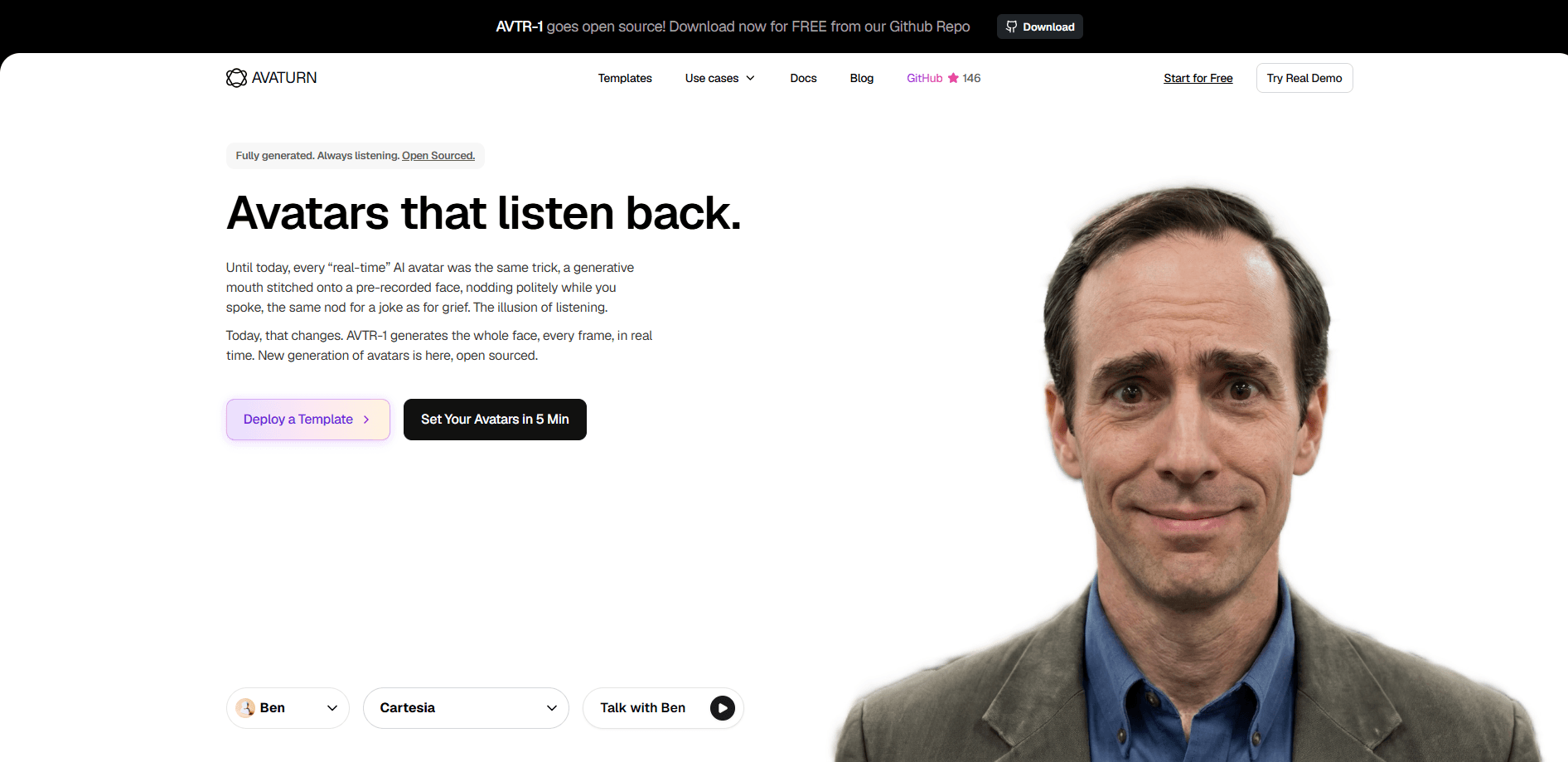
Avaturn Live is a real-time AI avatar platform that turns a single portrait image into a fully animated face for live conversations. So why does it look less creepy than a normal talking avatar generator? Because it renders every frame of the face, not just the mouth. The character blinks, reacts, and shows emotion while someone else is speaking. You also get ready-made demos, templates, and an SDK/API for putting conversational AI avatars into voice apps in minutes.
About Avaturn Live
What Is Avaturn Live
Avaturn Live is a platform for building lifelike AI avatars that hold their own in a live voice conversation. Its core model, AVTR-1, spins out a synced face at 25 frames per second on a single GPU. It does more than move the mouth. The whole face animates frame by frame, which is why the company calls these avatars "listening back" rather than just talking.
The problem it solves is one every voice-agent builder hits eventually. A chatbot with a synthesised voice sounds fine until you add a face. Then the face gives it away. Traditional talking-head tools only map audio to lips, so the avatar stares blankly whenever the user talks. Avaturn Live keeps the character reacting during the other half of the exchange. That matters for tutoring, sales role-play, and customer support, where silence looks like confusion.
The main limitation is hardware. Running the model yourself needs a decent NVIDIA GPU, CUDA 12.x, and TensorRT 10.x, so self-hosting isn't a laptop-friendly weekend project. For most teams, the hosted API or the prebuilt templates are the realistic starting point. As of this writing, I couldn't find published API rates on the site, so treat any cost estimate as unverified until you check directly with the vendor, who is the only reliable source on what a production deployment will actually cost.
Getting Started
- Open the dashboard and set up an avatar in about five minutes through the company's own upload flow.
- Pick a template or start from a demo, so you skip building the session logic from zero.
- Choose or upload a portrait image, then wire in your speech and listening audio streams.
- Test the live session in the browser. Check the lip-sync and the reaction timing on your connection.
- For production, connect through the SDK or API, or clone the AVTR-1 repository and self-host on your own GPU.
Product Information
A quick look at Avaturn Live's pricing, supported platforms, and performance.
Best for
The users, tasks, and scenarios where this tool fits best.
Users
- Developers building voice agents
- Sales and support teams
- Educators and language tutors
Tasks
- Live role-play for sales calls
- Language practice with pronunciation feedback
- Customer support agents
Scenarios
- Prototyping an AI product in an afternoon
- Self-hosting a private model
- Browser-based demos for clients
Key features
Frame-by-Frame Facial Animation
Most avatar tools only move the lips, which is why they look uncanny. Avaturn Live renders the entire face for every frame, so the avatar blinks, shifts its expression, and reacts to the person talking. That's the difference between a talking head and a character that seems to be in the room. It's a small shift, but you notice it right away. The payoff shows up in the pauses. When a user is mid-sentence and thinking, a lip-sync-only avatar freezes into a mask, while a frame-by-frame one keeps a faint, believable expression running, and that tiny difference is often what separates an agent people trust from one they tune out.
Active Listening and Emotional Reaction
The model takes a dual-stream audio feed, one for speech and one for the peer. Then it reacts to both. It doesn't just go quiet while the other side talks. For tutoring, sales, or support, that reaction keeps a conversation from feeling like you're talking to a paused video, which is exactly the impression most early avatar projects leave behind.
25 Frames Per Second on a Single GPU
AVTR-1 generates motion in five-frame chunks at 25 fps. That works out to 200 ms of output per chunk. Any GPU fast enough to stay under that line runs in real time. According to Avaturn's published numbers, an L40 handles a chunk in 84 ms, an RTX 4060 Ti in 166 ms, and an L4 just barely in 202. Pushing past your card's limit means dropped frames. It doesn't crash.
Open-Source Model With Self-Hosting
AVTR-1 is open source, with weights, inference code, and TensorRT-accelerated builds on GitHub. Teams with strict data rules can pull the model and run it behind their own firewall. The trade-off is setup work: CUDA 12.x, TensorRT 10.x, and engines built per machine. A platform team won't struggle with it, but it isn't a one-click install either. Plenty of teams pick the hosted path first and self-host later once traffic and privacy needs justify the extra operational weight, and that staged approach usually keeps early experiments cheap while still leaving the door open to a fully private deployment down the road.
Templates and Ready-Made Demos
The platform ships with working examples. There's a sales role-play agent, a language tutor, and a data-analyst persona. Each one comes as a live demo and a deployable template. For a small team, that's the fastest path from "we want avatars" to something a stakeholder can click. No design work required.
SDK and API Integration
You can add avatars to an existing voice app through an avatar SDK or API, or a fully self-hosted backend. No need to build the rendering pipeline yourself. The live-session backend handles the streaming. Your app just sends audio and shows video, which means the integration work stays focused on your own product logic instead of the plumbing underneath it.
Pros and cons
Pros
- Renders the whole face per frame, so avatars react during pauses instead of freezing into a still image.
- Hits 25 fps on a single GPU, with published latency numbers for common cards like the L40 and RTX 4060 Ti.
- Open-source AVTR-1 model, so self-hosting behind a firewall is a real option.
- Templates and demos cut the time from idea to a clickable prototype.
Cons
- Self-hosting needs an NVIDIA GPU plus CUDA 12.x and TensorRT 10.x, and engines have to be rebuilt on each machine. That rules out quick laptop setups.
- Pricing isn't published on the site, so you can't budget from the API page alone and have to ask the vendor.
- Smaller GPUs like the L4 sit right at the real-time line, so headroom for heavier scenes is thin.
Frequently asked questions
It's a platform for real-time AI avatars that animate a full face during live voice conversations, not just lip-sync. Its AVTR-1 model powers both the hosted product and a self-hosted build.
Related content
Explore related tools, skills, and articles for Avaturn Live.
Avaturn Live Alternatives

Google EmbeddingGemma 2
Google DeepMind · Writing · Image · CodingGoogle EmbeddingGemma 2 is a 740M-parameter open model that turns text, code, images, audio, and video frames into vectors in one 768-dimension space, running on phones and laptops.

Tractionwave
TractionWave · Image · MarketingTractionWave is an AI attention heatmap tool for static ads. Upload a PNG or JPG and it returns predicted attention, ranked hotspots, and fixes before you spend budget.

Imejis.io
Imejis.io · Image · MarketingImejis.io is an AI design studio for agents and marketing teams. Describe an image in plain words, and it writes the copy, builds the layout, reflows it to every size, then exports a finished file.