

Awesome Repositories
Bringes Technology SRL · Coding
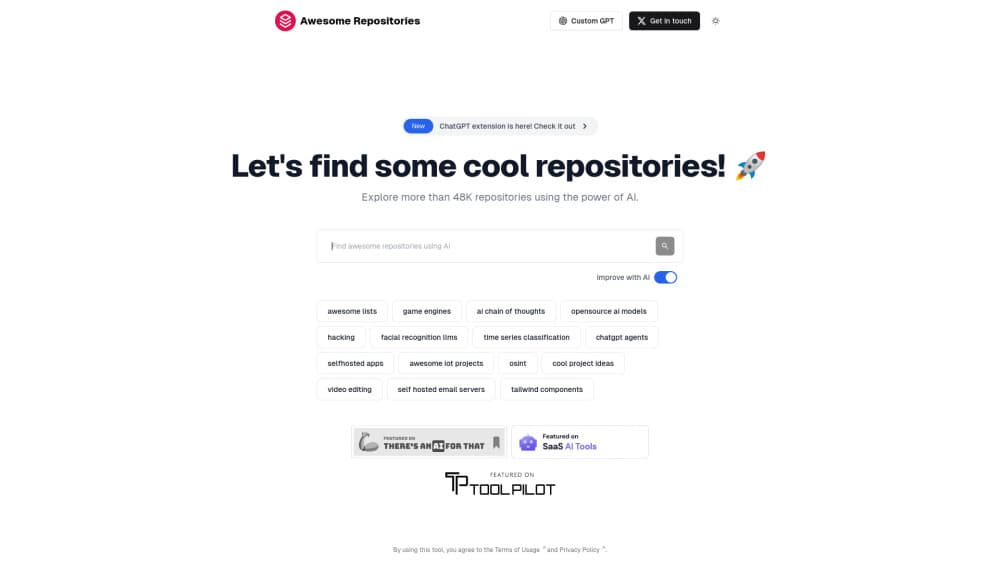
Awesome Repositories is a free AI search engine for GitHub. Describe what you want to build in plain English and it ranks curated open-source projects by fit, with a note on why each matched.
About Awesome Repositories
What Is Awesome Repositories
Awesome Repositories is a search engine for open-source code, built by Bringes Technology SRL. You don't type keywords into it. You describe the thing you're trying to build, plus the constraints that matter, such as language, deployment target or an integration you need. The site then returns GitHub repositories from its own curated repository directory, ordered by how well they fit the request rather than by star count.
That last part is the reason people stick around. GitHub repository search rewards exact words. If a project solves your problem but never uses your phrasing, you won't find it. This tool matches on intent, so a request like "self-hosted status page that pings my services and alerts me on Discord" can pull up projects that describe themselves in completely different language.
The limits are worth stating plainly. The directory is a curated index with AI-generated analysis on top, and coverage varies by topic. Being listed doesn't mean a project was tested, audited or even read by a person. Treat the results as a shortlist, then check the repo's license, commit history and open issues before you commit a weekend to it.
Getting Started
- Open the site and type what you want to build in a sentence or two. Add language, hosting or integration details if they matter.
- Read the result list and the short match explanation under each repository. That note tells you which part of your request it answers.
- Open the repository page to see its description, primary language, topics and tag paths, then jump to the project on GitHub.
- Save the strong candidates to a shortlist and compare them on activity, license and docs before you pick one.
- If you work with a coding agent, connect the MCP server so the same search runs inside your editor.
Product Information
A quick look at Awesome Repositories's pricing, supported platforms, and performance.
Best for
The users, tasks, and scenarios where this tool fits best.
Users
- Solo developers and indie builders
- Small engineering teams scouting options
- People running coding agents
Tasks
- Finding a library for a specific job
- Hunting self-hosted alternatives
- Building a shortlist before a build decision
- Giving an agent repository access
Scenarios
- Early project research
- Weekend builds and side projects
- Replacing a paid subscription
Key features
Search in Plain English
The search box takes a sentence, not a query string. It's AI code search without the query syntax. You describe the product you're building and the conditions around it, and the engine returns repositories that fit that description. It's the fastest way to find open source projects when you know the outcome you want but not the vocabulary other developers use for it.
Match Notes on Every Result
Each result carries a short explanation of why it was selected. That note points at the part of your request the project answers, which is useful when two repos look equally plausible from the title alone. You can build a shortlist from the explanations without opening every tab.
Ranking That Skips Star Count
The ordering comes from a hybrid retrieval setup, keyword scoring over repository text fused with vector search, then merged into one ranked list. Stars and trending charts don't drive the result order, so a solid project with a small following can outrank a famous one that only half fits. Filters let you narrow results by tag path if a broad request returns too much.
Category Browsing and Curated Searches
Beyond the search box, the directory is organised into categories such as AI and machine learning, notes and productivity, media and communication, and databases and data. Each category page lists its most-opened searches, so you can start from a ready-made question and see results immediately.
Today's Picks
The homepage rotates a small set of standout repositories every few hours. It's a low-effort route to GitHub repo discovery outside your usual problem space, and a decent way to spot a category you didn't know existed.
MCP Server for Coding Agents
The site runs a read-only MCP server at its own endpoint, with eight tools and OAuth sign-in through Google. Claude Code, Cursor, VS Code, Codex, Gemini CLI and other MCP clients can install it in a single command. The retrieval stays on the server and the judgement stays with your agent, with no per-user quota on tool calls.
Pros and cons
Pros
- Search and browsing cost nothing, and there's no paid tier to unlock better results.
- Intent matching finds projects that keyword search misses, which is the whole point of the product.
- Match notes speed up triage, especially when the repo names tell you nothing.
- The MCP server is free for signed-in users and installs into the common agent clients in one command.
- Category pages and curated searches give you a starting point when you have no idea what to type.
Cons
- Coverage varies by topic, so a thin category can return a short or stale list, and you'll need GitHub search as a backup.
- Listings include AI-generated analysis, and some descriptions read generic or miss what a project actually does best.
- Nothing is vetted for security, license or maintenance, so the due diligence is still on you.
- The agent route needs an MCP-capable client and a Google sign-in, which rules out a plain browser chat window.
Frequently asked questions
It's a search engine for open-source projects on GitHub. You describe what you want to build in plain English and it returns ranked repositories from a curated directory, each with a note explaining the match.
Related content
Explore related tools, skills, and articles for Awesome Repositories.
Awesome Repositories Alternatives

Udon
Udon · Coding · ProductivityUdon turns an Apple Silicon Mac into a home server you run from a browser, with container controls, file shares, and an optional AI sysadmin.

offstage
offstage cloud · Coding · Productivityoffstage gives AI coding agents and CI jobs a real Mac: a fresh macOS account on Apple silicon, driven over an API and billed by the second.

BotBus
Chengdu Tuyang Tusen Technology Co., Ltd. · Coding · ProductivityBotBus lets you control AI coding agents from your phone and watch: approve commands, start tasks and read results while the code stays on your desktop.