

AYCD
AYCD, Inc. · Productivity · Business
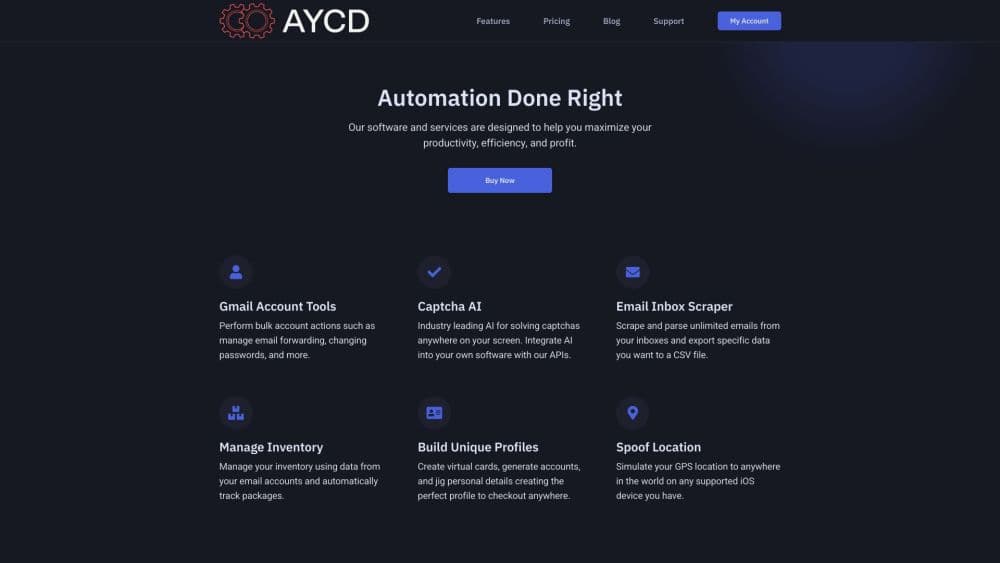
AYCD is a subscription automation platform for resellers. It packs a unified inbox, isolated browser sessions, server management, and profile tools into one desktop app.
About AYCD
What Is AYCD
AYCD is a desktop software suite built for people who repeat the same buying and account tasks every day. Instead of juggling a mail client, a remote desktop tool, a browser profile manager, and a spreadsheet of billing details, you get four apps under one login. The company behind it is AYCD, Inc.
The platform covers the boring parts of running a resale operation. Inbox pulls every mailbox into one view and can hand verification codes to other software. ServerManager keeps AWS and GCP instances in a single list. TabSentry runs browser sessions with separate fingerprints. ProfileBuilder generates billing profiles in bulk.
The catch is scope. AYCD is paid only, runs on Windows and macOS, and assumes you already know why you need this kind of tooling. Automated purchasing can also break a retailer's terms of service, so the risk sits with you, not with AYCD.
Getting Started
- Create an account on aycd.io and pick a pass: Resell, Queue, or Ultimate.
- Download the desktop app, sign in, and let it update to the current build.
- Connect your mailboxes, then add AWS or GCP credentials if you plan to use ServerManager.
- Build browser sessions and billing profiles, then save the workflow you want to repeat.
Product Information
A quick look at AYCD's pricing, supported platforms, and performance.
Best for
The users, tasks, and scenarios where this tool fits best.
Users
- High-volume resellers
- Small resale groups
- Developers building buying workflows
Tasks
- Pulling verification codes fast
- Tracking orders across accounts
- Running many isolated checkout sessions
- Managing drop infrastructure
Scenarios
- Release-day drops
- Running a cook group
- Handing repetitive work to AI agents
Key features
Unified Inbox With a Mail Tasks API
Inbox puts every mailbox into one view, with templates, order tracking, and data export. The Mail Tasks API is the part that matters for automation: your software asks for a verification code or a confirmation link and gets it back without scraping a web UI. There's also an IMAP endpoint called UpLink that turns all your accounts into one connection.
TabSentry Isolated Browser Sessions
TabSentry runs multiple browsers at once, each session sealed in its own profile with a unique fingerprint. You can record a flow once and replay it across sessions, install any Chrome extension, and watch every open tab from one panel. Camo Server lets third party apps or scripts launch the same browser through an executable path.
Smart Autofill and Instant OTP
Autofill fills billing, shipping, payment, and custom fields on any site, and it can drop in one-time codes pulled from IMAP or TOTP. That removes the slowest manual step in a checkout flow. Macros handle page flows that change between sites, so you can keep one automation for several storefronts.
ServerManager for AWS and GCP
ServerManager connects to remote servers and cloud instances from one window. It ships smRDP, a custom remote desktop client that uses less memory and bandwidth than ActiveX on Windows and macOS. You can save instance templates, attach local drives, and request limit increases with a pre-filled form.
ProfileBuilder Bulk Profiles
ProfileBuilder creates and stores billing profiles, then generates hundreds of variations in minutes. It imports and exports CSV, JSON, and other formats, and custom templates control exactly which fields get changed. Virtual cards from multiple providers can be created, imported, and distributed from the same place.
MCP Servers for AI Agents
Both Inbox and ServerManager expose an MCP server, which is the open protocol AI assistants use to call external tools. An agent can read mail, fetch codes, list instances, or check cloud spend without custom glue code. That's the clearest sign AYCD is betting on agent-driven workflows rather than manual clicking.
Pros and cons
Pros
- Four apps under one subscription, so there's no stack of separate bills to reconcile.
- The Inbox API and MCP servers make it usable inside your own automation, not just through the app.
- Group and partnership pricing exists for teams that outgrow a single pass.
- Windows and macOS builds are both maintained, with a remote desktop client written in house.
- Webhook Scraper and AutoSolve cover the two jobs most buying scripts fail at: catching webhooks and clearing captchas.
Cons
- No free tier is listed, so testing the platform costs at least $30 for a month.
- The $65 Ultimate Pass is the only plan with TabSentry, ProfileBuilder, AutoSolve, and IMAP UpLink, which pushes serious users to the top price.
- Everything runs through desktop apps, so there's no browser-only or mobile option for quick checks.
- Automated buying can violate a retailer's terms of service, and account bans are a real risk you carry alone.
Frequently asked questions
AYCD is a reseller automation platform for the repetitive parts of the job: reading verification emails, managing browser sessions, running cloud servers, and generating billing profiles. It's a toolbox rather than a single bot.
Related content
Explore related tools, skills, and articles for AYCD.
AYCD Alternatives

Udon
Udon · Coding · ProductivityUdon turns an Apple Silicon Mac into a home server you run from a browser, with container controls, file shares, and an optional AI sysadmin.

offstage
offstage cloud · Coding · Productivityoffstage gives AI coding agents and CI jobs a real Mac: a fresh macOS account on Apple silicon, driven over an API and billed by the second.

BotBus
Chengdu Tuyang Tusen Technology Co., Ltd. · Coding · ProductivityBotBus lets you control AI coding agents from your phone and watch: approve commands, start tasks and read results while the code stays on your desktop.