

BabyCheck - Scan baby products
Techvisor · AI Assistant · AI Detection
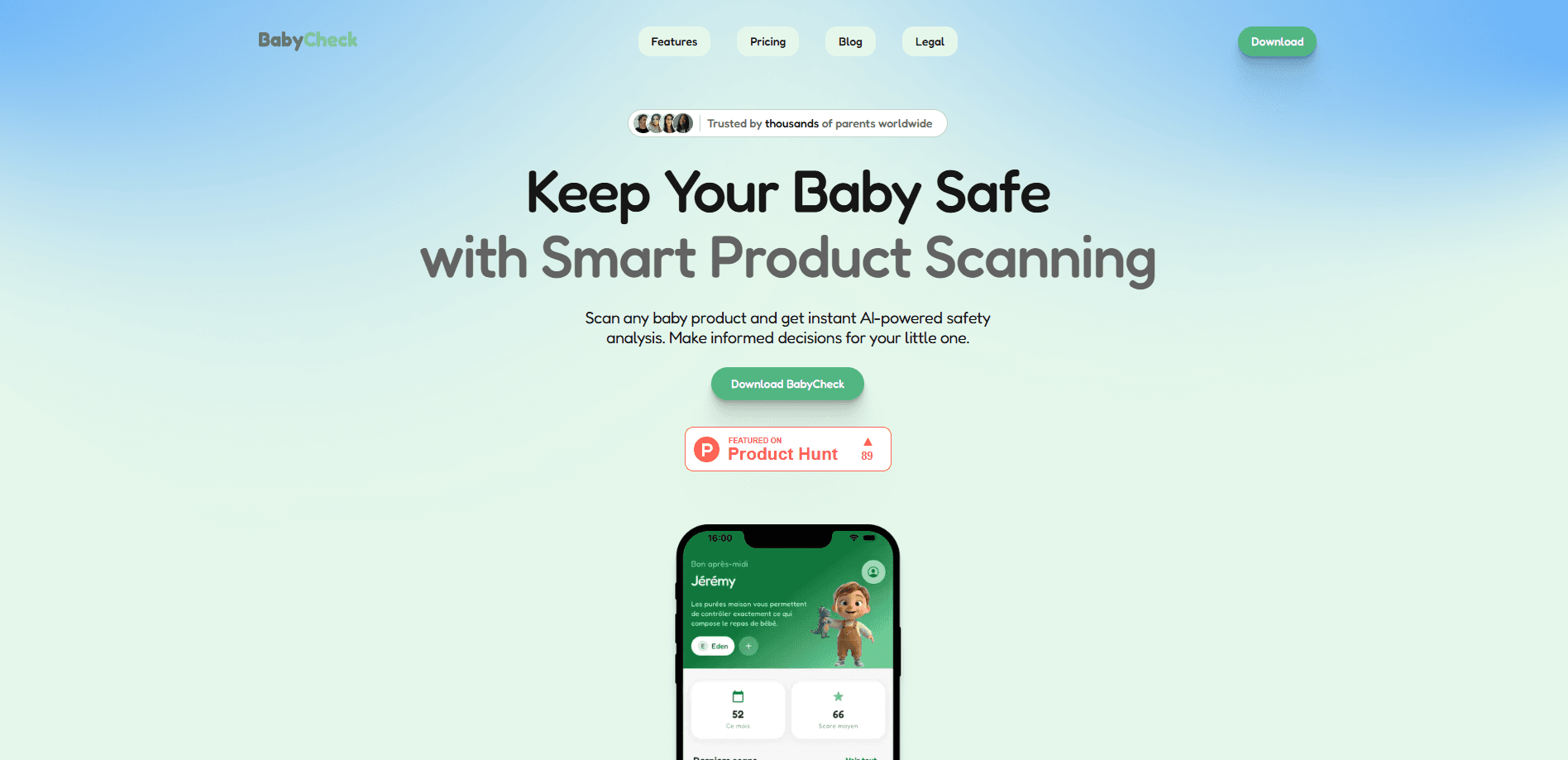
BabyCheck - Scan baby products is a baby product scanner for parents who want a second opinion before they buy gear, food, or skincare for a small child. Point your phone at a product or its label. The app reads what's there, flags anything that deserves a closer look, and suggests safer alternatives you can compare in the same aisle. It also bundles a set of health assessment tools, so this one parenting app covers two questions that come up constantly in the first few years: is this safe to buy, and should I worry about this symptom?
About BabyCheck - Scan baby products
What Is BabyCheck - Scan baby products
BabyCheck is an Android baby safety app from Techvisor that combines two jobs parents do a lot: checking whether a product is safe for a baby, and getting a quick read on a child's wellbeing. It's built for the store aisle and the living room. Not for a clinic.
The baby product safety side works by scanning. You photograph a package, a label, or a barcode. The AI product scanner analyzes the item against its database and explains what it found in plain language. When something doesn't look right, it points you to alternative products it considers a better fit for your child, which saves you from standing in the baby-care aisle typing one ingredient name after another into a search engine.
The health assessment tools are a separate feature set aimed at the same audience. They let you record observations and get guidance on what those observations might mean for your child. The honest limitation here is coverage. A product safety checker is only as good as the products already in its database, and a brand-new or imported item may not match anything the app knows. That's the gap to keep in mind. It's a helper, not a pediatrician.
Getting Started
- Install BabyCheck from Google Play and open it, then grant camera access so the scanner can read labels and barcodes.
- Create or sign into your account and add basic details about your child, such as age, so the app can tune its guidance.
- Point the camera at a product label, barcode, or the front of the package and let the app identify the item.
- Read the safety breakdown, then tap through to the suggested alternatives if the item raises a flag.
- Use the health assessment section for any symptoms you want to log, and keep your scan history so you can revisit a product later.
Product Information
A quick look at BabyCheck - Scan baby products's pricing, supported platforms, and performance.
Best for
The users, tasks, and scenarios where this tool fits best.
Users
- Expecting and new parents
- Caregivers and grandparents
- Parents juggling a sick child at odd hours
Tasks
- Checking a baby product's ingredients or materials
- Finding a safer alternative to a flagged product
- Logging a child's symptoms and observations
- Building a personal library of scans
Scenarios
- Standing in a store deciding between two brands of baby wash
- Unboxing a gift or hand-me-down without a receipt
- A late-night worry about a rash, cough, or feeding change
- Stocking up online before a baby arrives
Key features
AI product scanning
This is the core of the app. You photograph a product's front label, ingredient list, or barcode. BabyCheck identifies it and runs an analysis against its product data. The result is a plain-language summary rather than a wall of chemical names. That matters when you're reading a label in a store with one hand on a stroller.
Safer alternative suggestions
When a scanned product raises a concern, the app doesn't just flag it and stop. It surfaces alternatives in the same category, so you have somewhere to go next. Parents mention this piece most in reviews. It's what turns a baby product scanner from a warning light into an actual shopping tool.
Health assessment tools
Beyond product scanning, BabyCheck includes tools for assessing a child's wellbeing based on what you observe. You record symptoms or measurements. The app then offers guidance on what those observations might mean. The goal is simple: help you decide when something is routine and when it's worth calling a doctor.
Scan history and product library
Every scan you run is saved, so you build a record of the products you've checked. That's useful for repeat purchases. It also helps you keep track of which brands passed and which didn't, without trusting your memory in the middle of a shopping trip.
Plain-language safety breakdowns
The app translates technical label information into explanations a non-chemist can follow. Each flagged item comes with context on why it matters for a baby specifically. Most ingredient-checker tools skip that part.
Pros and cons
Pros
- Combines product safety scanning and health assessment in a single app, so you're not juggling two tools.
- Suggests alternative products when something gets flagged, which is more useful than a bare warning.
- Explains label findings in everyday language, so you don't need a background in chemistry to act on them.
- Saves scan history, making repeat shopping decisions faster over time.
- Android app, so it's easy to install and use one-handed while you shop.
Cons
- A scanner only recognizes products already in its database, so obscure or imported items may not get a useful read.
- The health assessment tools offer guidance, not medical diagnosis, and shouldn't replace a pediatrician's advice.
- Pricing and feature tiers aren't clearly published on the website, so you may need to open the app to see exactly what's free.
Frequently asked questions
It's a parenting app that scans baby products by camera and explains whether anything in them deserves attention, then suggests alternatives. It also includes health assessment tools for logging and evaluating a child's symptoms.
Related content
Explore related tools, skills, and articles for BabyCheck - Scan baby products.
BabyCheck - Scan baby products Alternatives

Iplan AI
Iplan AI · Productivity · AI AssistantIplan AI is an AI travel planner that turns a few trip details into a full day-by-day itinerary in seconds. You answer questions about your destination, interests, budget, and travel companions, and the tool builds a plan you can edit, share, and carry with you on any device. It targets travelers who want a solid draft without spending hours in spreadsheets and browser tabs. Think of it as an itinerary generator that does the tedious part for you.

Screenhelp
Screenhelp · Productivity · AI AssistantScreenhelp is an AI screen assistant that turns a single keyboard shortcut into real-time help. You press Ctrl+Shift+Space, it captures what's on your screen, and it streams an answer into a private panel in about two seconds. Think of it as an AI screenshot helper you trigger on demand. It runs on Mac, Windows, and the web, starts free with 30 answers a month, and stays invisible during screen sharing on Zoom, Teams, and Google Meet.

Rainbow
Rainbow · AI AssistantRainbow is an AI weather forecast app built around short-term precipitation nowcasting. Its engine pushes min-by-min rain and snow predictions up to four hours ahead, blending live satellite and radar feeds into hyperlocal forecasts. The app adds live rain radar, a seven-day outlook, precipitation alerts, home-screen widgets, and a hurricane tracker, and it runs on both Android and iOS with a free tier plus paid upgrades.