

Backdrop
Backdrop · Productivity
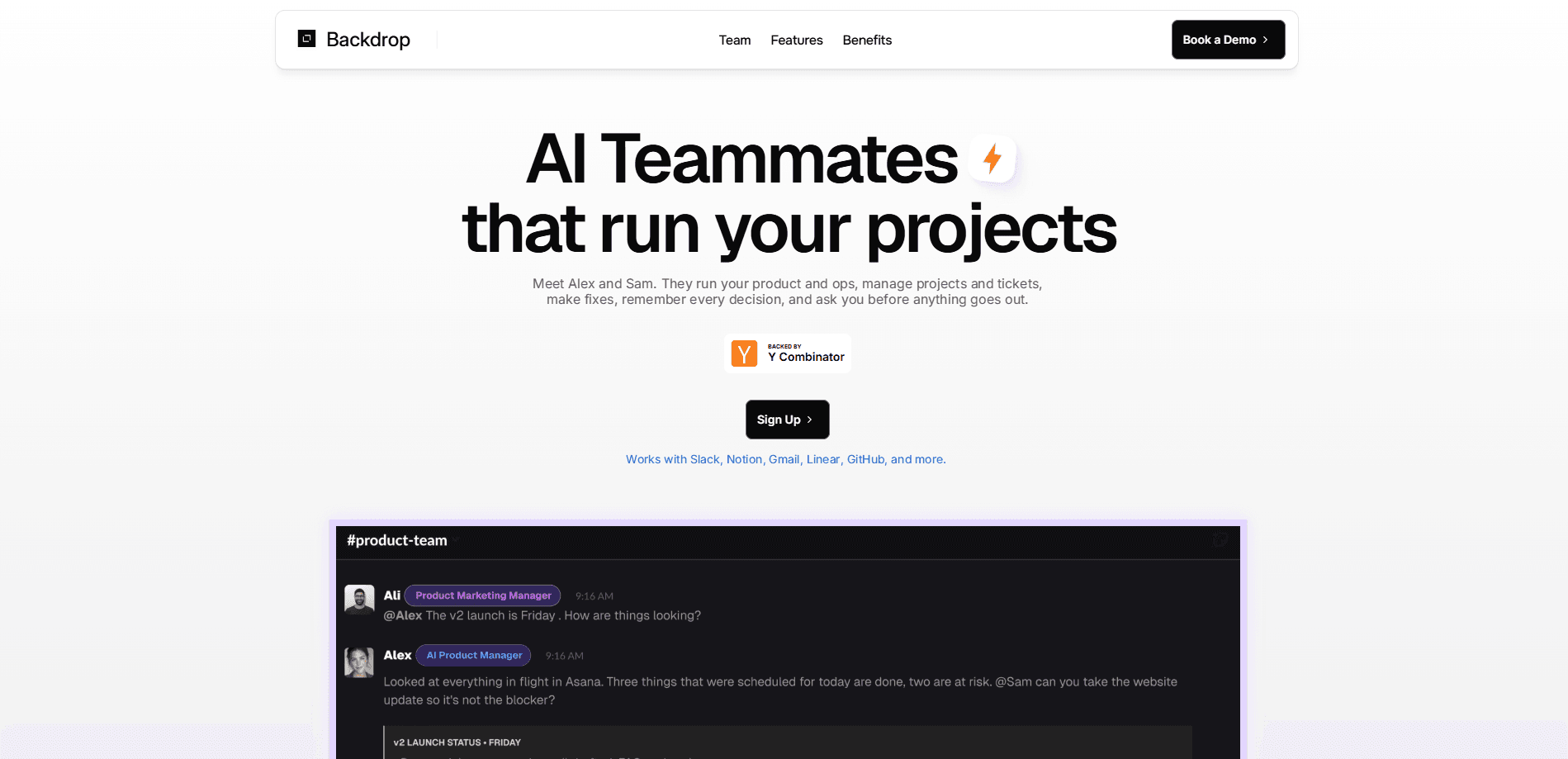
Backdrop is an AI coworker platform that lets teams build autonomous AI teammates to run real work across the tools they already use. You start with a single job, then hand your coworker the apps, data, and instructions it needs to handle that work end to end. Think of it as an AI agent platform where the agents do the follow-up, not just the first draft. It ships with pre-built teammates such as Alex for product management and Sam for engineering and operations, and you can shape custom ones for research, marketing, or coordination.
About Backdrop
What Is Backdrop
Backdrop is a platform for creating AI coworkers that take on recurring knowledge work rather than just answering questions in a chat box. Instead of prompting a chatbot for every task, you connect your apps and data, then let a coworker research, draft, schedule, follow up, and update records on its own. That's the real difference. Chat tools wait. The pitch is simple: an AI teammate that works inside your stack, not beside it.
The system leans on approvals, visibility, and a shared memory of your product so you stay in control. Coworkers can read and write inside connected tools like Slack, Google, Linear, and QuickBooks, which means their output lands where your team already works. The goal is genuine AI workflow automation, not another inbox to manage. Granular access controls decide what each coworker can see and change.
The main limitation is transparency around cost and commitment. Backdrop doesn't publish self-serve pricing or a free tier, and onboarding runs through a sign-up and a demo booking. No published price is a real hurdle. Companies that want to test it quietly before rolling it out should plan for that conversation.
Getting Started
- Sign up at app.backdropagent.com or book a demo with the Backdrop team.
- Pick a starting job, such as competitor research, campaign creation, or ticket triage.
- Connect the apps, data, and systems the coworker needs, then set access controls.
- Give the coworker instructions and context so it understands how your team works.
- Let it run, review what it produces, and approve anything that needs a human check.
Product Information
A quick look at Backdrop's pricing, supported platforms, and performance.
Best for
The users, tasks, and scenarios where this tool fits best.
Users
- Small operations teams that run the same tasks every week and want them handled without hiring
- Marketing and content leads who need research, campaigns, and follow-ups kept in motion across channels
- Product managers who want feedback turned into plans, tasks, and tracked decisions
- Founders at lean startups who need a generalist teammate across sales, ops, and support
Tasks
- Market and competitor research that ends in a summary or recommendation instead of raw links
- Campaign, content, and outreach drafts that go out across several channels
- Recurring operations like monitoring issues, filing bugs, or reviewing releases
- Coordination work such as turning conversations into tasks and chasing blockers
Scenarios
- An e-commerce team watching orders, returns, and inventory without pulling someone off a project
- A manufacturing operation flagging supplier delays and quality issues before they pile up
- An agency tracking client projects, deadlines, and follow-ups across every account
Key features
Pre-built AI Teammates
Backdrop starts you with named coworkers instead of a blank prompt. Alex handles product management work and Sam covers engineering and operations, so a team can see how an AI teammate behaves before building its own. Each one arrives with a role and a job description you can adjust. They're autonomous agents with a job to do, not assistants waiting on a prompt.
Custom Coworkers for Any Workflow
You can create a coworker for a specific function by choosing one job first and expanding later. Research, marketing, planning, and operations are common starting points. So where do you begin? Pick the chore your team hates most. The coworker inherits the tools, context, and instructions you assign, so its scope stays predictable.
1000+ App Integrations
Coworkers connect to the apps, data, and systems your team already runs on, including Slack, Google, Linear, QuickBooks, and Meta Ads. That range matters because the value shows up when a coworker can act inside your tools rather than just describe what to do. It can create and update records directly in connected apps. That's the difference between advice and work.
Granular Access Controls
Every coworker has its own permissions, so you decide exactly what it can read or change. You can keep a research coworker out of billing systems while letting an operations one touch tickets. That separation is the point. This keeps autonomous work inside limits you set rather than trusting a single account-wide toggle.
Approvals and Shared Memory
Backdrop keeps you in the loop with approval steps, activity visibility, and a shared memory of your product. Coworkers lean on that context, so their work stays consistent over time. When something needs a human decision, it stops and waits instead of guessing.
Built for Real Business Work
The platform is set up for common industries including e-commerce, manufacturing, agencies, and SaaS, with dashboards that surface live signals like open customer issues or low inventory. The framing is operational: spot a change, then act, all without leaving the workspace. Simple enough in theory. The catch is getting your data connected first.
Pros and cons
Pros
- Coworkers work inside your existing tools, so output lands where the team already operates
- Pre-built teammates give you a working example before you build anything custom
- Granular access controls make it easier to hand off sensitive work with limits in place
- Approvals and shared memory keep humans in control of decisions that matter
- Supports a wide spread of industries rather than forcing one rigid workflow
Cons
- No public pricing or free tier, so you can't evaluate cost without talking to the team
- Onboarding depends on a sign-up and a demo, which slows down self-serve testing
- Less useful for teams that only need occasional one-off questions instead of recurring work
Frequently asked questions
Backdrop is used to build AI coworkers that handle recurring work such as research, campaigns, operations, and coordination. You connect your tools and let a coworker run a job from start to finish.
Related content
Explore related tools, skills, and articles for Backdrop.
Backdrop Alternatives

Base Code
Base44 (Wix) · Coding · ProductivityBase Code is a shared cloud development environment from Base44. Teammates describe changes to an existing GitHub codebase in chat, preview them live and send them back as pull requests.

Knocket
Knocket (Tencent RTC team) · Productivity · Business · ChatbotKnocket is a free live chat and contact page tool that lets visitors message you from your website, app, or a shareable link, with every reply handled from Telegram or one inbox.

FloorGen
Vinit Kumar (FloorGen) · Productivity · China AIFloorGen is a browser-based floor plan maker that turns a sentence or a sketch into an editable 2D plan and a 3D walkthrough. Export to PDF, DXF or video, and draw without an account.