

Bambi: NEMT Driver
Bambi · Productivity
Bambi NEMT Driver is the phone app drivers use on Bambi's non-emergency medical transport platform. It handles clock-in, vehicle checks, trip updates, and passenger signatures.
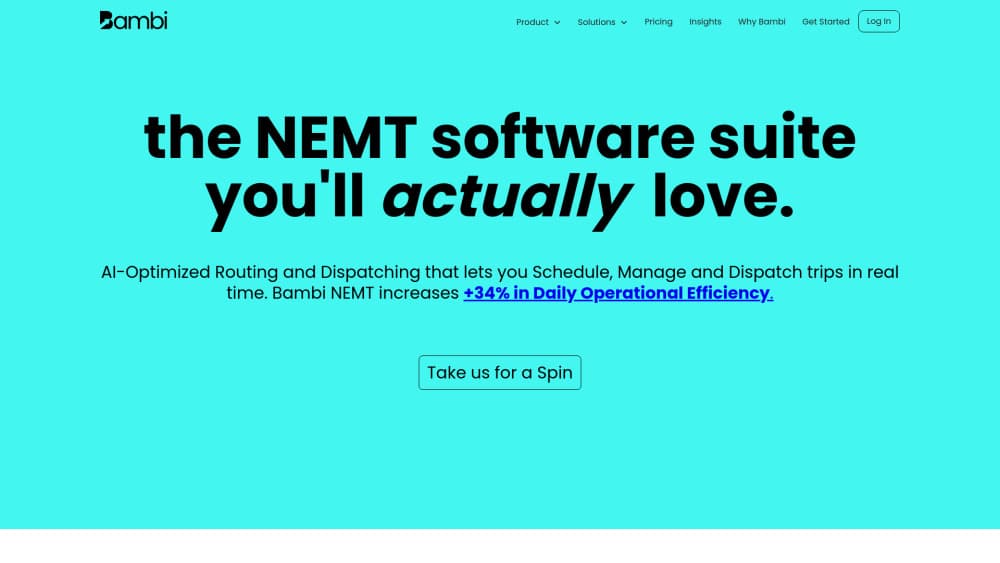
About Bambi: NEMT Driver
What Is Bambi NEMT Driver
Bambi NEMT Driver is the driver side of Bambi, a software platform for non-emergency medical transportation companies. Dispatchers work in a browser dashboard called Fleet HQ. Drivers work in this app on an iPhone or Android phone, and both sides read the same trip record.
The app covers a shift from start to finish. A driver clocks in, records the vehicle's odometer and fuel level, then works through assigned trips one at a time and collects a signature when a passenger gets in or out. Every status change lands on the dispatcher's screen as it happens, which keeps ETAs honest and makes the trip billable later.
One limit shapes everything else. The app doesn't work on its own. It only opens with an account created by a company that pays for Bambi, so a driver can't download it and start taking medical rides. There's no public price for the app either, because the cost sits on the operator's bill.
Getting Started
- Get the download link from your dispatcher, since the iPhone version is hidden from App Store search.
- Install the app, then sign in with the email address your company used to create your driver account.
- Tap Start Shift, allow location access all the time, and confirm the vehicle you're driving.
- Finish the vehicle assessment: safety checklist, odometer reading, fuel level, plus any damage worth reporting.
- Sign to clock in, work trips from the Active tab, and tap Finish Shift when the last passenger is dropped off.
Product Information
A quick look at Bambi: NEMT Driver's pricing, supported platforms, and performance.
Best for
The users, tasks, and scenarios where this tool fits best.
Users
- Drivers at NEMT companies already on Bambi
- Small fleets where drivers use their own phones
- New hires who dread new software
Tasks
- Running a full shift in one place
- Recording vehicle condition before and after a shift
- Passenger signature capture at pickup, which is the proof Medicaid brokers ask for before they pay a claim.
- Keeping dispatch current in dead zones, where the app holds status changes and sends them once the signal returns.
Scenarios
- Dialysis and clinic runs with several stops before noon, where each leg needs its own status and signature.
- Rural routes with long stretches of no coverage, common on Medicaid transport contracts outside metro areas.
- Handing a van to the next driver at the end of a shift, with the closing odometer already logged.
Key features
Shift clock-in with location and a signature
The first screen of the day asks for three things: your assigned vehicle, a completed assessment, and a signature. The app records the exact time and location of that signature, so a shift starts with a timestamp the office can defend in an audit. Miss the location permission and the clock-in gets flagged, not silently accepted.
Vehicle assessments at both ends of a shift
Before the first trip, the app walks through a safety checklist and asks for the odometer reading, the fuel level, and any issue you want on record. The same form comes back at clock-out when the company requires it. That means a dent or a burned-out brake light gets documented while it's fresh, not argued about a week later.
Trip status that moves in five steps
A trip starts on En Route, then At Pickup, Transporting, At Dropoff, and Complete. Each tap updates Fleet HQ, so the dispatcher stops calling to ask where you are. The next trip loads on the Active tab automatically once you finish, which cuts the fumbling between rides.
Navigation in the maps app you already use
Tap an address and the trip opens in Apple Maps, Google Maps, or Waze, whichever you picked in Settings. There's no lock-in to a built-in map, which matters for drivers who know their county better than any routing engine does. The app still tracks the trip, so navigation and dispatch stay in sync.
Offline sync for trips outside coverage
Cell service drops on rural Medicaid routes. Instead of freezing, this medical transport driver app stores the status change, the signature, and the odometer entry locally, then pushes them when the phone reconnects. Drivers keep working, and the office gets the record late rather than never.
Dispatch messages and breaks without leaving the trip
A Quick Action Button connects to dispatch in one tap, and push or SMS alerts announce new assignments and schedule changes. Breaks work the same way: Start Break clocks you out, End Break clocks you back in, so the timesheet matches the day. It's the small stuff a driver dispatch app usually forgets.
Pros and cons
Pros
- Free for drivers to install. The operator pays $69 per active vehicle each month and every feature comes with it.
- The trip flow produces the paperwork brokers want: status times, signatures, odometer, and fuel, all recorded without a clipboard.
- Works with Waze, Apple Maps, or Google Maps, so drivers keep the navigation they trust.
- Offline sync keeps rural routes moving when coverage disappears.
- Everyday actions take one tap, including reaching dispatch during a ride.
Cons
- Useless without a Bambi company account. A driver can't sign up alone or try it before an employer switches platforms.
- The iOS build is hidden from App Store search, so drivers who lose the link have to ask the office for it again.
- Location access must be set to always, which costs battery on a ten hour shift and gives some drivers pause.
- There's no self-service password reset on the phone, so a locked-out driver waits on the operator.
Frequently asked questions
The app itself costs nothing to download and there are no in-app purchases. The company you drive for pays Bambi $69 per active vehicle per month, and driver seats come with that.
Related content
Explore related tools, skills, and articles for Bambi: NEMT Driver.
Bambi: NEMT Driver Alternatives

Base Code
Base44 (Wix) · Coding · ProductivityBase Code is a shared cloud development environment from Base44. Teammates describe changes to an existing GitHub codebase in chat, preview them live and send them back as pull requests.

Knocket
Knocket (Tencent RTC team) · Productivity · Business · ChatbotKnocket is a free live chat and contact page tool that lets visitors message you from your website, app, or a shareable link, with every reply handled from Telegram or one inbox.

FloorGen
Vinit Kumar (FloorGen) · Productivity · China AIFloorGen is a browser-based floor plan maker that turns a sentence or a sketch into an editable 2D plan and a 3D walkthrough. Export to PDF, DXF or video, and draw without an account.