
Bangin' Audio Recorder
Prestosaurus Rex LLC · Productivity
Bangin' Audio Recorder is a voice memo app for iPhone, iPad, and Mac that captures takes fast, tags and transcribes them, and keeps everything in your own iCloud.
About Bangin' Audio Recorder
What Is Bangin' Audio Recorder
Bangin' Audio Recorder is an Apple voice recorder built by Prestosaurus Rex LLC, a small studio run by music composer Alistair Cooper. It does the usual job of an audio recorder for iPhone, then adds the part most recorders skip: finding a take again weeks later. Every clip can carry tags, projects, star ratings, and a location pin, so your library stays searchable instead of turning into a scroll hole.
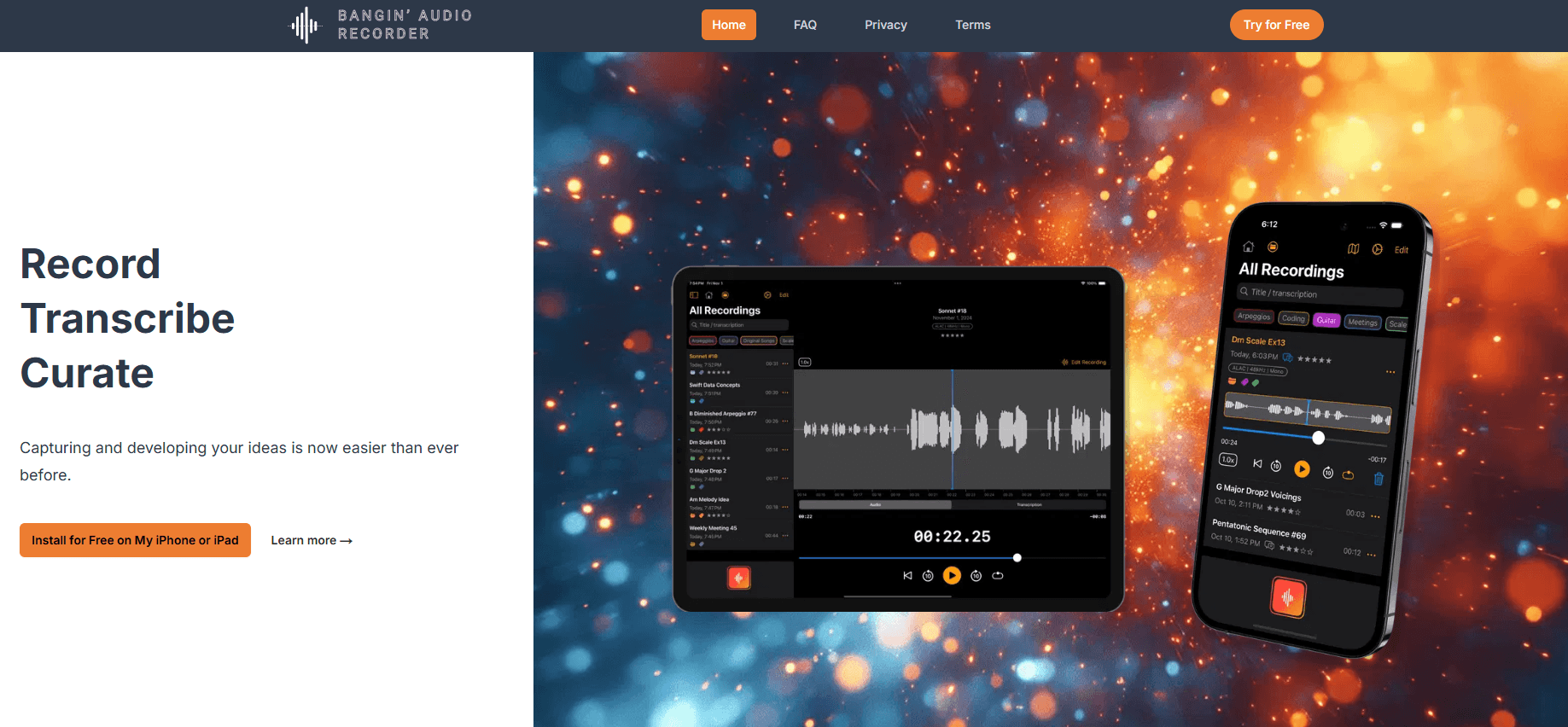
The app centers on the second listen. You can resume an existing recording or replace a section so a single idea stays one file instead of eleven. A waveform you can pinch and zoom lets you cut and trim without leaving the app. Premium adds word-timestamped transcription: tap a word in the transcript and the audio jumps to that moment.
A few limits are worth knowing up front. It runs only on Apple platforms. Free recordings stay on device until you subscribe, since iCloud sync and transcription sit in the Premium tier. The transcription engine targets speech, not studio music analysis, so it fits interviews, lectures, and notes better than it fits scoring a track.
Getting Started
- Install Bangin' Audio Recorder on your iPhone, iPad, or Mac from the App Store. No separate account is needed.
- Open the app and hit record. You can also start from the Lock Screen or a home screen widget before the idea leaves.
- Add tags, a project, and a star rating as you go, and drop the take onto the map with automatic location tagging.
- Tap the transcript, then jump straight to any word to edit it. Trim or replace a section when you need to.
- Sync everything through your private iCloud and export takes to Files in WAV, AAC, or ALAC.
Product Information
A quick look at Bangin' Audio Recorder's pricing, supported platforms, and performance.
Best for
The users, tasks, and scenarios where this tool fits best.
Users
- Musicians and songwriters
- Journalists and interviewers
Tasks
- Turning a spoken idea into text
- Organizing a growing library
Scenarios
- A voice memo to yourself at a red light
- Rebuilding a lecture or meeting from audio
- Reviewing a week of musical sketches
Key features
Fast Capture from Anywhere
Recording can start from the Lock Screen, a widget, or inside the app, which cuts the time between having an idea and saving it. Live Activities keep the running take in front of you while it records. For anyone who loses thoughts to slow menus, this is the difference between keeping an idea and dropping it.
Word-Timestamped Transcription
The app turns speech into text where every word carries a timestamp. Tap a word and the audio jumps to that exact moment, so you can fact-check a quote or re-hear one line without replaying ten minutes. This is the audio recorder for iPad and iPhone feature that turns a passive recording into something you can search.
Tags, Projects, and Star Ratings
Recordings can be tagged by keyword, grouped into projects, and starred so the best ones stay at the top. Combined with powerful search, this is how a voice memo app stops being a pile of unnamed files. You search by tag or title and land on the take you meant.
Built-In Waveform Editing
Trim or cut audio segments without leaving the app, and pinch to zoom the waveform down to the exact moment. You can also resume or replace an existing recording, so one idea stays one file rather than a dozen fragments. That matters when you record in pieces over several days.
Private iCloud Sync
Recordings sync across your Apple devices through iCloud audio sync on your own private iCloud, not a company server. There's no separate account to create, and Apple secures the container. For people who care where their audio lives, this keeps the audio recorder for iPhone tied to an account you already control.
Location Tagging and Map View
Every take can carry automatic location tagging and sit on an interactive map. You can see a week of interviews or song ideas laid out geographically, then open the ones tied to a place. It's a fast way to review sessions you recorded away from a desk.
Flexible Formats and Sharing
Premium unlocks mono or stereo recording and export as WAV, AAC, ALAC, and more, alongside advanced sharing and export straight to Files. High-quality mono or stereo output means the file is ready for editing or delivery without a second conversion step.
Speech Timestamp Algorithm
A custom timestamp algorithm powers the speech scanner, making it easier to skip through long recordings and land on the section you want. Instead of guessing where a topic changes, you scan the transcript and cut straight to the line.
Pros and cons
Pros
- Transcription ties text to audio timestamps, so you can jump to a single word.
- Runs on iPhone, iPad, and Mac with sync through your own private iCloud and no extra account.
- Tags, projects, stars, and search keep a growing library findable.
- Built-in editing, resume, and section replace cut down on fragment files.
- Export to WAV, AAC, ALAC and location map view add production-ready flexibility.
Cons
- Locked to Apple platforms, so Android and Windows users are out.
- iCloud sync and transcription sit behind a Premium subscription; the free tier is limited.
- A running subscription or the Lifetime option is needed for the transcription features, which may not suit casual, one-off users.
Frequently asked questions
It's a voice recorder and memo app for iPhone, iPad, and Mac. You record audio, tag and rate it, transcribe the speech, and search your library later. It's built for people who record a lot and need to find a take again.
Related content
Explore related tools, skills, and articles for Bangin' Audio Recorder.
Bangin' Audio Recorder Alternatives

Base Code
Base44 (Wix) · Coding · ProductivityBase Code is a shared cloud development environment from Base44. Teammates describe changes to an existing GitHub codebase in chat, preview them live and send them back as pull requests.

Knocket
Knocket (Tencent RTC team) · Productivity · Business · ChatbotKnocket is a free live chat and contact page tool that lets visitors message you from your website, app, or a shareable link, with every reply handled from Telegram or one inbox.

FloorGen
Vinit Kumar (FloorGen) · Productivity · China AIFloorGen is a browser-based floor plan maker that turns a sentence or a sketch into an editable 2D plan and a 3D walkthrough. Export to PDF, DXF or video, and draw without an account.