

Bannerbear
Bannerbear · Image
Bannerbear is an API and no-code platform that auto-generates branded images, videos, and PDFs from templates. Teams design one template, then fill it with data at scale.
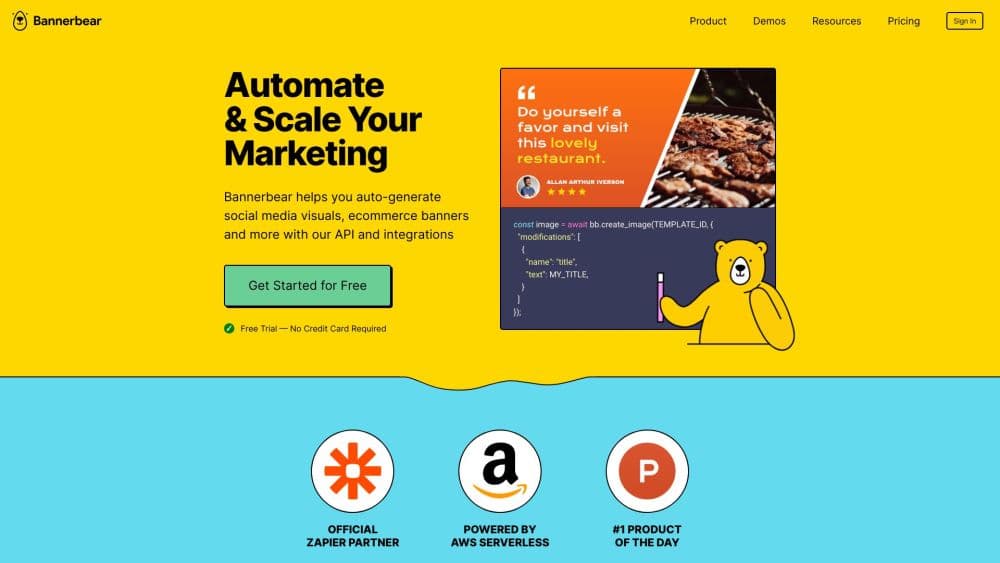
About Bannerbear
What Is Bannerbear
Bannerbear is a hosted API and automation platform for producing images, videos, and PDFs. You design a template in its editor, then push new text, images, or logos into it through code, a no-code integration, or an AI agent. The same layout then renders on demand, from a single social card to a million images across a product catalog.
The product grew out of a simple problem: designers and marketers kept rebuilding the same graphic by hand every time the data changed. Bannerbear turns that repetitive work into one template plus a template based automation call. A visitor who lands on the site can start with a free trial and 30 API credits, so testing it costs nothing up front.
The main limitation is that Bannerbear is a rendering engine, not a full design tool. You still need a template, and you still make the creative decisions. It also runs as a paid, hosted service with credit based limits, so heavy usage climbs in cost. Teams that want complete freedom over output, rather than filling a fixed layout, may find the template model restrictive.
Getting Started
- Create a free account and start a trial with 30 API credits, no credit card required.
- Design a template in the editor, or import one from the template library, and mark each field you want to change.
- Generate an API key for your workspace, or connect a no-code tool like Zapier, Airtable, or Notion.
- Send a request with your new values, either through the REST API or an integration, and get back a hosted image URL.
- Automate the call so every new record, order, or article fires its own render.
Product Information
A quick look at Bannerbear's pricing, supported platforms, and performance.
Best for
The users, tasks, and scenarios where this tool fits best.
Users
- Developers
- Marketing teams
- Ecommerce operators
- Podcasters and publishers
Tasks
- Auto-generating social media images
- Building ecommerce banners
- Producing on-brand video
- Designing Open Graph images
- Connecting to no-code tools
Scenarios
- A publisher posting daily
- A store launching a regional campaign
- A podcast team shipping weekly
- An agency serving many clients
Key features
Image API
The image API handles automated image generation at scale: you define a template, send replacement text, images, or colors in a request, then get a hosted URL back in JPG, PNG, or PDF. It supports dynamic text with autofit sizing, so a long name shrinks to fit instead of overflowing the layout.
Video Generation API
Bannerbear renders branded video as well as stills. Its video generation API powers a workflow that chains steps such as resizing a clip, adding an intro animation, and burning subtitles, then runs the whole sequence with a single call. You pay only for the steps inside it, which makes complex video automation feel like one operation.
Template Based Automation
Every output starts from a template, so your brand stays intact whether you render ten videos or a million images. You can build a layout in the editor or pull one from the template library. Because the design lives in one place, changing it updates every future render.
No-Code Integrations
Bannerbear plugs into more than 50 tools, among them Airtable, Notion, WordPress, Ghost, Shopify, and HubSpot, plus Zapier. That makes it a practical no code design automation route: a non-developer wires a trigger to a render without touching the API. It's often the fastest path from a manual process to an automated one.
MCP for AI Agents
The platform offers a Model Context Protocol server, so an AI assistant like Claude, ChatGPT, or Codex can create templates, generate images, and run workflows from chat. A team can ask an agent to run a Bannerbear workflow instead of building an integration. It points at the same account and credits as the REST API.
Instant URLs
An Instant URL is a signed link that renders an image from the values in its query string, on demand, the first time it's requested. There's no API call and no integration, which suits Open Graph images, email graphics, and anything generated the moment a page loads.
REST API and Libraries
The platform ships a fully documented REST API with OpenAPI specs and official libraries for Node, Python, Ruby, and PHP. A coding agent can read the spec and start calling it quickly. That keeps the setup cost low for teams that already work in code.
Forms and Hosted Generation
Bannerbear offers hosted forms that let a team or a customer generate on-brand images from a template without touching the API. The form can be embedded in your own site. It's a way to hand non-technical users the same template engine that developers call directly.
Pros and cons
Pros
- As an image generation API, it turns one template into unlimited variations, so a marketing team stops rebuilding the same graphic by hand.
- It doubles as a social media image generator: a new post, listing, or quote fires a branded graphic the moment its data arrives.
- Official libraries for Node, Python, Ruby, and PHP plus OpenAPI specs make the REST API quick to adopt from existing code.
- More than 50 no-code integrations, among them Airtable, Notion, and Zapier, let non-developers run the same automation.
- An MCP server lets AI agents like Claude and ChatGPT drive templates and workflows directly, which keeps it current with agent based tools.
- A free trial with 30 API credits means a team can test real output before paying.
Cons
- Bannerbear is a rendering engine, not a full design tool, so you can't skip the template step, and every layout has to be set up first.
- Pricing is credit based, so a workflow that chains video tools burns credits faster than a plain image render, and costs climb with volume.
- Output follows the template you build, which limits how much a single render can vary on its own.
- The AI features that touch images, like background removal, cost extra credits on top of the base render, so a heavily processed image adds up.
Frequently asked questions
Bannerbear auto-generates branded images, videos, and PDFs from templates. You design a layout once, then fill it with new data through an API, a no-code tool, or an AI agent, and it renders each variation automatically.
Related content
Explore related tools, skills, and articles for Bannerbear.
Bannerbear Alternatives

Google EmbeddingGemma 2
Google DeepMind · Writing · Image · CodingGoogle EmbeddingGemma 2 is a 740M-parameter open model that turns text, code, images, audio, and video frames into vectors in one 768-dimension space, running on phones and laptops.

Tractionwave
TractionWave · Image · MarketingTractionWave is an AI attention heatmap tool for static ads. Upload a PNG or JPG and it returns predicted attention, ranked hotspots, and fixes before you spend budget.

Imejis.io
Imejis.io · Image · MarketingImejis.io is an AI design studio for agents and marketing teams. Describe an image in plain words, and it writes the copy, builds the layout, reflows it to every size, then exports a finished file.