
base
Base · Productivity
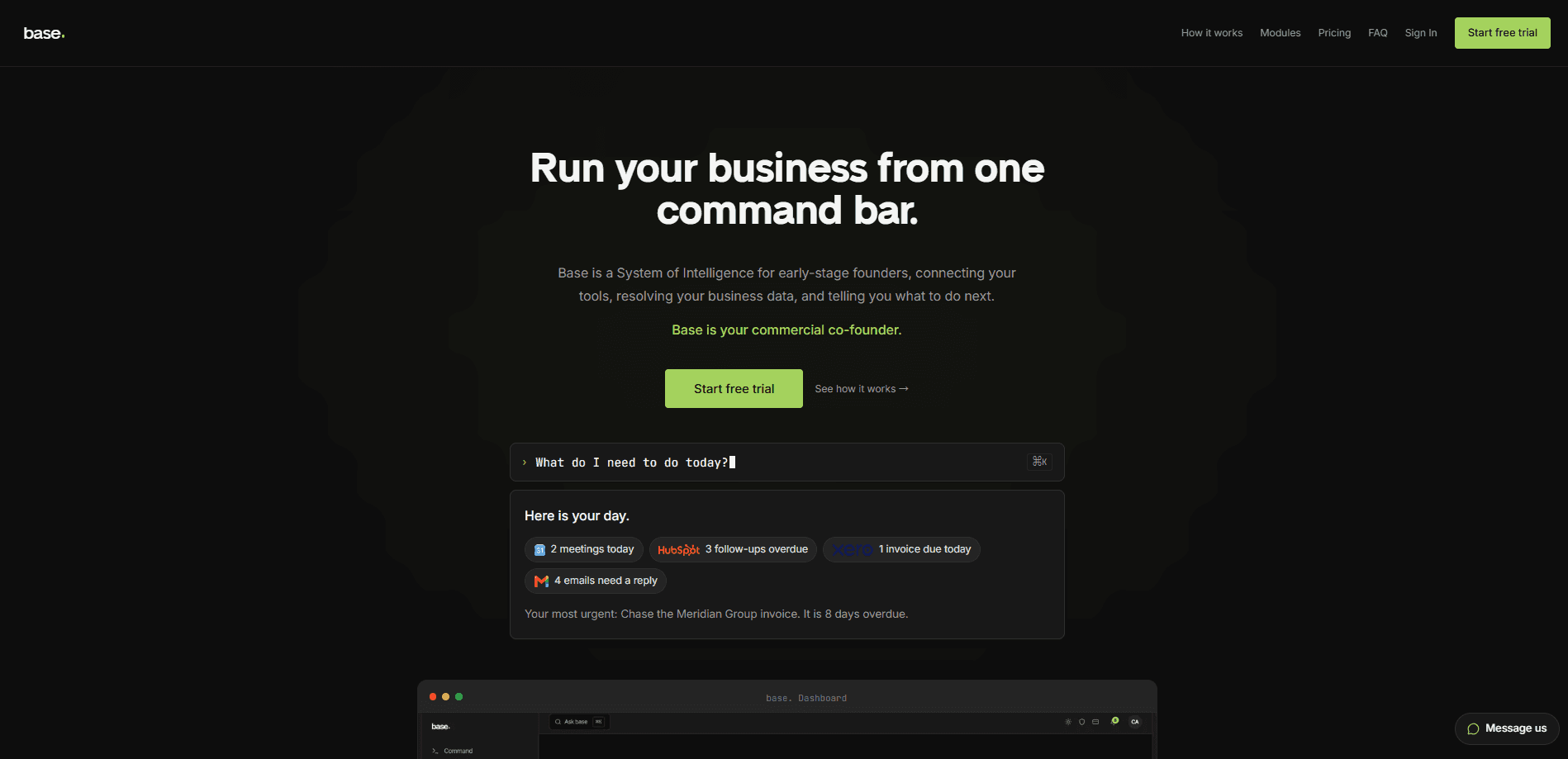
Base is an AI business operating system built for early-stage founders who shipped a product but now need to actually run the company. It connects the business tools you already use, including HubSpot, Xero, Stripe, and Gmail, then lets you drive CRM, finance, contracts, hiring, and marketing from a single plain-English AI command bar. Think of it as a business automation platform that hides the integrations and just gets the work done. Instead of juggling a dozen tabs, you type what you need and Base routes the request to the right tool and executes it. So what does that look like day to day? A proactive feed tells you what needs attention before you ask, and everything else waits until you type it.
About base
What Is Base
Base is a system of intelligence that sits on top of the tools small companies already run on. It doesn't replace your CRM, your accounting software, or your payment processor. Your data stays in HubSpot, Xero, and Stripe. Base is the layer above them that unifies everything, so asking "how is the business doing" gets you one coherent answer instead of four dashboards.
The pitch is aimed at founders who can build fast but stall on operations. You suddenly need contracts, financial visibility, a hiring process, and a marketing plan, and setting all of that up takes months. Base connects your existing accounts, fills gaps by recommending tools for your stage, and runs the day-to-day work across them.
The catch is scope and maturity. This is a young product, and it leans hard on connecting outside accounts to be useful at all. Solo founders also hit a practical wall early: the cheapest tier caps you at three modules and 500 command runs a month, so anything close to a full business stack pushes you to the £65 plan.
Getting Started
- Sign up at withbase.ai and add a card. Your card is verified to confirm you're a real business, but nothing is charged until the free trial ends. The trial lasts one day.
- Answer a few short questions about the company. Base builds a picture of what you sell, who buys it, and how you describe yourself from signals in the tools you connect.
- Connect your tools through one-click OAuth logins. Each connection takes about 30 seconds. If you don't have a tool yet, Base recommends one for your stage and walks you through setup.
- Start typing commands in plain English. Send a contract, add a contact, or create an invoice, and Base routes it to the right tool.
- Approve what Base prepares. Standing rules let Base draft follow-ups, invoice chases, and support replies in advance, and you sign off before anything is sent.
Product Information
A quick look at base's pricing, supported platforms, and performance.
Best for
The users, tasks, and scenarios where this tool fits best.
Users
- Solo founders getting their first customers
- Small teams shipping and selling at scale
- Growing companies with complex operations
Tasks
- Answering "what do I need to do today"
- Running revenue from one place
- Drafting routine follow-ups
Scenarios
- A founder who just raised and suddenly needs hiring, financial visibility, and investor updates
- A team drowning in context switching between email, calendar, and a CRM
- Preparing for a fundraise
Key features
The Natural Language Command Bar
Everything in Base runs through one command bar. You type a request in plain English, like "send a contract" or "create an invoice," and Base works out which connected tool should handle it and executes the action there. The point is that you stop switching tabs. Base states that you never need to understand APIs or OAuth to use it, which matters if you're a founder without a developer on hand.
The Proactive Feed
The first thing you see on login is a prioritised list of what needs your attention across every connected tool. Unsigned contracts, overdue invoices, leads that haven't been contacted, and emails awaiting replies all surface in one place, and the feed refreshes through the day without prompting. It's a useful counter to the usual problem, which is that nothing tells you what's wrong until a customer complains.
Agent Access via MCP
Base exposes your business to outside AI agents through an MCP endpoint you control from settings. You grant a client, Claude for instance, access to specific modules only, and it can then query your contacts, deals, finances, and tasks through Base instead of you pasting data into a chat window. Every grant is per client and per module, and you can revoke it at any time. For teams already using AI assistants, that's a genuinely different workflow.
Standing Rules and Approvals
Standing rules let you tell Base what to always prepare. When a meeting ends, it drafts the follow-up using what was discussed; when an invoice passes its due date, it prepares the chase. Base claims it proposes and you approve, meaning nothing is sent, created, or updated in a connected tool until you sign off. That approval step is the difference between an assistant and an autopilot, and it's the right default for finance and customer email.
Twenty Modules Across Eight Groups
Base ships with 20 modules grouped into comms, marketing, revenue, finance, legal, people, fundraising, and tools. The lineup runs from inbox triage and Slack messaging to CRM, contracts, payments, HR, an OKR tracker, and a knowledge base. Several modules are native to Base rather than integrations, including the brand kit, automations, and the OKR tracker. That breadth is the draw, and also the reason the entry tier's three-module cap bites quickly.
The Memory and Intelligence Layers
Two of the five layers Base describes are worth separating out. The Memory layer permanently stores every contract, hire, update, and milestone so it stays searchable, and the Intelligence layer turns that history into benchmarks. Base says the longer you use it, the more context it holds, and that AI-generated benchmarks get progressively replaced by aggregate data from real companies at your stage. That's a reasonable claim, but it depends on how many founders actually stick around.
Pros and cons
Pros
- One command bar across CRM, finance, contracts, hiring, and marketing cuts context switching in a real way.
- Connects to tools you already pay for, so your data stays in HubSpot, Xero, and Stripe rather than moving into another silo.
- Approval-first design means nothing goes out to customers or clients until you sign off.
- Agent access through a revocable MCP endpoint gives outside AI assistants controlled reach into your data.
- Transparent, month-to-month pricing with no lock-in, no minimum term, and a one-click cancel.
Cons
- The product is new, and public information about it stays thin, so long-term reliability is unproven. If you need a track record before you commit, that's a fair worry.
- Free trial lasts only one day, which is barely enough time to connect tools and judge whether the workflow fits.
- The £24 Starter tier caps you at three modules and 500 command runs a month, which a real stack will exhaust fast.
- Value depends almost entirely on connecting outside accounts. With nothing connected, Base has little to work with.
Frequently asked questions
Base connects the tools your business already runs on and gives you one command bar to control them. You type requests in plain English, Base routes them to the right tool, and a proactive feed tells you what needs attention. It covers CRM, finance, contracts, hiring, marketing, and more in one place.
Related content
Explore related tools, skills, and articles for base.
base Alternatives

Base Code
Base44 (Wix) · Coding · ProductivityBase Code is a shared cloud development environment from Base44. Teammates describe changes to an existing GitHub codebase in chat, preview them live and send them back as pull requests.

Knocket
Knocket (Tencent RTC team) · Productivity · Business · ChatbotKnocket is a free live chat and contact page tool that lets visitors message you from your website, app, or a shareable link, with every reply handled from Telegram or one inbox.

FloorGen
Vinit Kumar (FloorGen) · Productivity · China AIFloorGen is a browser-based floor plan maker that turns a sentence or a sketch into an editable 2D plan and a 3D walkthrough. Export to PDF, DXF or video, and draw without an account.