

Bazaart AI Photo Editor Design
Bazaart Ltd. · Image
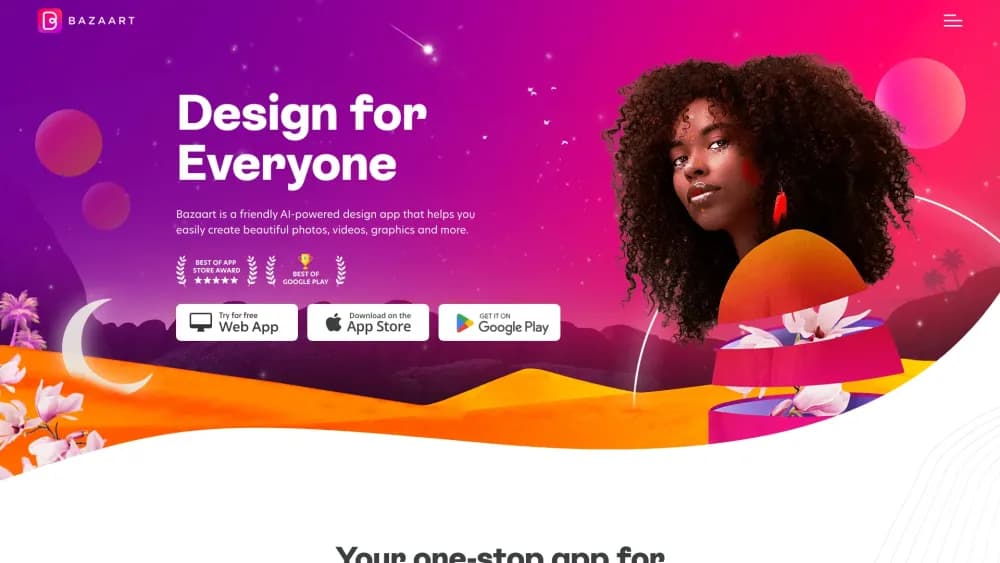
Bazaart is an AI photo editor and design app for phones and the web. It removes backgrounds, turns one product photo into on-model shots, and lays out social posts.
About Bazaart AI Photo Editor Design
What Is Bazaart AI Photo Editor Design
Bazaart began in 2012 as a collage and design app for phones. It grew into an AI photo editor with a full design canvas attached, and today it runs on iOS, Android, and the web. Bazaart Ltd., based in Tel Aviv, builds it.
The product targets people who sell online or post for a living. Bazaart sells itself as an AI design tool for small businesses, and it works as a photo editing app and a graphic design app on one canvas, so background cleanup, model shots, and layout happen in the same project. You get a background remover, an AI image generator, and thousands of templates in one subscription instead of stitching three tools together. Bazaart says the mobile apps carry 500K+ five-star reviews.
Three limits matter before you pay. Advanced AI tools run on a monthly credit quota, the video tools sit in the Super plan, and this is a compositing editor rather than a full raster program. Heavy retouching still belongs somewhere else.
Getting Started
- Install the iOS or Android app, or open design.bazaart.com in a browser, then sign in with Apple, Google, or Facebook.
- Pick a blank canvas or a template and upload a photo from your camera roll or computer.
- Choose a tool. Remove background and Remove objects work in one tap, while Magic Background and Edit with AI ask for a short text prompt.
- Arrange layers, add text, shadows, and filters, then export as JPG or as a transparent PNG.
Product Information
A quick look at Bazaart AI Photo Editor Design's pricing, supported platforms, and performance.
Best for
The users, tasks, and scenarios where this tool fits best.
Users
- Online sellers
- Social media managers
- Small business owners
- Hobbyist editors
Tasks
- Removing a background from a product shot
- Making an on-model photos set
- Building a sale ad or story
- Cleaning up a photo
Scenarios
- A weekend launch with ten SKUs
- A freelance social media retainer
- A quick ad test for a small shop
Key features
Edit with AI
Type what you want changed and the app repaints that part of the photo. You can rotate a person, add an object, or swap a detail without building a mask by hand. A full-image edit costs 1 credit, and a selected-area edit costs 3.
AI Models and AI Studio
This is what separates Bazaart from a plain background remover. Upload a necklace, a shirt, or a bag, and the app places it on a generated model in a studio setting. The output is on-model photos you can use in a listing. Standard shots cost 3 credits, while custom models and HD output need the Super plan.
Magic Background
Magic Background builds a scene behind your subject and adds matching light and shadow. Pick a suggested set or describe your own, which helps product photos look like they came from a studio instead of a kitchen table.
Background and object removal
One tap cuts the subject out of any photo, and the same AI erases people, wires, or clutter you mark. The eraser brush restores whatever the automatic pass gets wrong, which matters on fine edges and reflective surfaces.
AI image generator
A text prompt creates a new image inside the same canvas, so a generated visual goes straight into a post. Each generation costs 3 credits, and results follow the prompt loosely rather than exactly.
Templates and layered editor
Bazaart lists 5K+ templates and a library of 20M+ photos, graphics, and fonts. Layers, curved text, shadows, blending, and snapping behave like a stripped-down desktop editor, and projects save on their own.
AI video and batch tools
Super adds text-to-video and image-to-video clips at 480p or 720p, plus auto captions and reel templates. Batch edit handles background swaps and resizing across many photos in one pass.
Pros and cons
Pros
- The free plan does real work: background removal, templates, and basic edits without a card.
- Product photos, social posts, and short video live in one app, so you skip three separate subscriptions.
- On-model shots at 3 credits undercut a studio day for a small catalog.
- Projects sync across web, iOS, and Android under one login.
- The template library is big enough that most posts start from something rather than a blank canvas.
Cons
- Advanced AI runs on 250 credits a month on Premium and 1,000 on Super, so a busy catalog can hit the cap before month end.
- AI video is Super only, and a 720p clip of eight seconds costs 16 credits.
- Monthly pricing varies by store and region, and the yearly plan charges the full amount upfront.
- The editor is built for composites, not for heavy retouching, so skin work and color grading still go elsewhere.
Frequently asked questions
Yes. The free plan covers background removal, templates, and core editing, with a watermark on some exports. Premium removes the watermark and opens the AI tools.
Related content
Explore related tools, skills, and articles for Bazaart AI Photo Editor Design.
Bazaart AI Photo Editor Design Alternatives

Imejis.io
Imejis.io · Image · MarketingImejis.io is an AI design studio for agents and marketing teams. Describe an image in plain words, and it writes the copy, builds the layout, reflows it to every size, then exports a finished file.

Layoutr
Van Dijk Ontwikkeling · Image · China AILayoutr is a browser floor plan tool that scales your own plan, places furniture at true size, shows the room in 3D and renders it with AI.

Storytailor®
Storytailor Inc. · Writing · Image · LeaningStorytailor is an AI story generator for kids that turns a drawing or a small idea into a personalized children's book you can read, listen to, and play out together.