

BeautyPlus-Selfie Photo Editor
Pixocial · Image · Video
BeautyPlus is a selfie editor and portrait retouching app from Pixocial. This AI photo editor fixes portraits, removes backgrounds, and generates images from prompts, with free tools and VIP plans.
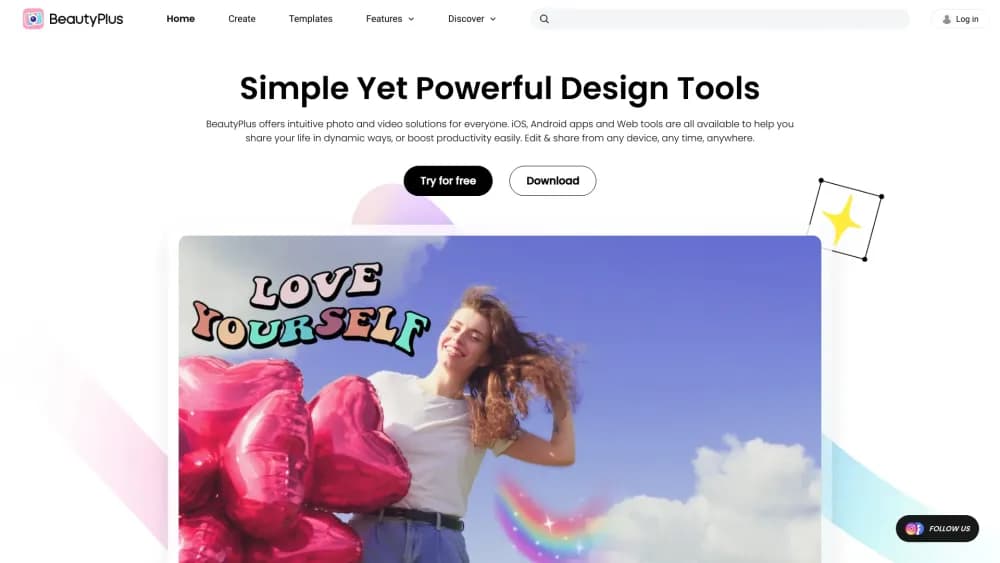
About BeautyPlus-Selfie Photo Editor
What Is BeautyPlus
BeautyPlus is an AI photo and video editor built for selfies, portraits, and social-ready images. You open it on the web or in the mobile app, pick a photo, and apply one tap edits like skin smoothing, face sculpting, background removal, or AI generated styles. It is made for people who want polished results without learning layers, masks, or a desktop editor.
The product splits into two halves. Pro-Level Retouch covers the beauty side: evening out skin, shaping facial structure, adjusting posture, and trying on makeup looks. AI Magic Workshop covers the generative side: enhancing blurry photos, restoring old pictures, swapping backgrounds, erasing unwanted objects, and turning a photo into art, anime, or a sketch. A separate set of video tools handles watermark removal and video quality boosts.
The main limits are depth and control. BeautyPlus leans toward fast, guided results rather than fine manual editing, and many of the strongest tools sit behind the VIP subscription. Output quality on generative features depends on the model and the prompt, so results vary, and heavy users hit the same subscription paywall that funds the free tier.
Getting Started
- Open beautyplus.com in a browser or install the BeautyPlus app on iOS or Android.
- Upload a photo, or start with one of the guided tools such as Photo Booth or AI Image Enhancer.
- Pick an effect: retouch a portrait, remove the background, swap the background, or generate an image from a text prompt.
- Review the preview and adjust the strength or style until the result matches what you want.
- Export the finished image or video and share it to Instagram, TikTok, or wherever you post.
Product Information
A quick look at BeautyPlus-Selfie Photo Editor's pricing, supported platforms, and performance.
Best for
The users, tasks, and scenarios where this tool fits best.
Users
- Everyday selfie takers
- Social media creators
- People restoring old photos
- Small business owners
Tasks
- Removing backgrounds
- Enhancing low quality photos
- Generating images from text
- Making collages
- Editing short videos
Scenarios
- Posting a daily selfie
- Cleaning up a travel photo
- Reviving a scanned family photo
Key features
One Tap Portrait Retouching
BeautyPlus covers the core beauty edits in single taps: smoothing skin, evening out redness, sculpting facial structure, balancing posture, and whitening teeth. The goal is subtle enhancement that still looks like skin rather than heavy filters. This is the feature set the app was originally built around.
Background Removal and Replacing
The cutout tools pull a clean subject out of a photo in seconds and let you drop it into a new setting. Background removal gives a transparent result for profile pics and product shots, while the background changer swaps the scene entirely. Both run without manual masking.
AI Image Generator
You can generate images from a text prompt or start from a photo and apply AI styles such as painting, pencil sketch, or anime. It is built for quick visual ideas and social content, and it does not require any drawing skill. Results depend on the prompt and model.
AI Object Remover and Replacer
The object remover erases unwanted people, trash, or clutter and fills the gap with matching content, and the AI replacer swaps a selected area with something new that blends into the scene. This is the practical fix for photobombs and messy backgrounds.
Photo Enhancer and Restoration
The enhancer sharpens blurry photos and corrects lighting so an older shot looks cleaner, while the restoration tool repairs faded colors, scratches, and water damage on scanned prints. Both aim at making existing photos usable again rather than creating new ones.
Collage and Photo Booth Tools
The collage maker arranges multiple photos into grids and social-ready layouts sized for Stories and Reels, and the online photo booth recreates the Korean four-cut strip experience in the browser. These tools target people building content from photos they already have.
Pros and cons
Pros
- The retouch tools work in one tap, so you get a polished portrait without learning a full editor.
- The free tier covers a wide set of everyday tools, which lets you test the app before paying for VIP.
- Background removal, object removal, and image generation sit in the same app, cutting the need for several separate tools.
- The web version and the mobile app share the same tool set, so you can edit on a phone or a browser.
- AI restoration brings old, damaged family photos back into usable shape without a studio.
Cons
- Many of the strongest AI tools sit behind the VIP subscription, so the free tier feels limited once you go past basics.
- Generative results vary with the prompt and model, so the same request does not always give a consistent output.
- The app leans toward fast guided edits rather than fine manual control, which frustrates users who want precise adjustments.
- Privacy matters with face photos, and BeautyPlus processes portraits through its own AI, so you are trusting Pixocial with personal images.
Frequently asked questions
BeautyPlus is an AI photo editor built mainly for selfies and portraits. It retouches faces, removes and swaps backgrounds, enhances and restores photos, generates images from prompts, and makes collages and short video edits. It runs on the web, iOS, and Android.
Related content
Explore related tools, skills, and articles for BeautyPlus-Selfie Photo Editor.
BeautyPlus-Selfie Photo Editor Alternatives

Google EmbeddingGemma 2
Google DeepMind · Writing · Image · CodingGoogle EmbeddingGemma 2 is a 740M-parameter open model that turns text, code, images, audio, and video frames into vectors in one 768-dimension space, running on phones and laptops.

Tractionwave
TractionWave · Image · MarketingTractionWave is an AI attention heatmap tool for static ads. Upload a PNG or JPG and it returns predicted attention, ranked hotspots, and fixes before you spend budget.

Imejis.io
Imejis.io · Image · MarketingImejis.io is an AI design studio for agents and marketing teams. Describe an image in plain words, and it writes the copy, builds the layout, reflows it to every size, then exports a finished file.