
BeforeSunset AI
BeforeSunset Inc. · Productivity
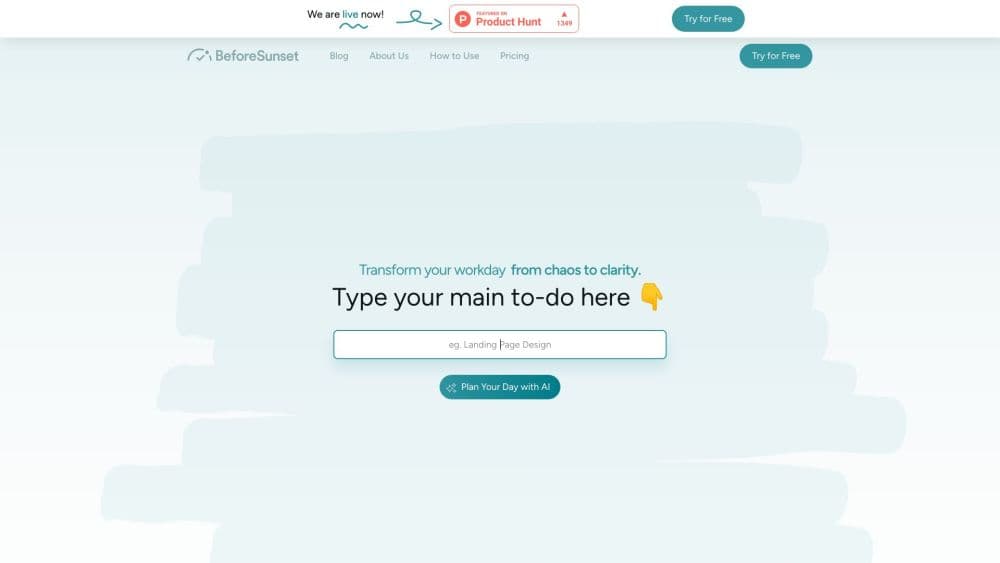
BeforeSunset AI is an AI daily planner that turns a messy to-do list into a time-blocked schedule, syncs your calendar, and runs focus sessions so you actually finish the day's work.
About BeforeSunset AI
What Is BeforeSunset AI
BeforeSunset AI is a daily planning app built around one question: what can you realistically finish today? You dump your tasks in plain language, tell it how many hours you have, and the AI schedule planner arranges them into a timeline that fits around your existing meetings. It's made by BeforeSunset Inc., a small software company that also ships a handful of single-purpose iPhone apps.
The product sits between a to-do list and a calendar. A plain AI to-do list app tells you what to do. BeforeSunset AI tells you when to do it, and then gives you a timer and a distraction-free screen to get through the block. That makes it a better fit for people whose problem is overcommitment than for people who just need somewhere to store tasks.
The main limit is scope. It isn't a project management tool: no Gantt charts, no dependency mapping, no granular permissions. Free accounts also cap AI credits and history, so heavy users end up on Pro quickly. And the calendar integration is intentionally narrow, which keeps setup simple but frustrates anyone who lives inside three different work calendars.
Getting Started
- Create an account at app.beforesunset.ai or download the iOS app.
- Connect a calendar so meetings show up on your timeline before you plan anything.
- Type today's tasks in your own words, or paste a list and let the AI split it into items.
- Hit Plan My Day and review the schedule it builds, then drag blocks around if the order feels wrong.
- Start a focus session when you begin a task, and check your daily analytics in the evening.
Product Information
A quick look at BeforeSunset AI's pricing, supported platforms, and performance.
Best for
The users, tasks, and scenarios where this tool fits best.
Users
- Freelancers with client work and no manager setting priorities
- Students juggling classes, assignments, and a part-time job
- Team leads who plan their own day and report on the team's
- Remote workers who lose the shape of a day without an office
Tasks
- Triaging a list of fifteen tasks into a day that has six usable hours
- Breaking a fuzzy project into steps you can start
- Protecting deep work from meeting creep
- Writing an end-of-day summary of what moved
Scenarios
- The first ten minutes of the morning, when you decide what the day looks like
- Days with back-to-back calls and two hours of real work left
- Weekly resets on Friday afternoon
Key features
Plan My Day
This is the core loop. You write what's on your mind, hit Plan My Day, and the app builds a timeline ordered by priority and time efficiency. The useful part is the constraint: it plans against the hours you actually have, so a twelve-item list comes back as a six-item day. You can drag blocks to reorder, and the schedule updates as meetings land on your calendar.
AI Task Breakdown
Vague entries are the usual reason plans fall apart. Type "sort out taxes" and the AI splits it into smaller actions you can estimate and schedule, with notes attached to each item. It won't invent details you didn't give it, so the output is only as specific as your input. For recurring work, you can save the structure and reuse it next month.
Calendar Sync and Time Blocking
Calendar integration pulls your events onto the same screen as your tasks, which sounds minor until you've planned a deep-work session straight through a standing meeting. This time blocking app then places tasks in the gaps and shows you the real cost of saying yes to one more thing. Support is limited to one calendar on the free tier, and the connection is read-oriented rather than a full two-way sync.
Focus Mode with Oasis
Each task can run as a timed session with work and break tracking. Oasis adds a generated workspace scene behind the timer, which is decoration with a purpose: it hides the rest of your list so you stop negotiating with yourself about what to do next. The focus timer logs actual minutes, and those minutes feed the analytics you see later.
Notes and Daily Analytics
Tasks carry their own notes, so context stays with the item instead of living in a separate doc. At the end of the day, analytics show what you completed, how long you focused, and which blocks slipped. It's a light review, not a reporting suite, and the free plan keeps only a short window of history.
Team Workspace
On team plans, everyone plans in a shared workspace and leads get daily and weekly views of progress across members. It's aimed at small teams that plan individually but want one place to see load. There's no task dependency logic, so treat it as visibility, not project management.
Pros and cons
Pros
- The planner respects your available hours, so it produces days you can finish instead of aspirational lists.
- Calendar events sit next to tasks, which makes overcommitment obvious before you commit.
- Focus sessions and daily analytics turn planning into a feedback loop you can adjust.
- Setup takes minutes: one calendar connection, one task dump, one button.
Cons
- The free tier caps AI credits and history, so the habit-building phase runs out of room fast.
- One calendar connection on the lower plans means people with separate work and personal calendars have to choose.
- No public API, which rules out custom automations and integrations with your own tooling.
- Team features are thin next to dedicated project management software, so mixed use means paying for two tools.
Frequently asked questions
There's a free tier with limited AI credits, a short history window, and one calendar connection. It's enough to test the planning loop for a week or two, but daily use pushes most people toward Pro.
Related content
Explore related tools, skills, and articles for BeforeSunset AI.
BeforeSunset AI Alternatives

Base Code
Base44 (Wix) · Coding · ProductivityBase Code is a shared cloud development environment from Base44. Teammates describe changes to an existing GitHub codebase in chat, preview them live and send them back as pull requests.

Knocket
Knocket (Tencent RTC team) · Productivity · Business · ChatbotKnocket is a free live chat and contact page tool that lets visitors message you from your website, app, or a shareable link, with every reply handled from Telegram or one inbox.

FloorGen
Vinit Kumar (FloorGen) · Productivity · China AIFloorGen is a browser-based floor plan maker that turns a sentence or a sketch into an editable 2D plan and a 3D walkthrough. Export to PDF, DXF or video, and draw without an account.