

Photo Editor by BeFunky
BeFunky · Image
BeFunky is a browser-based online photo editor that combines AI retouching, background removal, collage making, and graphic design in one place, with a free tier and Plus or Pro plans.
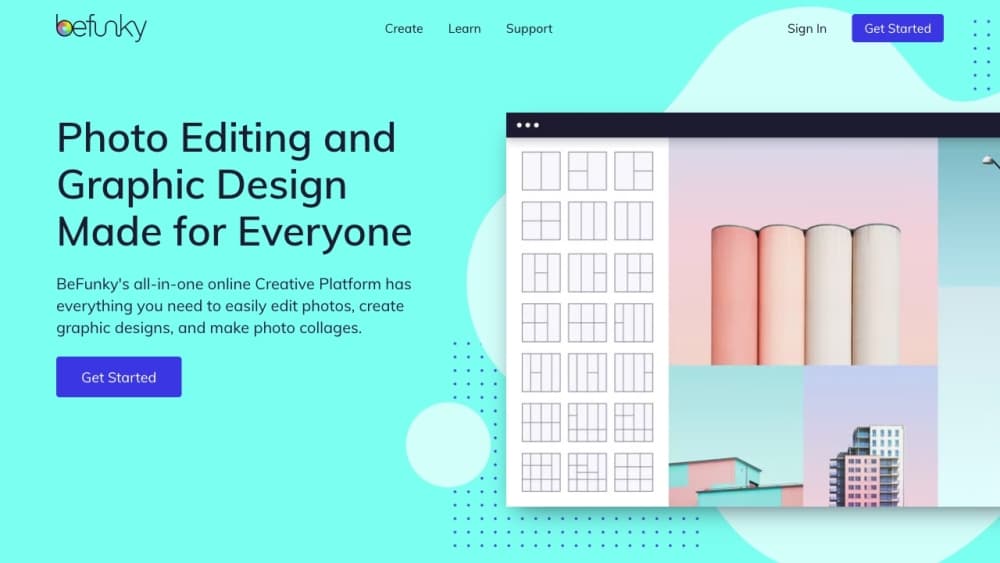
About Photo Editor by BeFunky
What Is BeFunky
BeFunky is an online creative platform that has been built around photo editing since 2007. It bundles a photo editor, a collage maker, and a graphic designer into one browser window, and layers AI tools on top for the parts that usually take the longest. You upload a photo, pick a tool, and get a result without installing desktop software.
The pitch is breadth without a learning curve. Instead of moving between separate apps for retouching, collages, social graphics, and background cleanup, you handle all of them in the same workspace. The AI side covers background removal, object erasing, one-click enhancement, old photo restoration, and turning a picture into a painting or cartoon.
Two limits shape when BeFunky fits. The AI Image Generator and the Batch AI tools run on a monthly credit allowance, so heavy users hit the cap and buy top-ups. And the editing itself is browser-based, which keeps things simple but won't match the control of a full desktop editor for demanding retouching work.
Getting Started
- Open befunky.com in a desktop browser or install the iOS or Android app. You can start editing without creating an account, but signing up keeps your projects and premium features available across devices.
- Upload a photo from your device, drag one in, or pick a ready-made template. The editor opens with the image on canvas.
- Edit the image. Adjust basics like exposure and contrast, or run an AI tool such as Remove Background, Image Enhancer, or a Photo to Art effect.
- Combine and design. Send photos into the Collage Maker for a layout, or open the Graphic Designer to build a social post, flyer, or card from a template.
- Save or share. Export the finished file, or apply the same edit across a whole folder with the Batch tools on a Pro plan.
Product Information
A quick look at Photo Editor by BeFunky's pricing, supported platforms, and performance.
Best for
The users, tasks, and scenarios where this tool fits best.
Users
- Beginners and casual editors
- Social media creators and marketers
- Small businesses and solo sellers
- Photographers who need quick fixes
Tasks
- Removing or replacing an image background
- Restoring old or damaged photos
- Turning photos into art
- Making collages and mood boards
Scenarios
- Preparing product photos for an online store
- Designing a run of social posts
- Sprucing up personal memories
Key features
AI Photo Editing Tools
BeFunky's AI layer covers the edits people ask for most. Remove Background cuts a subject out in one click, Object Remover deletes photobombers and clutter, and Sky Replacer swaps a flat sky for something more striking. The Image Enhancer balances exposure and color without oversaturating, while the Portrait Enhancer focuses on faces and keeps natural features intact. Each tool is built in-house and designed for people who'd rather not learn masking by hand.
Photo to Art Effects
The Artsy effects turn a normal photo into a painting, cartoon, or sketch. The Cartoonizer is the best known, and it sits alongside Watercolor, Oil Painting, Pencil, and Ink styles, plus Pop Art and retro film looks on paid plans. The AI detects subjects, lines, and shadows first, so the transformation follows the actual image instead of a flat filter. These effects set BeFunky apart from plain crop-and-color editors.
Collage Maker and Layouts
The Collage Maker builds a multi-photo layout from templates or from scratch. The Collage Wizard proposes arrangements that fit your set without cropping or clipping any image, so nothing important gets cut. You can edit individual photos inside the collage without leaving it, and saved collages stay editable across devices.
Graphic Designer and Smart Templates
The Graphic Designer turns the same canvas into a tool for marketing and personal design. You start blank, customize a template, or let Smart Templates suggest a layout, then add text, graphics, and photos. Smart Resize refits a finished design to any size, so a flyer becomes an Instagram post or a Facebook cover becomes a header without losing the layout.
Batch Editing and Batch AI
Batch editing applies one set of changes across a whole folder. Everyday adjustments, bulk background removal, and AI Artsy effects all run on collections, which is what separates BeFunky from single-image editors. The Batch AI tools and Batch Background Remover sit on the Pro plan, and they're aimed at sellers and marketers working through large sets rather than one photo at a time.
Cross-Device Access and Credits
The same account works on desktop browsers, Chromebooks, iPhones, iPads, and Android phones and tablets, and your saved media follows you between them. The AI Image Generator and Batch AI tools draw on a monthly credit pool: Plus includes 1,000 credits and Pro includes 5,000, and either plan can buy top-up credits that roll over while the subscription stays active.
Pros and cons
Pros
- The free plan needs no account and covers a wide set of editing, collage, and design tools, so you can judge the output before paying.
- AI tools for background removal, enhancement, and photo-to-art are one-click, which suits people without editing experience.
- Photo editing, collages, and graphic design live in one browser platform, so you're not bouncing between subscriptions.
- Batch editing and the Batch Background Remover make large photo sets practical, which single-image editors don't handle well.
- Cross-device access keeps projects and premium features synced between desktop and mobile.
Cons
- The AI Image Generator and Batch AI tools run on monthly credits, so heavy users hit the cap and have to buy top-ups.
- Built-in monthly credits don't roll over. Only purchased top-up credits carry over.
- Being browser-based, it won't match a full desktop editor for advanced retouching or precise color work.
- Batch AI editing and the Batch Background Remover require the pricier Pro plan, not the entry Plus tier.
Frequently asked questions
BeFunky edits photos, makes collages, and designs graphics in a browser. You can retouch an image, remove or replace a background, turn a photo into art, and build social posts or flyers, all from the same account. It spans quick fixes and fuller design projects without desktop software.
Related content
Explore related tools, skills, and articles for Photo Editor by BeFunky.
Photo Editor by BeFunky Alternatives

Google EmbeddingGemma 2
Google DeepMind · Writing · Image · CodingGoogle EmbeddingGemma 2 is a 740M-parameter open model that turns text, code, images, audio, and video frames into vectors in one 768-dimension space, running on phones and laptops.

Tractionwave
TractionWave · Image · MarketingTractionWave is an AI attention heatmap tool for static ads. Upload a PNG or JPG and it returns predicted attention, ranked hotspots, and fixes before you spend budget.

Imejis.io
Imejis.io · Image · MarketingImejis.io is an AI design studio for agents and marketing teams. Describe an image in plain words, and it writes the copy, builds the layout, reflows it to every size, then exports a finished file.