

Beloga
Beloga Inc. · Productivity · Leaning
Beloga is an AI knowledge hub that combines a read-it-later app, web search, and connected work apps into one searchable workspace that answers questions with sources attached.
About Beloga
What Is Beloga
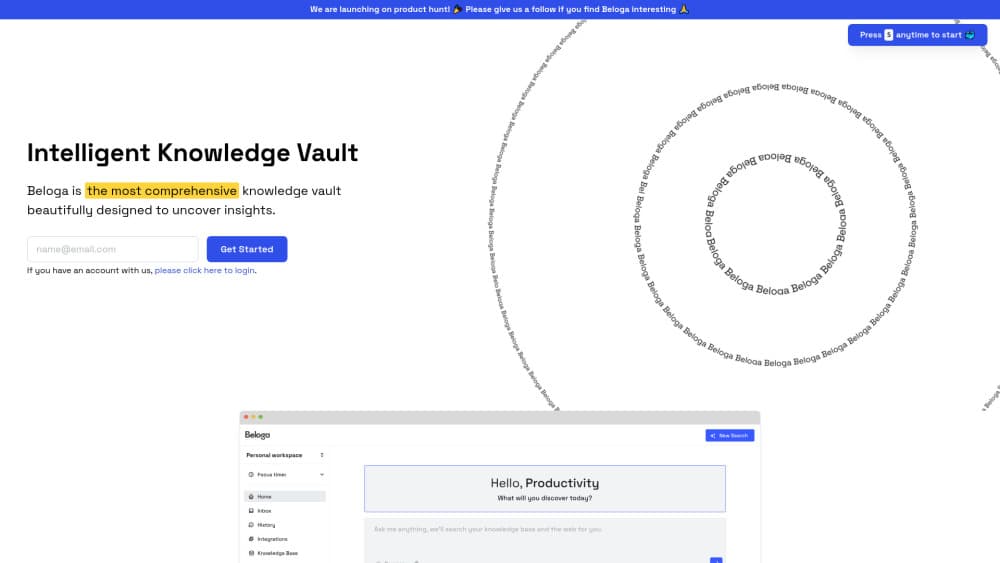
Beloga is a browser-based product from Beloga Inc. that treats research as one task instead of three. You save pages and notes, connect the apps you already work in, then ask questions and get answers with the sources listed underneath. The company calls it a read-it-later app and answering engine in one.
The problem it goes after is a familiar one. Reading happens in one tab, notes in another, team documents somewhere else, and the useful parts get lost in the shuffle. Beloga pushes all of that into a research workspace where saved material becomes searchable context rather than a graveyard of bookmarks.
The limits are worth knowing before you sign up. Everything runs in the browser, access starts with an email and a follow-up from the team, and nothing suggests a local vault with full offline control. If you want your notes to live on your own disk, this isn't that product.
Getting Started
- Open beloga.xyz and sign up with your email address. The team follows up to arrange access.
- Set up a workspace for one project, one client, or one research question.
- Connect the tools you already use, such as Google Drive or Notion, and upload internal documents you want the assistant to read.
- Save articles and jot notes as you browse so they land in that same workspace.
- Ask a question in plain language, then open the cited sources to check the answer.
Product Information
A quick look at Beloga's pricing, supported platforms, and performance.
Best for
The users, tasks, and scenarios where this tool fits best.
Users
- Researchers and analysts
- Students writing long papers
- Small teams sharing a reading list
Tasks
- Literature and market scans
- Turning saved reading into a first draft
- Fact-checking against your own documents
Scenarios
- A topic you'll return to for weeks
- A shared project folder for a team
- Replacing tab hoarding during a deep dive
Key features
Intelligent Search Across Your Sources
Beloga acts as an AI search engine over material you chose, not the whole internet. Queries run against saved pages, notes, and connected documents, and results point back to the original item. That narrow scope is the point: you get answers from sources you already vetted.
Web Search With Cited Answers
Questions that need fresh information go out to the open web, and the reply arrives with links attached. The citations are the useful part, since you can spot a thin or off-target answer before you rely on it. A market researcher quoted on the company site singles this out as the reason she keeps using it.
Connected Apps and Uploaded Documents
You can link tools such as Google Drive and Notion, then add files directly. Beloga pulls context from those sources so the assistant can answer with your internal material in view. Teams with documents spread across a few platforms get the most from this, since the connections do the sorting work.
Notes and Read-It-Later Capture
Saving a page and writing a note are the same gesture, which is what separates this from a plain bookmark manager. It works as an AI note taking tool in the sense that your notes become part of the searchable context rather than a separate pile. Over time the library gets more useful, not more cluttered.
Context-Aware AI Agent
The assistant keeps your workspace in view when it answers, so the same question can produce different results for two projects. It's built for people who already have too much material and too little time to reread it. Ask for a comparison, a summary, or a gap in your evidence, and the reply stays anchored to what you saved.
Shared Workspaces for Teams
Invite teammates into a workspace and everyone reads from the same shelf. That matters for onboarding, handoffs, and any project where three people are chasing the same question. Permissions are handled at the workspace level, so personal reading stays out of the shared view.
Pros and cons
Pros
- Answers come with sources, so you can verify a claim instead of trusting a summary.
- Saving and searching live in one place, which cuts the tab-switching loop.
- Workspaces keep a client project from bleeding into personal reading.
- Team invites make a shared reading list usable without standing up a wiki.
- A free plan lets you test the workflow before committing to a subscription.
Cons
- Browser only, so there's no desktop or mobile app for reading offline on a commute.
- Answer quality tracks what you connect and save, and a thin library gives thin results.
- Sign-up runs through an email follow-up, which means you can't always start within the same minute.
- The paid plan runs about $20/mo, which is hard to justify for someone who saves three articles a week.
Frequently asked questions
It's used to research a topic in one place: save articles, connect work apps, and ask questions that return answers with citations. People reach for it when the reading is spread across too many tabs and apps.
Related content
Explore related tools, skills, and articles for Beloga.
Beloga Alternatives

Base Code
Base44 (Wix) · Coding · ProductivityBase Code is a shared cloud development environment from Base44. Teammates describe changes to an existing GitHub codebase in chat, preview them live and send them back as pull requests.

Knocket
Knocket (Tencent RTC team) · Productivity · Business · ChatbotKnocket is a free live chat and contact page tool that lets visitors message you from your website, app, or a shareable link, with every reply handled from Telegram or one inbox.

FloorGen
Vinit Kumar (FloorGen) · Productivity · China AIFloorGen is a browser-based floor plan maker that turns a sentence or a sketch into an editable 2D plan and a 3D walkthrough. Export to PDF, DXF or video, and draw without an account.