

Bench AI Documentation
Bench · Productivity
Bench is a web platform where AI agents run engineering workflows inside CAD and CAE tools such as SolidWorks, Fusion 360 and Onshape, handling geometry prep and design loops.
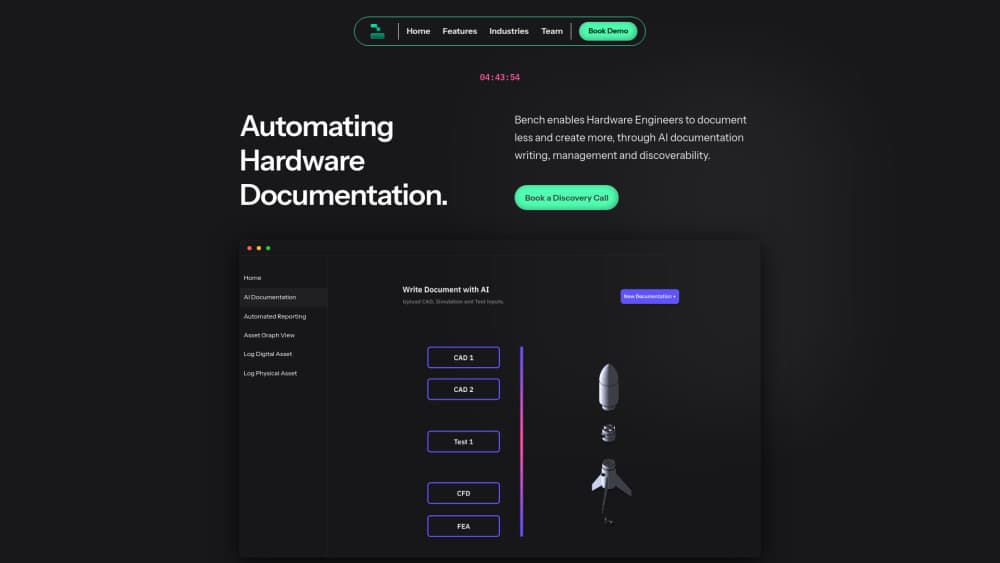
About Bench AI Documentation
What Is Bench
Bench AI is an AI engineering platform built for hardware teams. You connect it to the CAD and CAE software you already own, hand it a model plus the rules your team works by, and it carries out the repetitive steps: cleaning up geometry before simulation, running design iterations, exporting and re-meshing when a study fails.
The product is aimed at mechanical and simulation engineers, not software developers. There's nothing to script and no new modeling app to learn. Agents operate the same tools your team uses, which means the output lands in files your existing review process can check. Bench describes the setup as an autonomous engineer that has read your internal standards.
Pricing runs through sales. There's no published plan, no card-free trial and no public API, so the honest way to evaluate it is a demo on your own model. Expect a managed rollout rather than a sign-up page.
Getting Started
- Book a demo through the site and bring a real part, ideally one that takes hours to prepare for simulation.
- Connect your tool stack. SolidWorks, Fusion 360, Onshape and SimScale are live, with ANSYS, Creo, Catia and Siemens NX listed as coming soon.
- Upload the model and supporting context, such as internal SOPs or preparation standards, so the agent works from your rules instead of generic defaults.
- Mark up the geometry directly in 3D. Telling the agent "remove everything inside this region" or "ignore fillets on this model" is faster than writing a spec.
- Review the plan and approve the actions, then check the finished part in your own CAD viewer before it goes to the simulation team.
Product Information
A quick look at Bench AI Documentation's pricing, supported platforms, and performance.
Best for
The users, tasks, and scenarios where this tool fits best.
Users
- Simulation engineers buried in model cleanup
- Mechanical design teams of 5 to 500
- Engineering managers who need throughput without headcount
- CAD users on non-parametric or scanned geometry
Tasks
- Prepping CAD geometry for CFD or structural analysis
- Running optimisation loops
- Converting STL scans into parametric CAD
- Repeating a documented workflow across many parts
Scenarios
- A design change lands two days before a review
- A new hire inherits a folder of legacy models
- A small team supports several product lines
Key features
Agents That Drive Your Existing CAD Tools
Bench doesn't ask you to migrate. The agent opens the software your team already licenses and performs operations there, the way a junior engineer would. That keeps file history, naming conventions and approval steps intact, and it means the output can be reviewed in the viewer your colleagues already trust.
Geometry Preparation Automation
This is the flagship workflow. Bench removes gaps, overlaps, fillets and small features, patches surfaces on non-parametric models and exports a version the CAE team can mesh. The vendor puts the saving at up to 80 percent of the manual prep time, and its own case material cites models that used to absorb around 30 hours of cleanup. That figure comes from Bench, so treat it as a claim to test on your own part.
Context Grounding From Your Documents
The agent reads the material you connect, including SOPs and preparation standards, and asks clarifying questions when context is missing. Bench markets this as the answer to hallucination: the agent behaves like someone trained inside your organisation rather than a general model guessing at tolerances. In practice, the quality of that grounding depends on how well your standards are written down.
Optimisation Loops
Instead of a single run, the agent can iterate. It changes geometry or parameters, launches the study, reads the result and tries again until it hits the target or the budget you set. Engineers stay in the loop by reviewing proposed actions, which is the difference between an assistant and a black box.
Live Integrations With Four Tools
SolidWorks, Fusion 360, Onshape and SimScale are marked live on the integrations page. ANSYS, Creo, Catia and Siemens NX appear as coming soon, so teams standardised on those platforms are waiting on a roadmap date rather than a shipped feature. Check current status before you plan a rollout around one of them.
Enterprise Controls and Review Workflow
Role based access control, data ownership settings and a shared review process are built in, along with support for distributed teams. For regulated hardware work that matters more than raw speed, because an automation nobody can audit won't clear a design review. Bench also states it scales from a five person team to several hundred.
Pros and cons
Pros
- No migration. Agents work inside SolidWorks, Fusion 360, Onshape and SimScale, so existing files and review habits survive.
- The geometry prep use case is concrete and documented, with a before and after workflow you can map onto your own process.
- Grounding on internal SOPs is the right design for engineering, where a plausible answer with the wrong tolerance is worse than no answer.
- Human approval sits between the agent and the model, which keeps engineers accountable for what ships.
- Enterprise permissions and review tooling are included rather than sold as an add-on.
Cons
- No public pricing at all. You can't budget from the website, and comparing Bench against a seat of simulation software means talking to sales first.
- No self-serve trial. Evaluation requires a demo and, realistically, a conversation about your data, which slows down a small team's decision.
- Four live integrations leave out ANSYS, Creo, Catia and Siemens NX, so plenty of hardware shops can't use it yet without changing tools.
- No documented API or developer portal, which rules out embedding the agent in a custom internal pipeline.
Frequently asked questions
It automates engineering workflows inside CAD and CAE software. You give an agent a model, your standards and a goal such as "prepare this part for CFD", and it performs the steps in your own tools, from defeaturing to export.
Related content
Explore related tools, skills, and articles for Bench AI Documentation.
Bench AI Documentation Alternatives

Base Code
Base44 (Wix) · Coding · ProductivityBase Code is a shared cloud development environment from Base44. Teammates describe changes to an existing GitHub codebase in chat, preview them live and send them back as pull requests.

Knocket
Knocket (Tencent RTC team) · Productivity · Business · ChatbotKnocket is a free live chat and contact page tool that lets visitors message you from your website, app, or a shareable link, with every reply handled from Telegram or one inbox.

FloorGen
Vinit Kumar (FloorGen) · Productivity · China AIFloorGen is a browser-based floor plan maker that turns a sentence or a sketch into an editable 2D plan and a 3D walkthrough. Export to PDF, DXF or video, and draw without an account.