
Big Weather
Urtti Apps Oy · Productivity · AI Assistant
Big Weather is a menu bar weather app for macOS by Urtti Apps Oy. Temperature stays in view, and one click opens an hourly rain chart. Premium adds AI weather insights and calendar plans.
About Big Weather
What Is Big Weather
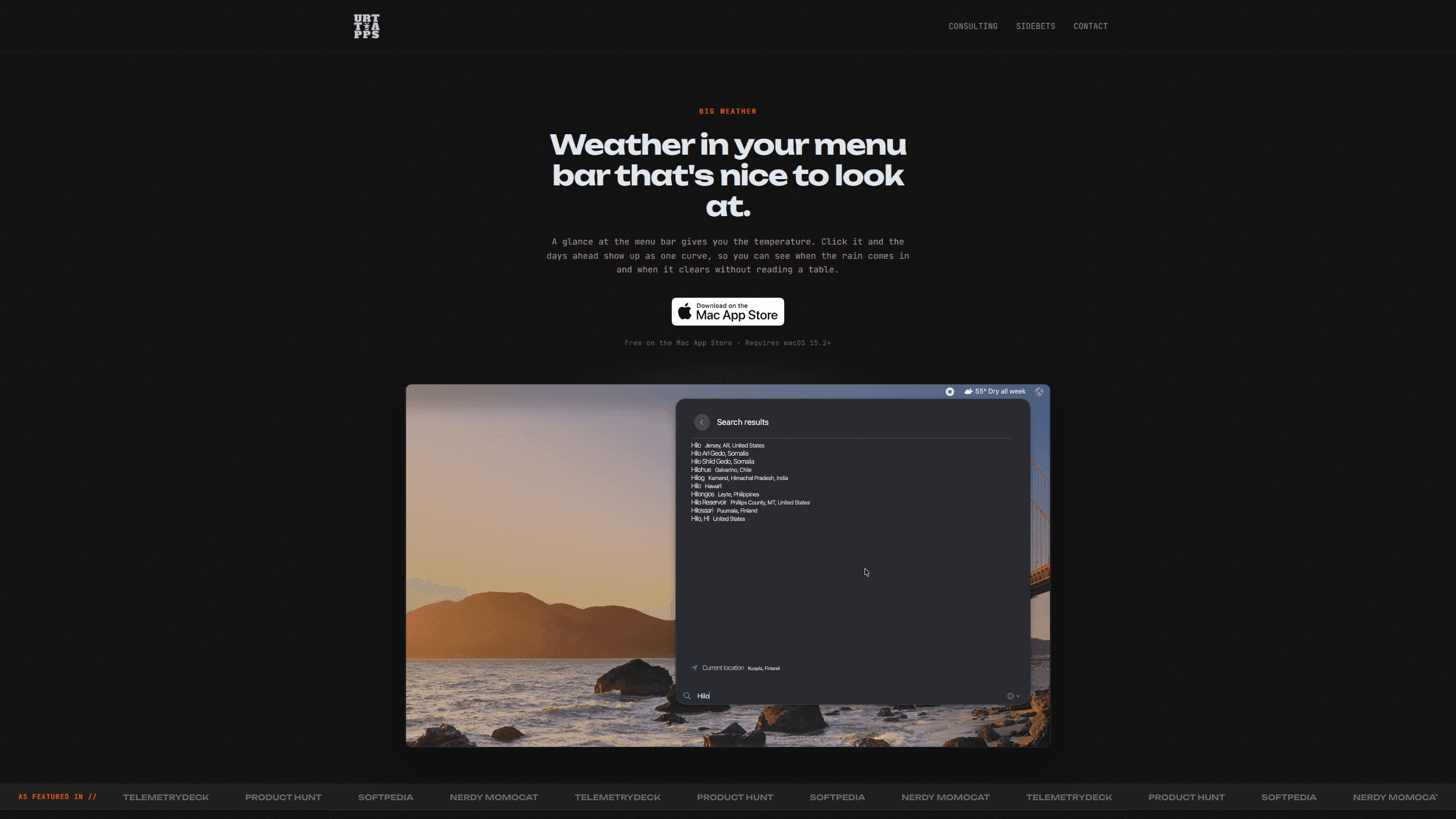
Big Weather keeps the current temperature in your Mac's menu bar, so checking the weather costs one glance instead of a browser tab. Click the readout and a panel opens with an hourly temperature curve and rain bars underneath. You see when a shower starts and when it stops, without reading a table of numbers.
The app comes from Urtti Apps Oy, a one-person studio in Finland. The free version covers a 3-day hourly forecast, UV for today and tomorrow, wind, pressure and humidity, with no ads. Premium unlocks 10 days, AI weather insights, a calendar layout, official warnings and Apple's weather data.
It's a macOS weather app in the strict sense: no iPhone version, no web app, no Windows build. Big Weather runs on macOS 15.2 or later, and the AI features need macOS 27 with Apple Intelligence enabled. If your Mac is older, the forecast still works, but the written summaries stay out of reach.
Getting Started
- Get Big Weather from the Mac App Store and open it. The icon appears in the menu bar straight away.
- Allow location access when macOS asks, or type a city name if you'd rather not share where you are.
- Pick a layout in Settings. The chart layout is the default; the plain text layout shows a simple row of hours and temperatures.
- Set units to Celsius, Fahrenheit, or both, and choose light or dark appearance. A keyboard shortcut opens the panel without the mouse.
- If you buy Premium, open Settings and choose the Calendar layout to put your plans on the 48-hour chart.
Product Information
A quick look at Big Weather's pricing, supported platforms, and performance.
Best for
The users, tasks, and scenarios where this tool fits best.
Users
- Mac users who check the forecast several times a day
- Commuters and cyclists who plan around rain
- People whose week already lives in Calendar
Tasks
- Timing a walk or an errand between showers
- Packing for a trip
- Checking UV before heading out
Scenarios
- A desk setup where the Mac stays open all day
- Storm season
- Living between two cities
Key features
Temperature in the menu bar
The menu bar carries the current temperature and conditions, and Premium adds a short written line such as "Rain at 4PM". Reading it takes a second, and there's nothing to launch.
Hourly curve with rain bars
The hourly weather chart is drawn as one temperature curve, with rain as bars underneath. Hovering reads out any hour's numbers, and UV appears for today and tomorrow. Each day's low and high sit on a single bar, so warm and cold days stand out before you read a number.
AI weather insights
On Macs running macOS 27, Apple Intelligence writes a sentence about the day in the menu bar and a summary of the week in the panel. Processing happens on the device, and the app doesn't send your location to third-party AI services.
Calendar layout
New in version 5.2, this layout reads your calendar and places plans on the 48-hour chart, each in its calendar's color. A plan more than 20 km away shows that place's forecast instead of yours, and a trip such as "Barcelona" moves the week's forecast with you.
Official weather warnings
Flood, storm and heat warnings from the weather service appear at the top of the panel as written, with a marker on each day they touch. Coverage includes the US, Canada, Mexico and Europe.
No account, local calendar
There's no sign-up, no ad network and no profile. Your calendar is read on your Mac, and only the coordinates of a plan's location go out, to Apple's weather and map services.
Pros and cons
Pros
- The free version covers a 3-day hourly forecast, UV, wind, pressure and humidity with no ads.
- It opens instantly and stays out of the way, which suits a menu bar utility.
- A $29.99 one-time purchase is available alongside the $1.99 monthly and $9.99 yearly plans.
- Calendar data stays on the Mac, and the app collects only anonymous usage counts.
Cons
- It runs only on macOS, so iPhone, Windows and Android users are out.
- AI weather insights need macOS 27 and a Mac that supports Apple Intelligence.
- The 10-day forecast, calendar layout and warnings all sit behind Premium.
- Warning coverage stops at the US, Canada, Mexico and Europe, so other regions get the forecast without the official alerts.
Frequently asked questions
Yes. The free version gives you the menu bar temperature, any city in the world, 3 days of hourly temperature and rain, UV for today and tomorrow, and wind, pressure and humidity. Premium is optional.
Related content
Explore related tools, skills, and articles for Big Weather.
Big Weather Alternatives

Base Code
Base44 (Wix) · Coding · ProductivityBase Code is a shared cloud development environment from Base44. Teammates describe changes to an existing GitHub codebase in chat, preview them live and send them back as pull requests.

Knocket
Knocket (Tencent RTC team) · Productivity · Business · ChatbotKnocket is a free live chat and contact page tool that lets visitors message you from your website, app, or a shareable link, with every reply handled from Telegram or one inbox.

FloorGen
Vinit Kumar (FloorGen) · Productivity · China AIFloorGen is a browser-based floor plan maker that turns a sentence or a sketch into an editable 2D plan and a 3D walkthrough. Export to PDF, DXF or video, and draw without an account.