

Bigjpg.AI
Bigjpg · Image
Bigjpg.AI enlarges photos, anime art and illustrations up to 16x with neural networks that clean up noise and keep lines sharp. A free tier is included.
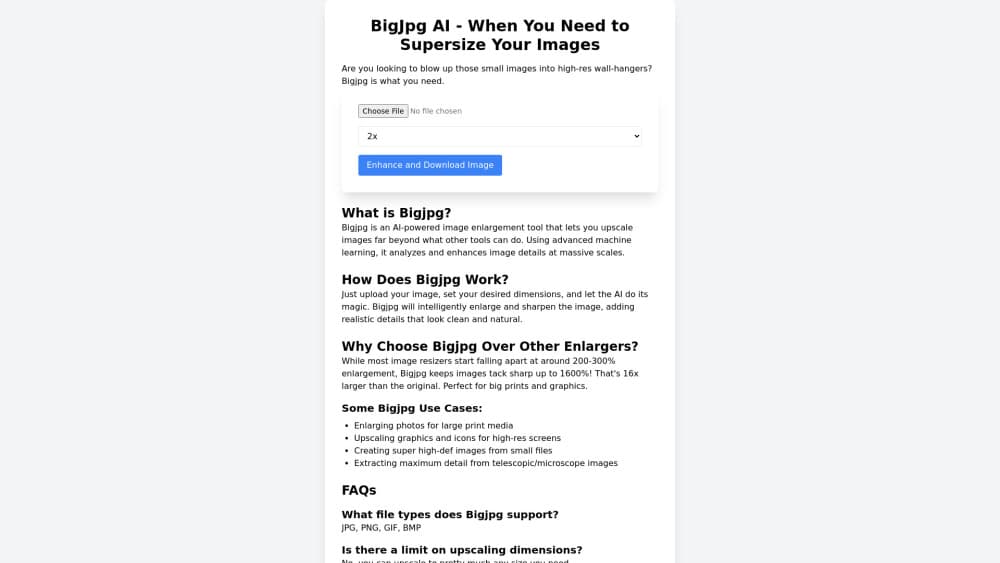
About Bigjpg.AI
What Is Bigjpg.AI
Bigjpg.AI is an online image upscaler built on deep convolutional neural networks. You drop in a small photo, a manga scan or a game illustration, pick a scale, and the service rebuilds the picture at a larger size instead of blurring it. It runs in a browser, and the same account also covers Windows, macOS, Android and iOS apps.
The problem it targets is the ugly middle ground of a normal photo enlarger. Stretch a 400px thumbnail to 1600px in an ordinary editor and you get soft edges, blocky noise and doubled outlines. Bigjpg.AI trains separate models for artwork and photos, so line art keeps clean contours while camera shots get grain pulled out.
The limits matter as much as the output. This is a discriminative tool: it sharpens what exists and doesn't invent missing detail, fix a ruined face or fill a cropped corner. The free plan caps uploads at 5MB with 4x enlargement, so print work usually needs a paid plan.
Getting Started
- Open bigjpg.com and upload a file, or sign in first if you want jobs to survive a closed browser.
- Choose the Artwork or Photo model, then set noise reduction from None to Highest.
- Pick a scale from 2x to 16x. Free accounts stop at 4x.
- Start the task, watch the queue, and download the finished image when the status turns to Success.
Product Information
A quick look at Bigjpg.AI's pricing, supported platforms, and performance.
Best for
The users, tasks, and scenarios where this tool fits best.
Users
- Digital illustrators
- Anime and manga readers
- Print and merch sellers
Tasks
- Enlarging a small AI-generated image for a desktop wallpaper
- Cleaning product photos shot on an old phone
- Preparing web images for a large banner or slide deck
Scenarios
- A blogger needs a sharper header from a compressed screenshot
- A tabletop group wants character portraits printed at A3
- Someone digitizing family photos from the 1990s
Key features
Two Separate Models for Artwork and Photos
Bigjpg.AI splits its upscaling into an Artwork model for illustrations, anime and line art, and a Photo model for camera images. That matters because the failure modes differ: artwork needs hard edges preserved, while photos need grain and compression noise smoothed out. Picking the wrong one shows up fast as either waxy skin or jagged line work.
Upscaling up to 16x
Paid plans push an image to 16x its original dimensions, with 2x, 4x and 8x in between. A 512px illustration can reach 8192px, which is enough for a large print or a 4K wallpaper. Free accounts are limited to 4x, so 16x upscaling is a paid feature.
Noise Reduction Levels from None to Highest
The noise slider runs from None through Low, Medium, High and Highest. On a clean digital export, None keeps the original texture. On a JPEG saved five times, the higher settings strip blocking before the network enlarges the frame. Overdoing it flattens fine grain, so the middle settings are the safe default.
Batch Mode and Parallel Tasks
Paid accounts can queue many files at once and run several jobs in parallel on high performance servers. Free users process two images at a time on shared hardware and get no batch mode at all. For a shop with 200 product shots, that difference decides whether the work takes an afternoon or a week.
Jobs That Keep Running After You Close the Browser
Once you sign in, enlarging happens offline from the browser tab. You can close the laptop, come back later and find the finished file in your history. Anonymous uploads depend on the tab staying open, and the result disappears if you lose the session.
A REST API for Automated Pipelines
The Bigjpg API exposes four endpoints: request an upload URL, create a task, poll results and retry a failed job. Calls need an X-API-KEY from a paid account, and each response reports remaining_api_calls so you can watch the monthly quota. Style, noise and scale are set per request, which makes it practical to upscale a folder from a script.
Pros and cons
Pros
- A real free tier with no watermark, capped at 4x and 5MB but usable for finished web images.
- The Artwork model handles anime and line art better than general purpose upscalers, with almost no doubling on outlines.
- 16x output on paid plans covers print sizes that most browser tools stop short of.
- Image links are encrypted, uploads are deleted within 24 hours on free accounts and 72 hours on paid ones.
Cons
- The free plan is tight: 5MB files, 4x scale, two parallel jobs and a monthly image cap. Anyone with a print deadline will hit it in an hour.
- The API is closed to free accounts, so developers can't test an integration before buying a plan.
- It enlarges and denoises, and nothing more. There's no face repair, object removal or generative fill when a source is genuinely damaged.
Frequently asked questions
Yes, there's a free plan with a 5MB upload limit, 4x maximum scale and a monthly image cap. Paid plans from $6 remove the size and scale limits and add batch processing.
Related content
Explore related tools, skills, and articles for Bigjpg.AI.
Bigjpg.AI Alternatives

Google EmbeddingGemma 2
Google DeepMind · Writing · Image · CodingGoogle EmbeddingGemma 2 is a 740M-parameter open model that turns text, code, images, audio, and video frames into vectors in one 768-dimension space, running on phones and laptops.

Tractionwave
TractionWave · Image · MarketingTractionWave is an AI attention heatmap tool for static ads. Upload a PNG or JPG and it returns predicted attention, ranked hotspots, and fixes before you spend budget.

Imejis.io
Imejis.io · Image · MarketingImejis.io is an AI design studio for agents and marketing teams. Describe an image in plain words, and it writes the copy, builds the layout, reflows it to every size, then exports a finished file.