
Bigjpg
Bigjpg · Image
Bigjpg is an AI image upscaler that enlarges anime artwork and photos up to 16x with deep convolutional neural networks, keeping lines, colors, and detail sharp.
About Bigjpg
What Is Bigjpg
Bigjpg is a web-based image upscaler built on deep convolutional neural networks. Feed it a small anime drawing, a game asset, or an ordinary photo, and it rebuilds lines, colors, and fine detail instead of stretching pixels, so a tiny file can become a large printable image without turning soft.
The service targets people who need bigger files but lack editing skills: artists enlarging line art for prints, designers scaling logos and icons, and anyone lifting a low-resolution photo for a banner or wallpaper. Two profiles sit at the core. Art handles cartoon and illustration work, while Photo suits real-world shots, and both let you pick a noise-reduction level before processing.
The main limits are the free tier and the cloud workflow. Free accounts cap files at 5MB and 3000x3000px with 4x enlargement on shared servers, and a round of processing can be slow or, rarely, fail on a busy day. There is no offline option unless you pay.
Getting Started
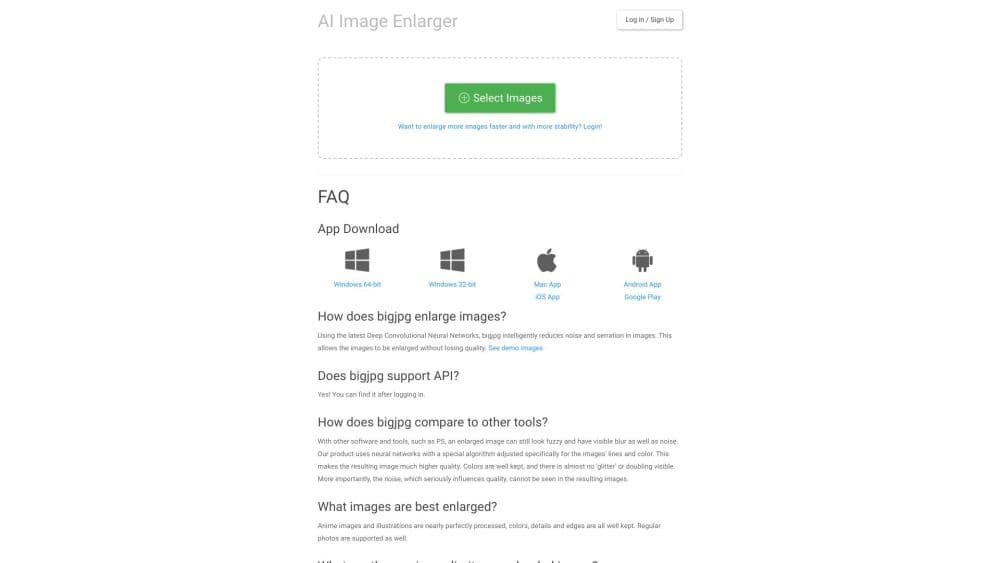
- Open the Bigjpg website and upload an image, or sign up for an account to keep a history.
- Pick a style (Art for anime and illustration, Photo for regular shots) and a noise-reduction level.
- Choose the enlargement ratio, from 2x up to 16x on a paid plan.
- Run the task and download the enlarged result once it finishes.
Product Information
A quick look at Bigjpg's pricing, supported platforms, and performance.
Best for
The users, tasks, and scenarios where this tool fits best.
Users
- Anime and manga artists
- Graphic and UI designers
- Photographers and print shops
Tasks
- Upscaling anime images
- Enlarging regular photos
- Sharpening small graphics
- Batch enlarging a set of files
Scenarios
- Preparing artwork for a large print
- Building an app or game asset library
- Cleaning up a low-resolution photo for a website
Key features
AI Image Upscaling up to 16x
Bigjpg enlarges images by 2x, 4x, 8x, or 16x using deep convolutional neural networks. Instead of stretching pixels, the model rebuilds lines and fine detail, which is what keeps a small file looking sharp after a large size jump. Free accounts are limited to 4x, while paid plans unlock the full 16x range.
Art and Photo Profiles
The upscaler ships two models tuned for different content. Art handles anime, manga, and illustration, keeping flat colors and crisp outlines intact. Photo targets real-world shots and works on portraits, products, and scenes. Picking the right profile matters, because the wrong one can smooth away the texture a drawing depends on.
Noise Reduction Control
A noise setting lets you dial in how aggressively the model cleans an image, with levels from none up to highest. This helps when a source file is grainy or heavily compressed, since you can remove artifacts before the upscale runs. It is a small control that often decides whether the result looks natural or over-smoothed.
Batch and Parallel Processing
Paid plans run several images at once on a dedicated high-performance server. Batch mode suits designers and studios working through a set of icons, textures, or photos in one sitting, rather than uploading files one at a time. The free plan processes two images at a time on shared servers.
Cloud API for Automation
A paid API connects Bigjpg to your own tools. You call an upload endpoint to get a temporary storage URL, push the file, then send an enlarge task with your chosen style, noise, and ratio. Results come back as task lookups, so a script can scale images without anyone touching the website.
Cross-Platform Access
Bigjpg runs in any browser and offers Windows, Mac, iOS, and Android apps. Offline enlarging is available once you log in, so you can close the browser while a task finishes. The settings page also lets you switch the download server between China and the United States for faster results.
Pros and cons
Pros
- Enlarges anime and photos up to 16x while keeping lines and colors clean.
- Separate Art and Photo profiles tailored to illustrations and real-world shots.
- A free plan covers occasional jobs with 4x enlargement and 20 images a month.
- Batch mode and a high-performance server on paid plans speed up large sets.
- A paid API lets you automate upscaling inside your own workflow.
Cons
- The free plan caps uploads at 5MB and 3000x3000px, so large files need a paid plan.
- Free tasks run on shared servers and can queue slowly or fail on busy days.
- Its focus is enlargement only, with no cropping, retouching, or color editing.
- Offline processing requires an account, so you cannot run it fully anonymously.
Frequently asked questions
Bigjpg enlarges images with AI. It upscales anime art and photos up to 16x, rebuilding lines and detail so a small file can look sharp at a much larger size.
Related content
Explore related tools, skills, and articles for Bigjpg.
Bigjpg Alternatives

Google EmbeddingGemma 2
Google DeepMind · Writing · Image · CodingGoogle EmbeddingGemma 2 is a 740M-parameter open model that turns text, code, images, audio, and video frames into vectors in one 768-dimension space, running on phones and laptops.

Tractionwave
TractionWave · Image · MarketingTractionWave is an AI attention heatmap tool for static ads. Upload a PNG or JPG and it returns predicted attention, ranked hotspots, and fixes before you spend budget.

Imejis.io
Imejis.io · Image · MarketingImejis.io is an AI design studio for agents and marketing teams. Describe an image in plain words, and it writes the copy, builds the layout, reflows it to every size, then exports a finished file.