

Bika.ai
Bika.ai · Productivity
Bika.ai is an AI Organizer that lets solo founders and small teams build AI agents and automate work through a messenger-style workspace.
About Bika.ai
What Is Bika.ai
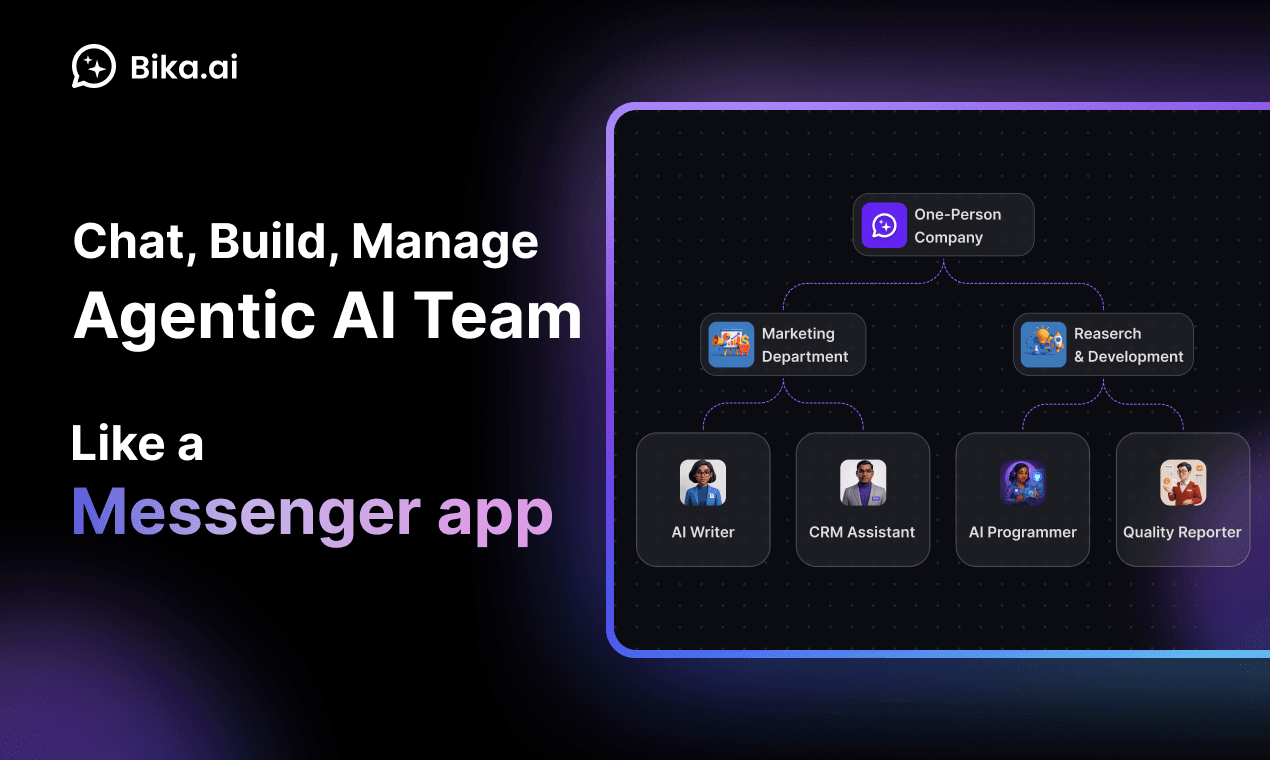
Bika.ai is a web platform built around a simple idea: your work should look like a chat with a team of agents, not a stack of disconnected tools. It labels itself an "AI Organizer," and the name fits. Instead of juggling a spreadsheet, a form builder, a task board, and a scheduler, you organize everything inside one workspace that reads like a messaging app. That's the whole pitch.
Under the hood, that workspace ties together four things people usually buy separately: AI agents, automations, databases, and dashboards. You can chat with an agent, have it pull records from a database, trigger a workflow, and surface the result on a dashboard without leaving the page. Bika says its database layer handles very large datasets, which matters if you're tracking contacts, orders, or content at a scale where ordinary spreadsheets start to choke.
The pitch is aimed at people running lean. A one-person company, a small marketing team, a founder who does their own ops. Bika markets itself as a tool for turning repetitive processes into automated ones, so you spend less time on busywork and more on the parts only you can do. Templates do a lot of the heavy lifting here. The company leans on them hard as its main selling point.
The limitation is worth stating up front. Bika is a platform, not a finished app, so getting real value out of it depends on either finding a template that matches your workflow or building one yourself. If you want something that works perfectly out of the box with zero setup, this isn't that. If you're willing to invest an afternoon in configuration, the payoff can be large. Just know what you're signing up for.
Getting Started
- Create a Bika.ai account on the website and log in to your workspace.
- Browse the template library and clone the agentic app that's closest to the job you want to automate.
- Customize it: add your data to the built-in database, adjust the automation triggers, and tweak the dashboard views.
- Chat with the workspace agents to run the workflow, or schedule it to fire on its own.
- Publish, share, or replicate the template so teammates can reuse it.
Product Information
A quick look at Bika.ai's pricing, supported platforms, and performance.
Best for
The users, tasks, and scenarios where this tool fits best.
Users
- Solo founders
- Small marketing teams
- Operations managers
- Content creators
Tasks
- Lead capture and follow-up
- Project tracking
- Content scheduling
- Data-heavy reporting
Scenarios
- Running a one-person company where you can't afford a dedicated ops hire.
- Replacing a fragile chain of spreadsheet plus form plus reminder app with one connected workspace.
- Early-stage teams that want automation now but can't justify enterprise pricing.
- Testing an idea fast by cloning a template instead of building a system from scratch.
Key features
Messenger-Style Agent Workspace
The core interface looks and feels like a chat app. You talk to AI agents in a thread, and they act on your workspace rather than just answering questions. That design choice is the biggest thing separating Bika from traditional no-code builders, which usually lead with a visual canvas. If you think in conversations, you'll pick this up faster. An AI agent workspace should feel like talking, not clicking. Bika gets that part right.
Template Library
Bika ships a catalog of agentic app templates you can clone and customize. Each template bundles the agents, automations, database structure, and views needed for a specific job, so you're not assembling everything from a blank page. For most users, this is the fastest path from signup to something useful. No blank canvas. No setup paralysis.
Built-In Automation Engine
Automations run in the background, firing when a record changes, a schedule hits, or an event triggers. Bika's angle is that you don't have to sit there chatting with the AI to get work done; the automations keep running on their own. That's the difference between a chatbot and a workflow tool. Set it and forget it.
Large-Scale Automation Database
The database is designed to hold very large datasets, which the company claims reaches into the billions of entries. For a small team, that means you won't hit a wall as your contact list or content archive grows. It also gives you structured storage that automations and dashboards can read from directly. Think of it as the AI agent workspace's memory: every automation and dashboard pulls from the same source.
Dashboards and Forms
You get forms for collecting input and dashboards for viewing it, both connected to the same underlying data. Forms feed records in. Dashboards render them as charts, boards, or tables. Building both without writing code is the whole point.
Publish, Share, and Replicate
Templates aren't locked to your account. You can publish them, share them with others, and replicate them to keep improving a setup over time. Teams use this to standardize how a process runs across several people or projects.
Replays for Learning
Replays are step-by-step walkthroughs showing how an AI consulting team or copilot builds an agentic app from scratch using natural language. They're less documentation, more demonstration. New users can follow along to understand what the platform can actually do before committing time to it. Watch first. Build second.
Pros and cons
Pros
- Combines agents, automation, databases, and dashboards in one workspace instead of four separate subscriptions.
- Template library shortens setup time considerably, especially for common marketing and ops workflows.
- Handles large datasets, so growing teams won't outgrow it quickly.
- Messenger-style interface feels familiar, which lowers the learning curve for non-technical users.
- Free plan available to test the platform before paying.
Cons
- You'll need to configure templates or build your own, so it isn't a zero-setup tool.
- The all-in-one approach can feel overwhelming at first; new users may not know where to start.
- Best results depend on the template matching your actual workflow, and mismatches mean rework.
- Advanced automation logic may still require time to learn, even without code.
Frequently asked questions
Bika.ai is used to automate repetitive business processes in one place. You build AI agents, automations, databases, and dashboards inside a messenger-style workspace, so tasks like lead follow-up, content scheduling, and project tracking run on their own.
Related content
Explore related tools, skills, and articles for Bika.ai.
Bika.ai Alternatives

Udon
Udon · Coding · ProductivityUdon turns an Apple Silicon Mac into a home server you run from a browser, with container controls, file shares, and an optional AI sysadmin.

offstage
offstage cloud · Coding · Productivityoffstage gives AI coding agents and CI jobs a real Mac: a fresh macOS account on Apple silicon, driven over an API and billed by the second.

BotBus
Chengdu Tuyang Tusen Technology Co., Ltd. · Coding · ProductivityBotBus lets you control AI coding agents from your phone and watch: approve commands, start tasks and read results while the code stays on your desktop.