

BixGPT
XLABS7 · Productivity
BixGPT is an AI release notes generator from XLABS7 that turns Jira tickets into formatted, publishable release notes and searchable documentation assistants.
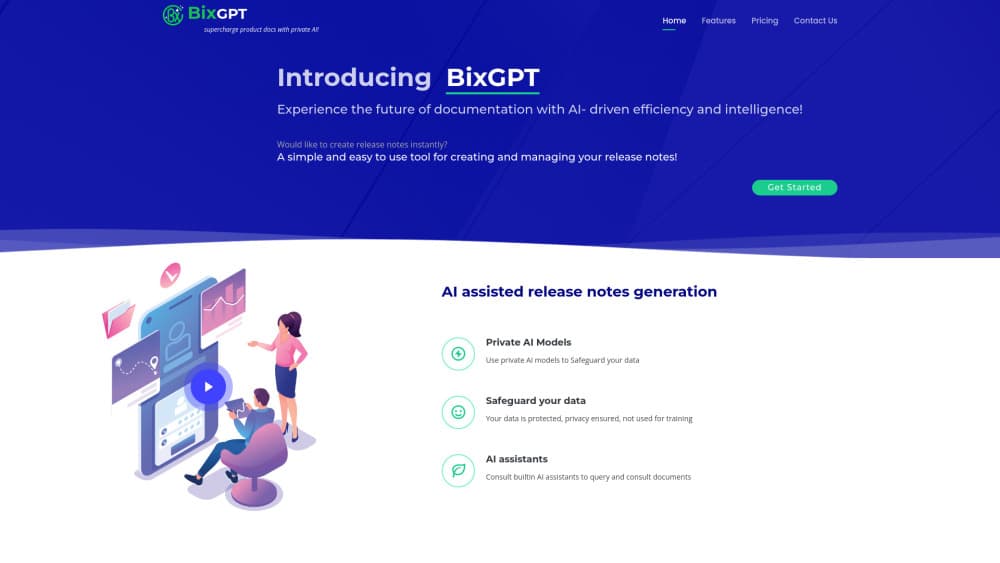
About BixGPT
What Is BixGPT
BixGPT writes the update announcement your team keeps postponing. It connects to Jira, finds the tickets that shipped in a release, and drafts notes in plain language. From there you edit the draft, pick a format, and push it to a page or an email.
The product is aimed at the person who has to explain a release to readers who never open Jira. Product managers, QA leads, support staff, and technical writers all end up doing this work, and release notes automation rarely makes it onto anyone's calendar.
Its scope is narrow on purpose. BixGPT handles release notes and the product documentation around them. It doesn't track your roadmap, run tests, or replace a project tool. The site also publishes no public API documentation and no self-serve price list, so teams that need procurement details have to ask sales first.
Getting Started
- Create an account at bixgpt.com and open the app.
- Connect your Jira workspace and pick the project you want to document.
- Choose a release window, then let BixGPT collect the tickets and draft the notes.
- Edit the draft in the interactive view, adjusting tone, detail level, and styling.
- Publish the result as a release page, a client notification, or another supported format.
Product Information
A quick look at BixGPT's pricing, supported platforms, and performance.
Best for
The users, tasks, and scenarios where this tool fits best.
Users
- Product managers
- QA and release leads
- Support and customer success teams
- Technical writers
Tasks
- Turning Jira tickets into readable release notes
- Keeping a public changelog current
- Answering repeat questions about shipped features
- Preparing client-facing update emails
Scenarios
- Sprint-end communication
- Onboarding a new customer
- Handing a release to support
Key features
One-Click Drafts From Jira
BixGPT discovers Jira data on its own and builds a first draft from the tickets in a release. You don't paste a list of issue keys or copy summaries between tabs. The output is a readable draft rather than a raw ticket dump.
Interactive Editing
The first draft is a starting point, not a final document. An interactive mode lets you steer the text, ask for a different level of detail, and regenerate sections without starting over. That matters when the same release needs a short in-app note and a longer page.
Private Models and Encrypted Data
The site states that generation runs on private AI models, that data is encrypted, and that your content isn't used for training. For teams whose legal review blocks consumer chatbots, this is often the deciding factor.
Multi-Format Output
Release notes rarely live in one place. BixGPT works as a changelog generator as well as a notes writer, so one draft can become a web page, an in-app message, or a client notification. You pick the format after the content is right.
Built-In AI Assistants for Your Documents
BixGPT can turn finished release notes into assistants that answer questions about the content. New customers and support agents can query past updates in plain language instead of searching a changelog by date.
Publishing and Styling
Release pages can be published directly from the tool, and custom styling keeps them close to your brand. Client notifications go out from the same place, which removes the usual copy-and-paste step into an email tool.
Pros and cons
Pros
- Pulls release content straight from Jira, which removes the most tedious part of writing notes.
- Handles several output formats, so a single draft covers the page, the in-app message, and the client email.
- Private models and encrypted handling give legal and security teams something concrete to review.
- Built-in assistants make old release notes searchable, which helps onboarding and support.
- Custom styling keeps published pages consistent with the rest of your site.
Cons
- Public documentation is thin, so most of the learning happens inside the app.
- Pricing is quoted rather than listed, which makes budgeting a conversation with sales.
- No public API means the notes can't be pushed into an existing docs pipeline automatically.
- Discovery centers on Jira, so teams planning work in Linear or Asana lose the main shortcut.
Frequently asked questions
It generates release notes from your Jira data. You connect a project, choose a release, and get a draft you can edit, restyle, and publish as a page or a notification.
Related content
Explore related tools, skills, and articles for BixGPT.
BixGPT Alternatives

Base Code
Base44 (Wix) · Coding · ProductivityBase Code is a shared cloud development environment from Base44. Teammates describe changes to an existing GitHub codebase in chat, preview them live and send them back as pull requests.

Knocket
Knocket (Tencent RTC team) · Productivity · Business · ChatbotKnocket is a free live chat and contact page tool that lets visitors message you from your website, app, or a shareable link, with every reply handled from Telegram or one inbox.

FloorGen
Vinit Kumar (FloorGen) · Productivity · China AIFloorGen is a browser-based floor plan maker that turns a sentence or a sketch into an editable 2D plan and a 3D walkthrough. Export to PDF, DXF or video, and draw without an account.