

Black Forest Labs
Black Forest Labs · Image · Other
Black Forest Labs is the German lab behind FLUX, a family of image, video, and audio models sold through a pay-as-you-go API, a browser playground, and open weights.
About Black Forest Labs
What Is Black Forest Labs
Black Forest Labs is an AI research company in Freiburg, Germany, founded in 2024 by the researchers who built the original Stable Diffusion models. Its product is FLUX, a line of generative models for images and video that outside companies license, embed, or run on their own hardware.
The company sells access, not software. You reach FLUX through an AI image generator API billed by the credit, through a browser playground, or by downloading open weights and running them on your own GPUs. That mix is the main reason studios, startups, and infrastructure teams end up in the same place.
The limits are worth knowing up front. There's no subscription plan, so every generation spends prepaid credits, and the strongest video and image models stay behind the API. Open weights come with revenue caps and license terms, which rules out some commercial uses until you buy a license.
Getting Started
- Create an account at dashboard.bfl.ai and confirm your email. A default organization and project are set up for you.
- Add credits under API, then Credits. One credit costs $0.01, and $10 to $20 is enough to test several models.
- Generate an API key in your project and export it as BFL_API_KEY.
- Send a request to the model endpoint you want, then poll the returned polling_url until the job reports Ready.
- Download the result, since signed URLs expire about two hours after the job finishes.
Product Information
A quick look at Black Forest Labs's pricing, supported platforms, and performance.
Best for
The users, tasks, and scenarios where this tool fits best.
Users
- Developers adding image or video generation to a product
- Creative studios and agencies
- Teams that need to self-host
- Product and marketing teams
Tasks
- Generating product visuals
- Making short video with sound
- Editing an existing image
Scenarios
- Prototyping a feature before committing to build
- High-volume batch jobs
- Running generation inside a private environment
Key features
FLUX 3, One Model Across Video and Image
FLUX 3 handles video, images, audio, and actions in a single family. The video side generates clips up to 20 seconds at up to 4K, 24 fps, with multilingual speech, sound effects, and ambience created alongside the frames. It also holds a scene together across cuts, so a single request can return several shots instead of one static take.
Layout Control With Bounding Boxes
FLUX 3 Image treats the canvas as a 0 to 1000 grid on both axes. You describe each element in a box, then write one caption that ties them together, and the model renders every element inside its box. This is the feature that makes editorial layouts, poster type, and crowded scenes predictable rather than lucky.
Multiple References in One Image
You can hand the model up to ten reference images and ask it to combine them into one composition. It keeps a character, product, or style consistent across separate generations, which is the part that usually breaks when you try to match a brand asset by prompt alone.
Instruction-Based Editing
Editing works like a sentence, not a mask. You tell the model what to change, and everything you didn't mention stays in place. That makes it practical to fix a hand, swap a background, or restyle a photo without repainting the whole frame and losing the original detail.
Open Weights You Can Run Yourself
FLUX 3 Image Klein is a 5.6B parameter open weights image model with text-to-image, editing, and multi-reference generation in one set of weights. The INT8 build fits on an 8GB card, and the distilled version renders in 16 steps. Individuals and companies under $5M in annual revenue can use it commercially under the FLUX Kommunity License, and LoRA training is supported.
Draft Mode for Video
Video gets expensive when you iterate on a full render. Draft mode returns a fast, cheaper preview plus a cache bundle, and draft_enhance rebuilds the preview you picked at full quality with the same seed. You explore freely, then pay full price once for the shot you keep.
Pros and cons
Pros
- The FLUX models lead blind evaluations for text-to-image, multi-reference generation, and editing, according to Black Forest Labs.
- Pay-as-you-go credits mean no monthly subscription, so a small project costs a few dollars instead of a seat license.
- One account covers image, video, audio, and editing endpoints, which cuts down on vendor sprawl.
- Open weights give you a path to self-hosting and fine-tuning when data can't leave your infrastructure.
- Documentation is concrete, with a working polling loop, an MCP server for chat tools, and published per-model pricing.
Cons
- There's no free tier, so you pay before you can test anything beyond browsing the playground.
- Video credits add up fast, and 4K output is billed per second at the highest rate class.
- The best video model stays API-only, while open weights lag behind the hosted lineup.
- Free commercial use of open weights stops at $5M in annual revenue, which forces a license conversation as you grow.
Frequently asked questions
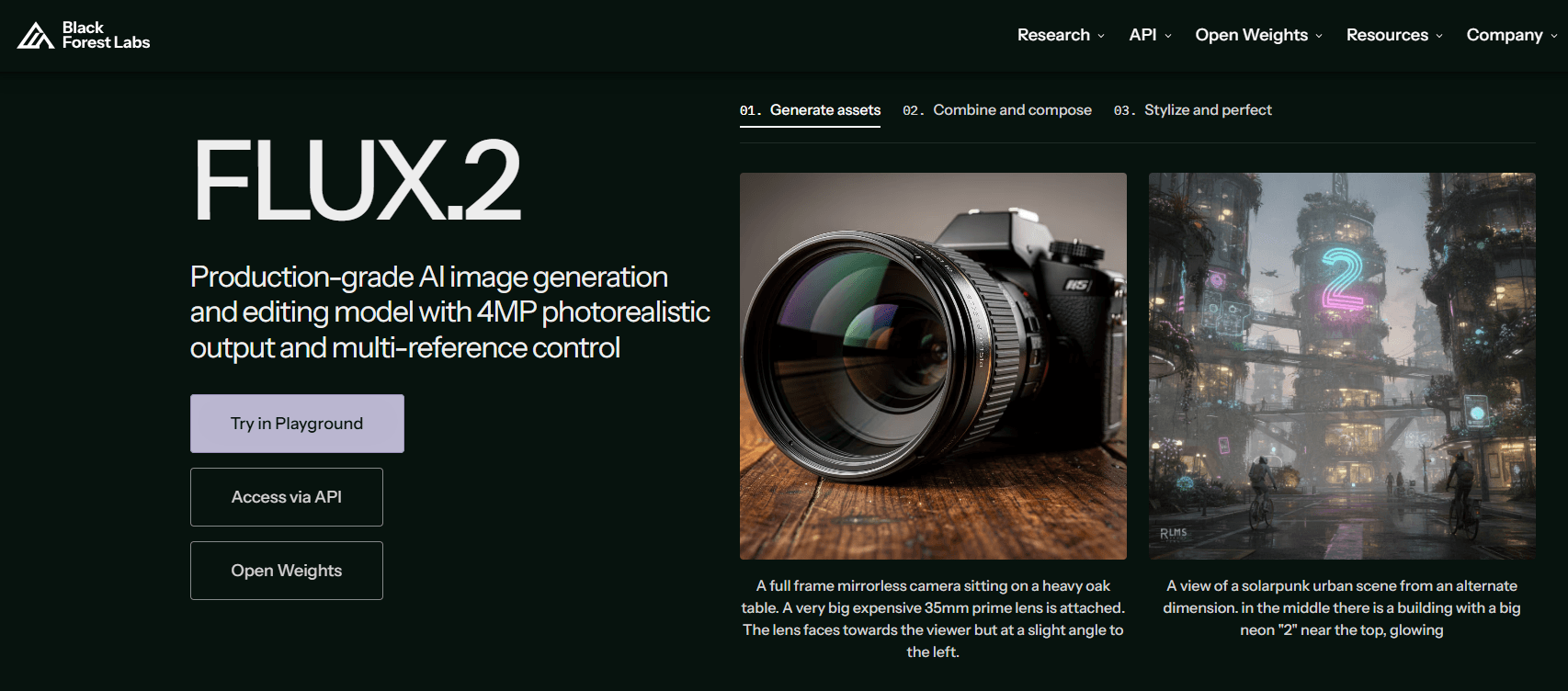
It builds the FLUX family of generative models for images, video, audio, and robot actions. FLUX 3 is the current generation, and FLUX.2 and FLUX.1 models are still available through the API.
Related content
Explore related tools, skills, and articles for Black Forest Labs.
Black Forest Labs Alternatives

Google EmbeddingGemma 2
Google DeepMind · Writing · Image · CodingGoogle EmbeddingGemma 2 is a 740M-parameter open model that turns text, code, images, audio, and video frames into vectors in one 768-dimension space, running on phones and laptops.

Tractionwave
TractionWave · Image · MarketingTractionWave is an AI attention heatmap tool for static ads. Upload a PNG or JPG and it returns predicted attention, ranked hotspots, and fixes before you spend budget.

Imejis.io
Imejis.io · Image · MarketingImejis.io is an AI design studio for agents and marketing teams. Describe an image in plain words, and it writes the copy, builds the layout, reflows it to every size, then exports a finished file.