
BlurData - Auto-blur for Mac
BlurData · Productivity
BlurData is a Mac app that automatically finds and hides sensitive data in screenshots, photos and PDFs. It detects emails, names, addresses and other personal details, then blurs or removes them on your own machine.
About BlurData - Auto-blur for Mac
What Is BlurData
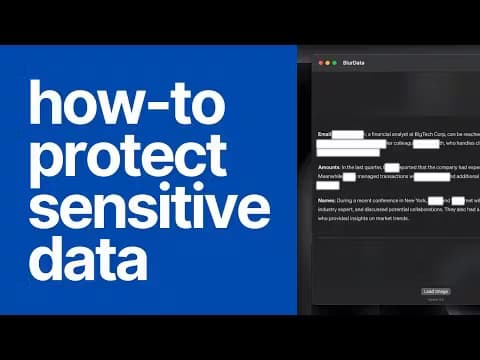
BlurData is a native macOS app built for one job: taking personal data out of files before you share them. Think of it as auto-blur for Mac users who handle client files. Drop in a screenshot, a photo or a PDF, and it scans the content for personally identifiable information (PII), highlights what it finds, and blurs or removes it in seconds. Emails, names, street addresses, IP addresses, URLs, money amounts, account numbers and license plates are all handled without you drawing a single box.
The pitch is simple. Manual redaction is slow and easy to get wrong, and one missed spelling can leak a name you meant to hide. BlurData is an offline redaction tool that runs its detection and rendering on your Mac, so nothing gets uploaded to a server. It blurs sensitive data and redacts PDFs on Mac without sending anything out. Adobe, Nitro and Redactable all route your file through their own infrastructure. This one doesn't.
That offline design matters most if you work with client data. Law firms, insurers, HR teams and healthcare staff can prep a document without it ever leaving the machine. The tradeoff is platform: it's Mac only, with a separate iPhone and iPad app for on-the-go redaction, and there's no free tier, so you pay before you can test the detection on your own files.
Getting Started
- Download BlurData for Mac from the official site and install it. There's no account to create.
- Drop a screenshot (JPG or PNG) or a PDF straight into the window, or drag a whole folder to batch process.
- Wait a few seconds for the scan. BlurData detects the PII and marks each hit on the page.
- Pick a redaction style. Blur and Pixelate soften the data; Black Box and Black Text remove it outright. Switch to Pseudonymize if the file is headed for an AI tool.
- Export the cleaned image or PDF, or send the batch to a folder in one pass.
Product Information
A quick look at BlurData - Auto-blur for Mac's pricing, supported platforms, and performance.
Best for
The users, tasks, and scenarios where this tool fits best.
Users
- Legal and compliance staff
- Insurance and finance teams
- HR and consultants
Tasks
- Cleaning screenshots before posting to a support ticket or a chat
- Anonymizing a document for an AI assistant
- Batch redacting a folder
Scenarios
- Sharing a bank statement or invoice
- Preparing case material for AI review
- Publishing a screenshot on social media
Key features
Automatic PII detection across eight data types
BlurData scans content and flags emails, names, addresses, IP addresses, URLs, monetary amounts, account numbers and license plates on its own. You don't select anything by hand. If the built-in detectors miss something, you can add a custom regex pattern for internal IDs, API keys, JWTs or ticket numbers, so the same rules apply to every document.
Blur, pixelate, black box or black text
Four redaction styles cover different situations. Blur and Pixelate keep the layout readable while hiding the value. Black Box and Black Text wipe the data from the file structure entirely, which is the right choice for anything you publish. The exported file carries no hidden layer with the original content sitting underneath.
Pseudonymization for AI workflows
A newer mode replaces each person, amount and address with a consistent label like [PERSON_1] instead of a black box. The same person keeps the same label on every page, so you can hand the copy to ChatGPT or Claude and still get a useful answer. The mapping key stays on your Mac, and it only exists if you choose to export it.
100% offline, on-device processing
Every step runs locally: detection, OCR, redaction and export. Nothing is uploaded, and no internet connection is needed. This is what makes it workable for regulated data, since there's no third-party server in the path and no data processing agreement to sign.
Handles screenshots, photos and PDFs
Most tools pick one format. BlurData covers screenshots, images and multi-page PDFs in the same app. Scanned pages go through on-device OCR, so photographed documents and screen grabs are treated the same as text-based PDFs. This is the gap that lets it blur screenshots and redact PDFs on Mac from a single window, instead of you juggling two apps.
Batch processing and clean exports
Drop a folder and BlurData runs the whole set in one pass, writing clean copies to the destination you choose. Sensitive text is permanently anonymized and removed from the file structure, not just covered by a rectangle you could peel back later.
Pros and cons
Pros
- Detection and redaction happen fully on-device, so client and personal data never touches a cloud server.
- Both screenshots and PDFs are supported, including scanned pages via OCR, which few single apps manage.
- Pseudonymization lets you use AI tools on sensitive documents without leaking identities.
- Batch mode processes entire folders in one pass, cutting hours of manual work.
- Custom regex plus free 24-hour presets cover internal IDs and unusual document types.
Cons
- Mac only, and the iOS app is a separate purchase, so cross-platform teams can't standardize on one license.
- No free tier, so you pay $79 a year before you can test detection accuracy on your own files.
- The core use cases (legal, financial, medical) overlap with AI features that other tools now bundle for less.
Frequently asked questions
It finds personally identifiable information in screenshots, photos and PDFs and removes it. Emails, names, addresses, IPs, amounts, account numbers and license plates are detected automatically, then blurred or deleted depending on the style you pick.
Related content
Explore related tools, skills, and articles for BlurData - Auto-blur for Mac.
BlurData - Auto-blur for Mac Alternatives

Base Code
Base44 (Wix) · Coding · ProductivityBase Code is a shared cloud development environment from Base44. Teammates describe changes to an existing GitHub codebase in chat, preview them live and send them back as pull requests.

Knocket
Knocket (Tencent RTC team) · Productivity · Business · ChatbotKnocket is a free live chat and contact page tool that lets visitors message you from your website, app, or a shareable link, with every reply handled from Telegram or one inbox.

FloorGen
Vinit Kumar (FloorGen) · Productivity · China AIFloorGen is a browser-based floor plan maker that turns a sentence or a sketch into an editable 2D plan and a 3D walkthrough. Export to PDF, DXF or video, and draw without an account.