
Boardmix
Shenzhen Bosi (Boardmix) · Productivity
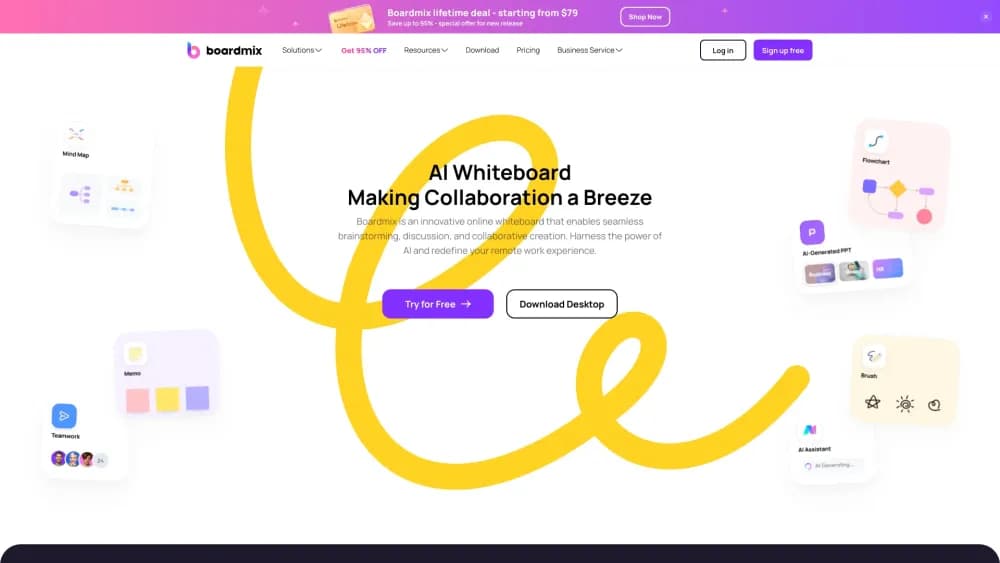
Boardmix is an AI-powered online whiteboard where teams brainstorm, map ideas on a mind map, build flowcharts, and plan projects together on one shared canvas.
About Boardmix
What Is Boardmix
Boardmix is a digital whiteboard that pairs an endless collaborative canvas with a set of AI tools. Teams open a board, drop in sticky notes and diagrams, and work through them at the same time from a browser. It's built for the messy middle of a project: the kickoff brainstorm, the process map nobody can explain, the planning session that needs a decision before anyone leaves the room.
The tool bundles the elements people usually scatter across apps. Mind maps, flowcharts, kanban boards, tables, presentations, and freehand drawing all live on the same board. It's made by Shenzhen Bosi (Boardmix Technology), and the free plan covers small work before you commit to a paid seat.
The main limit is focus. Boardmix carries so many tools that new users spend the first session learning where things are, and the deepest parts of the AI toolkit sit behind the higher paid plans. If you only need a simple scratchpad, the surface area can feel like more than you asked for.
Getting Started
- Open boardmix.com in a browser and create a free account with an email address.
- From the workspace, click to create a new board or start from a template like a mind map, flowchart, or SWOT analysis.
- Add your content by hand, or open the AI assistant and type a question, outline, or brief to draft a mind map, flowchart, or presentation.
- Invite teammates through a share link and work on the same board in real time, leaving comments and mentions as you go.
- Export the finished board for a handoff, or keep it as the living record for the next session.
Product Information
A quick look at Boardmix's pricing, supported platforms, and performance.
Best for
The users, tasks, and scenarios where this tool fits best.
Users
- Product and project managers
- Remote and distributed teams
- Designers and UX teams
- Teachers and students
Tasks
- Brainstorming a project kickoff
- Mapping a process
- Generating a first-draft presentation
- Planning a campaign or sprint
Scenarios
- Running a remote workshop
- Early project research
- Explaining a system to a mixed team
Key features
AI Assistant That Works on the Board
Boardmix's AI assistant drafts mind maps, flowcharts, and presentations from a short prompt or an existing outline. You type a topic or select nodes already on the canvas, and it extends the structure from there. The point is a usable first draft you edit, not a finished deliverable.
Real-Time Collaboration
Everyone edits the same board, comments on a specific idea, and uses mentions to pull someone in. Discussion stays next to the work instead of getting lost in a message thread, which matters most when a decision needs to be recorded.
Built-In Diagramming Tools
The board carries mind maps, flowcharts, concept maps, UML, org charts, Gantt charts, and user journey maps, plus a library of standard symbols. Non-designers can produce a clean diagram without opening a separate tool, but the range of options takes time to learn.
Templates for Common Work
Ready-made templates cover mind maps, flowcharts, SWOT analysis, and sprint plans. Starting from a template skips the blank-canvas problem for people new to visual tools, and the structure is easy to trim once the first draft is on the page.
File Support and Export
You can place supported files beside the diagram or plan they explain and export the result for a handoff. That keeps reference material in context rather than in a separate folder, which helps when a board gets handed to someone who wasn't in the room.
Boardmix SDK
For teams building a custom integration, Boardmix offers an SDK as a separate route. It's aimed at developers who want whiteboard features inside their own product, not at everyday users, and it sits apart from the standard app.
Pros and cons
Pros
- The AI assistant drafts mind maps, flowcharts, and presentations quickly, so a session starts with something to react to instead of a blank canvas.
- Real-time editing with comments and mentions keeps the discussion and the decision in the same place.
- A wide tool set means mind maps, flowcharts, kanban boards, and presentations live on one board, cutting the number of apps a team juggles.
- A free plan with 3 editable boards and 1 GB of storage lets a small team test the workflow before paying.
- The SDK gives developer teams a path to embed whiteboard features in their own products.
Cons
- The free plan limits work to 3 editable boards and 100 objects per board, which fills up fast on a real project.
- The interface packs in so many tools that a first session can feel crowded, and the learning curve is steeper than a single-purpose diagramming app.
- The strongest AI features sit on the AI Starter and AI Business plans, so the AI value climbs with the price, and AI credits are capped per seat each month.
- Collaboration works best on paid seats that support unlimited visitors with editing rights, which adds cost for teams that bring in outside contributors.
Frequently asked questions
Boardmix is used for visual collaboration: brainstorming, mind maps, flowcharts, project planning, and presentations on a shared online whiteboard. Teams use it to keep ideas, diagrams, and decisions together instead of spread across separate documents and apps.
Related content
Explore related tools, skills, and articles for Boardmix.
Boardmix Alternatives

Base Code
Base44 (Wix) · Coding · ProductivityBase Code is a shared cloud development environment from Base44. Teammates describe changes to an existing GitHub codebase in chat, preview them live and send them back as pull requests.

Knocket
Knocket (Tencent RTC team) · Productivity · Business · ChatbotKnocket is a free live chat and contact page tool that lets visitors message you from your website, app, or a shareable link, with every reply handled from Telegram or one inbox.

FloorGen
Vinit Kumar (FloorGen) · Productivity · China AIFloorGen is a browser-based floor plan maker that turns a sentence or a sketch into an editable 2D plan and a 3D walkthrough. Export to PDF, DXF or video, and draw without an account.