

玻尔-Bohrium
DP Technology · Leaning · China AI
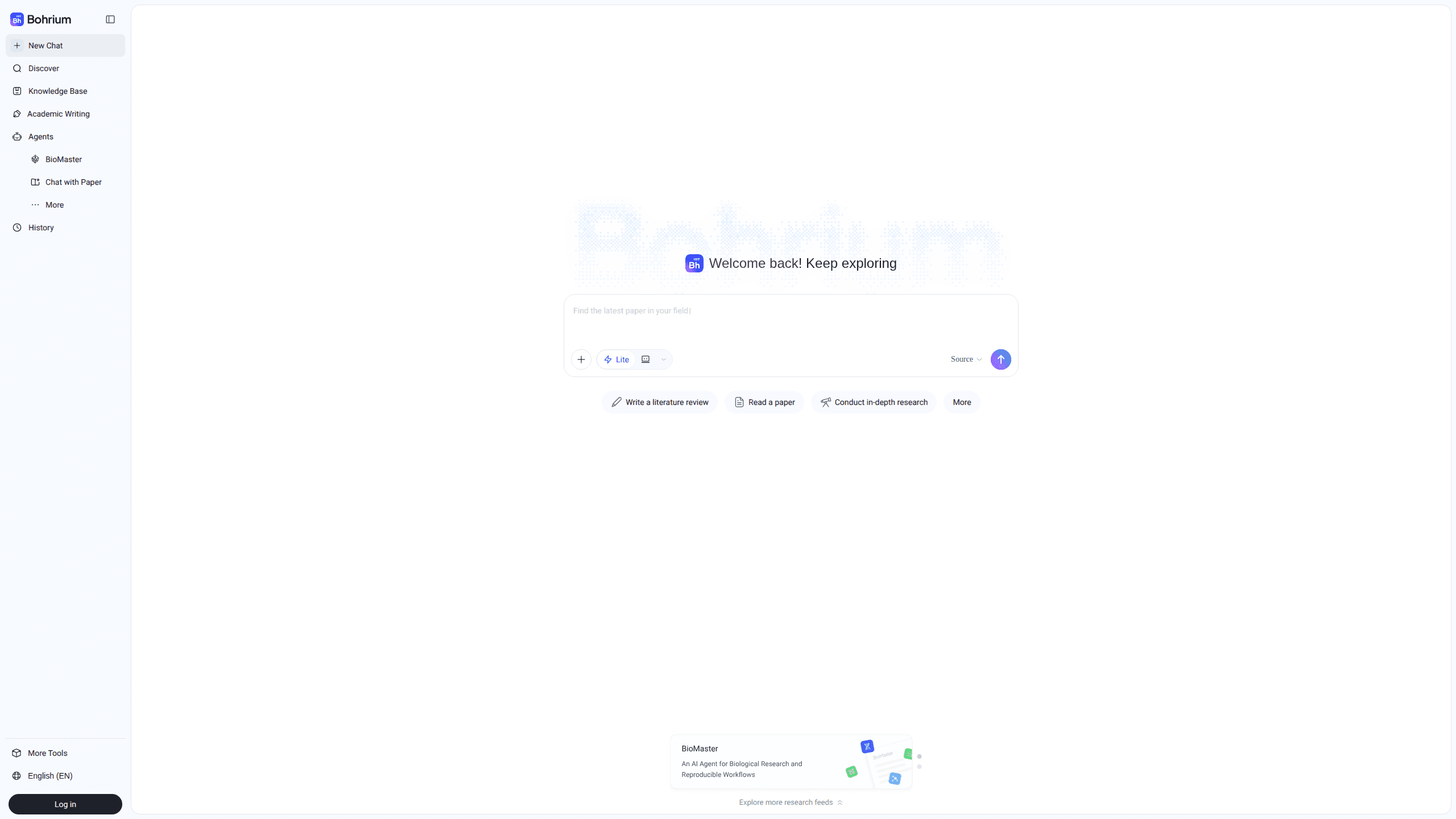
Bohrium is an AI for Science research platform built by DP Technology that combines a large academic search engine with paper reading tools, knowledge management, and cloud computing. It's aimed at researchers, graduate students, and anyone who works with scientific literature and needs to move from a question to a finished draft without bouncing between a dozen tabs. The platform covers more than 170 million papers and 20 million scholar profiles across 26 academic fields, and it keeps your reading history and AI conversations in a personal library you can come back to.
About 玻尔-Bohrium
What Is Bohrium
Bohrium is a cloud workspace for scientific research. Its core engine, called Science Navigator, lets you ask a research question in plain language and get back an answer that cites real, traceable papers instead of made-up references. That traceability is the whole selling point. General chatbots are happy to invent a citation. Bohrium links every claim to a source you can open and check. Big difference.
The platform comes from DP Technology, the same company behind AI models for molecular simulation and protein folding. So the science focus isn't a marketing label. Bohrium groups its tools around four stages of a project: searching literature, reading and extracting findings, managing what you've collected, and running computations. Researchers can also set up subscriptions that push new papers to them each day and follow scholar profiles that summarize a person's recent output.
The catch is scope. Bohrium is built for the natural sciences and engineering, so if you study history or literature, the coverage is thinner and the workflow won't fit as neatly. Web access is the main path, and some features depend on an institutional login. We couldn't confirm a single fixed consumer price from the public pages. Details vary by organization, so check your school's portal before assuming a plan.
Getting Started
- Go to bohrium.com and sign in with an email account or an institutional login if your university offers one.
- Type a research question into the search box. You'll get a summarized answer with linked references.
- Open the references that look useful and use the built-in reader to pull out methods, figures, and conclusions.
- Save the papers you want to keep into your knowledge base and tag them by project.
- Set up subscriptions for keywords or journals so new work shows up automatically, then draft a review or report from your collected notes.
Product Information
A quick look at 玻尔-Bohrium's pricing, supported platforms, and performance.
Best for
The users, tasks, and scenarios where this tool fits best.
Users
- Graduate students
- Researchers writing proposals
- Cross-disciplinary teams
Tasks
- Literature review drafting
- Reading a dense paper fast
- Tracking a field
- Collaborative project work
Scenarios
- Starting a new project and needing to know what's already been done.
- Checking whether an AI answer is actually grounded in real sources before you cite it.
- Catching up on a topic after time away from a field.
- Running lightweight computations or code alongside your reading, since Bohrium ties in cloud notebooks.
Key features
Science Navigator Search
Science Navigator is the entry point for most work. You ask a question the way you'd ask a colleague, and it searches across papers, patents, and scholar data to build an answer. Every response carries citations you can click through. That matters. When a chatbot invents a reference, you waste hours chasing a paper that never existed. You can also switch between a concise mode, a detailed professional mode, and a slower "thinking" mode depending on how much depth you want.
AI Paper Reader
The reader takes a PDF and pulls apart its structure: research methods, key figures, experiment setup, and conclusions. It supports asking questions about a single paper or comparing several at once, which is handy when you're scanning a stack of candidate sources. It also generates key-point summaries, and you can get an academic poster or an audio overview made from a paper if you'd rather listen on a commute.
Personal Knowledge Base
Everything you save lands in a knowledge base that works like a smarter reference manager. You can import libraries from Zotero or EndNote, organize papers with folders and tags, and keep your AI conversations next to the documents that sparked them. Labs can set up a shared base so collaborators see the same collection, and you can generate citations in different formats directly from stored items.
Subscriptions and Scholar Profiles
Instead of refreshing journal pages yourself, you subscribe by keyword, journal, or researcher and let Bohrium push updates to you. A daily digest comes with short AI summaries so you can triage quickly. The scholar feature lets you browse profiles that aggregate a researcher's recent publications, which helps when you're checking if someone you want to collaborate with is still active in an area.
Cloud Notebooks and Computing
Bohrium isn't only reading and searching. It includes cloud notebooks and computing resources, including GPU-backed environments, so you can run analysis or simulations without setting up a local machine. No local setup required. For people doing computational chemistry or materials work, keeping the reading tools and the compute in one place cuts out a lot of context switching.
Domain Models and Laboratory Integration
Behind the platform sits a set of science-focused models covering molecular simulation, protein folding, and related tasks. Bohrium also offers a lab integration layer that connects instruments and experimental control, aimed at teams running experiments rather than pure analysis. Standard developer frameworks like PyTorch and TensorFlow are supported for anyone writing their own code.
Pros and cons
Pros
- Answers cite real, traceable papers, so you can verify claims instead of trusting a black box.
- Broad coverage: 170 million-plus papers, 140,000 journals, and 20 million scholar profiles across 26 fields.
- Combines search, reading, reference management, and computing, which reduces tool juggling.
- Imports cleanly from Zotero and EndNote, so your existing library isn't stranded.
- Subscriptions and daily digests make it easy to keep an eye on a moving field.
Cons
- Natural sciences are the focus, so humanities and social science coverage is limited.
- Public pages don't spell out consumer pricing clearly. Access often runs through an institution. That's a real hassle if your university isn't a partner and you just want to pay month to month.
- Some features, like advanced reading modes and poster generation, use a token system, so heavier use may not stay free.
- Search still benefits from you already knowing your field. Broad or vague questions return noisy results.
Frequently asked questions
Bohrium is an AI research platform that helps you search scientific literature, read and summarize papers, organize what you find, and run computations, all in one place. It's built by DP Technology and centers on an engine called Science Navigator.
Related content
Explore related tools, skills, and articles for 玻尔-Bohrium.
玻尔-Bohrium Alternatives

Kaggle AI
Google · Coding · LeaningKaggle AI is a community platform where people build, test, and compare machine learning models against shared data. It combines data science competitions, tens of thousands of public datasets, and free cloud notebooks with GPU and TPU access, so anyone with a browser can train a model without buying hardware. Google owns the platform, and joining costs nothing.

Bunch
Bunch AI · Leaning · BusinessBunch is an AI leadership coaching app that turns a few spare minutes a day into real management practice. It hands you one short, personalized tip each day, tracks how you respond, and lets you compare notes with peers inside private groups. The pitch is simple: you lead better by practicing a little, often, instead of sitting through a weekend seminar. Think of it as a leadership training app you actually open.

AI Mock Interview
SQLPad · Coding · LeaningAI Mock Interview is a practice tool built into SQLPad that simulates real job interviews and gives you instant feedback on both what you say and how you say it. You pick a role template or upload a job description, answer questions out loud in real time, and then review a transcript with notes on structure, clarity, and grammar. It's aimed at data professionals prepping for SQL, Python, data engineering, machine learning, and system design roles, and it works entirely in the browser. No install needed.