

BooBar
BooBar · Productivity
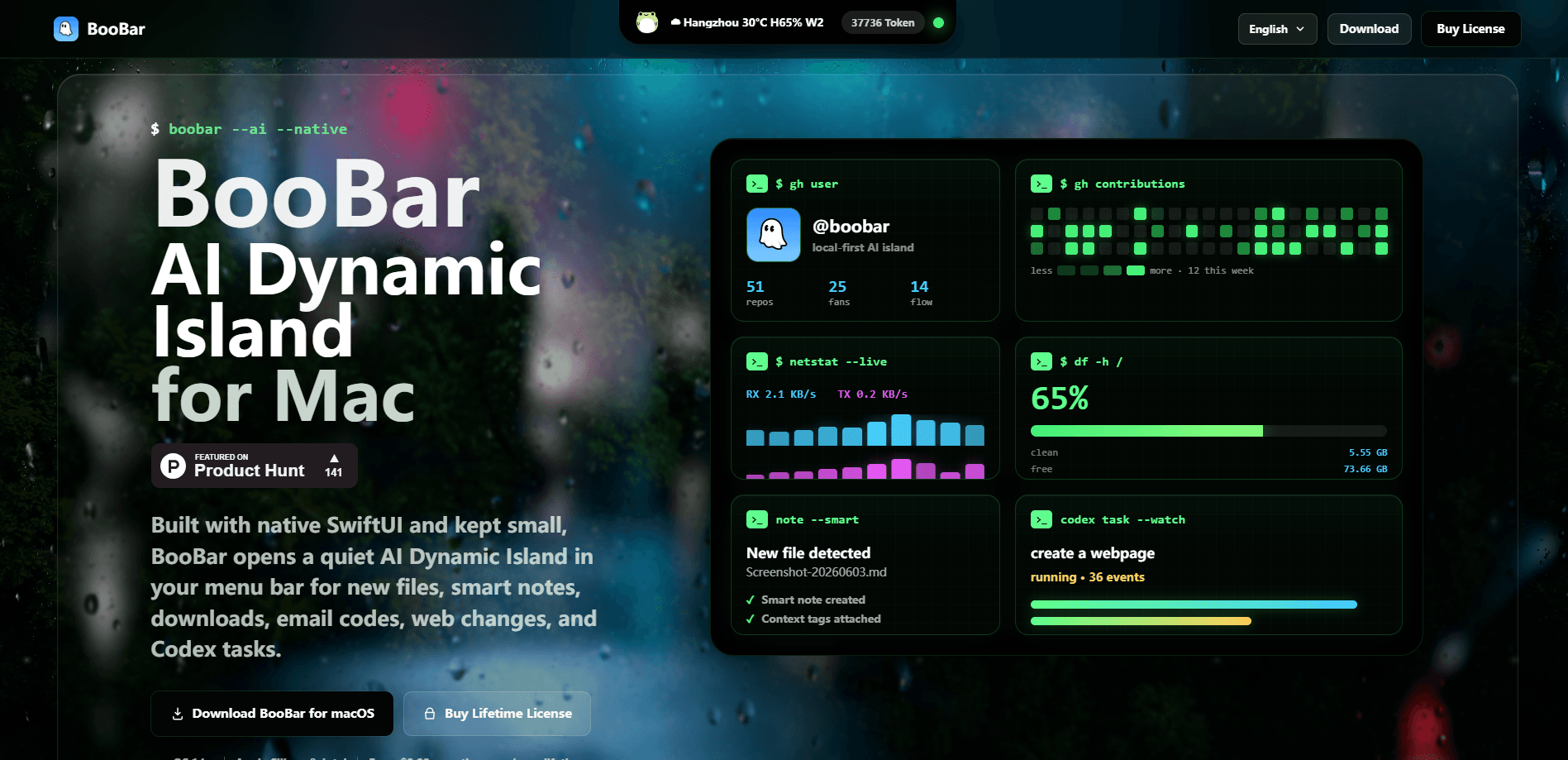
BooBar is a Dynamic Island productivity app for Mac that turns the top edge of your screen into one native panel for the tools you keep reopening. It gathers developer utilities, Codex and Claude Agent approvals, YouTube downloads, a clipboard manager, sticky notes, a music card, and a focus timer into a single SwiftUI surface you open with a keyboard shortcut. It runs on macOS 14 or newer, with a one-time license instead of a subscription. If you switch between a dozen small apps all day, this Mac menu bar productivity app is built for exactly that habit.
About BooBar
What Is BooBar
BooBar is a Mac menu bar productivity app built around the island idea Apple uses on iPhone. Instead of scattering tools across the Dock and browser tabs, it keeps them in one compact panel that lives at the top of your screen. Press the Command shortcut and a radial menu opens, so you pick a tool with the arrow keys and hit Return. No window hunting.
The pitch is about context switching. Most people lose minutes every day jumping between a JSON formatter, a clipboard manager, a download window, and whatever music app is playing. BooBar argues you don't need a full window for any of those. It pulls the repeat tasks into one place and leaves the rest of your screen alone. Everything is native SwiftUI, not a web wrapper.
There are limits worth knowing. It's a Mac-only app, so there's no Windows or iOS version to sync with. The Agent and download features lean on outside services, and the site doesn't publish a formal feature-by-feature breakdown. It's also young: the first release landed in mid-2026, so the feature set is still moving.
Getting Started
- Download the BooBar DMG from the official site at boobar.app, open it, and drag the app into your Applications folder. macOS 14 or later is required.
- Launch BooBar and grant the permissions it asks for, such as Accessibility for the global shortcut and clipboard access for history tracking.
- Press the two-Command shortcut to open the radial menu, then move through the tools with the arrow keys and press Return to run the one you want.
- Pick a one-time license for 1, 2, or 3 Macs through the secure checkout, then paste the license key into the app to open up the full toolkit.
- Start with the tools you use most, like the clipboard manager or notes, and pin what you want to keep visible.
Product Information
A quick look at BooBar's pricing, supported platforms, and performance.
Best for
The users, tasks, and scenarios where this tool fits best.
Users
- Mac-based developers
- Remote workers who live in many small apps
- Privacy-minded users
Tasks
- Formatting and validating JSON
- Approving Codex and Claude Agent steps
- Saving a YouTube video
- Running a Pomodoro work block
- Reusing copied text
Scenarios
- A long coding session where you tab out constantly to check an Agent job or reformat a payload.
- Working on a laptop screen where every open window costs real estate you can't spare.
- Keeping quick checklists and reminders pinned to the desktop edge while you write or design.
Key features
Shortcut wheel
The radial menu is the entry point to everything. Press the two-Command shortcut and a wheel opens over your current window, so you choose a tool with the arrow keys and run it with Return. It sounds small, but not having to move your hands to the mouse keeps you in flow. Big difference over a day.
Developer Tools
BooBar ships utilities most developers open a browser tab for. You can format, minify, and validate JSON, and encode or decode Base64, URLs, and HTML entities without leaving the window you're in. It's the kind of tool you forget you needed until you stop switching tabs for it.
Sticky Notes
Notes stick to the edge of your desktop, so small ideas, checklists, and passwords stay visible without opening a document. You save a note and it just stays there. For anyone who loses half-formed thoughts to a busy screen, that persistence is the point. No app to reopen.
Clipboard Manager
BooBar keeps recent clipboard history and lets you search the text you copied earlier, then save the useful pieces as favorites. Pasting something from twenty minutes ago stops being a guessing game. Favorites are the part that saves real time, since the items you reuse most are one click away.
YouTube Downloader
Paste a YouTube link and BooBar saves the video to your Downloads folder from a focused window. There is no separate downloader app to launch, and the task stays close while you keep working. It covers the common case of grabbing a clip for offline viewing.
GitHub profile cards
A compact native card shows your profile, contribution rhythm, and pinned repositories. You get the pulse of your work without opening another browser tab. It's a glance, not a dashboard. That's what keeps it out of your way.
Agent task control
This is the feature that separates BooBar from a plain utility tray. It monitors Codex, Claude, and other Agent jobs, shows what is running and what is waiting, and lets you approve the next step right from the panel. For anyone running long Agent sessions, keeping that context visible beats checking a terminal or a web dashboard.
Music card
The music card shows artwork, track details, and playback controls for whatever is playing. You see and control the moment without leaving the app you're in. It's a small convenience that saves a surprising number of app switches.
Focus and rest timer
A Pomodoro-style timer runs focused work blocks and gives a clear break signal, with the status staying quietly visible. It doesn't demand attention the way a pop-up would. If you like working in timed stretches, this keeps the rhythm without adding another distraction.
Pros and cons
Pros
- One native panel replaces a row of small menu bar apps, cutting context switches across the day.
- The Agent task control keeps Codex and Claude approvals visible, which matters for anyone running long jobs.
- One-time license with lifetime updates and a 30-day refund window, so there is no subscription to manage.
- Clipboard history with search and favorites covers the everyday copy-paste churn.
- Native SwiftUI surface feels like part of macOS rather than a web app in a window.
Cons
- Mac only. There is no Windows or iOS version, so it does nothing for cross-platform teams.
- Requires macOS 14 or newer, which leaves older Macs out.
- No free plan and no trial mentioned, so you buy before you try apart from the refund window.
- The official site doesn't document every tool in detail, so some features are hard to judge before purchase.
- Agent monitoring depends on connected Codex and Claude services, so its usefulness rises and falls with how much you use those.
Frequently asked questions
BooBar puts a set of everyday Mac tools into one panel at the top edge of your screen. It bundles developer utilities, Agent task approvals, a YouTube downloader, clipboard history, sticky notes, a music card, and a focus timer, all opened with a keyboard shortcut.
Related content
Explore related tools, skills, and articles for BooBar.
BooBar Alternatives

Base Code
Base44 (Wix) · Coding · ProductivityBase Code is a shared cloud development environment from Base44. Teammates describe changes to an existing GitHub codebase in chat, preview them live and send them back as pull requests.

Knocket
Knocket (Tencent RTC team) · Productivity · Business · ChatbotKnocket is a free live chat and contact page tool that lets visitors message you from your website, app, or a shareable link, with every reply handled from Telegram or one inbox.

FloorGen
Vinit Kumar (FloorGen) · Productivity · China AIFloorGen is a browser-based floor plan maker that turns a sentence or a sketch into an editable 2D plan and a 3D walkthrough. Export to PDF, DXF or video, and draw without an account.