

Booke AI
Booke AI · Productivity · Business
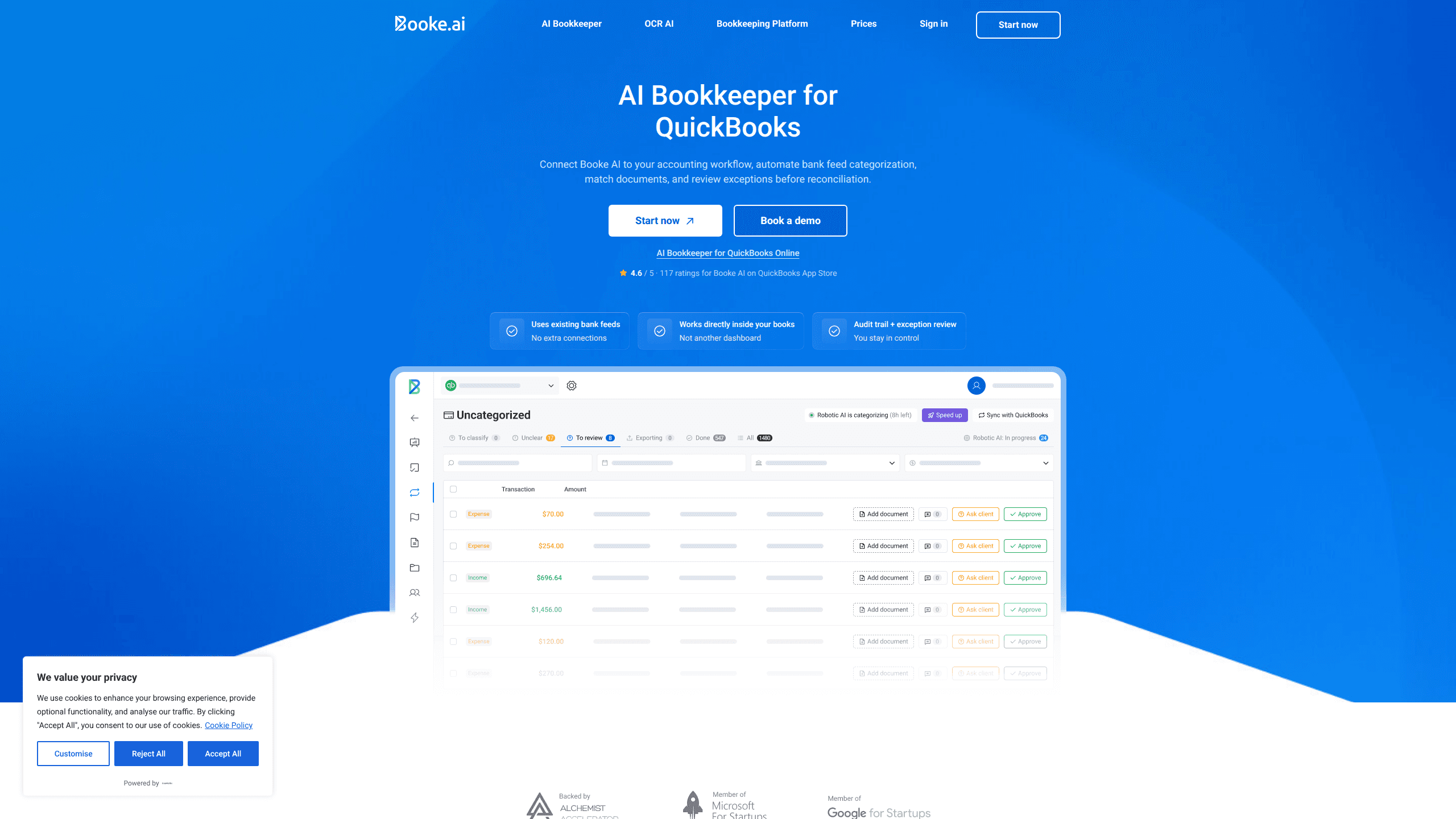
Booke AI is an AI bookkeeper built for QuickBooks Online. It connects to your existing bank feed, categorizes each transaction using the client's chart of accounts and past coding decisions, matches bills, invoices and receipts, then flags only the exceptions that need a human call. Accounting firms and in-house teams use it to clear daily bookkeeping work without switching to a new dashboard. It's QuickBooks Online automation aimed at the routine parts of the job.
About Booke AI
What Is Booke AI
Booke AI is a bookkeeping layer that runs directly inside QuickBooks Online rather than beside it. Instead of suggesting categories and leaving you to click through them, it does the bank feed work itself: it reads new transactions, assigns accounts based on how that vendor was handled before, and pulls matching support documents into place.
The pitch is simple. Most AI accounting tools are API-based assistants that sit outside your books, need extra bank links through services like Plaid, and cost hours of setup before they do anything useful. Booke AI works with the bank connection you already have and the workflow your team already knows.
The tradeoff is that Booke AI is QuickBooks-specific. If you run Xero, Wave, or another ledger, it won't help you, and there's no standalone version to fall back on.
Getting Started
- Create a Booke AI account and pick the Business plan or request firm pricing.
- Invite the AI Bookkeeper into your QuickBooks Online file, using your existing bank connection.
- Set your rules and thresholds, for example "all transactions over $50 need receipts."
- Let the daily run categorize transactions, match documents and flag exceptions.
- Review the flagged items, approve or correct them, and the AI learns from your choices.
Product Information
A quick look at Booke AI's pricing, supported platforms, and performance.
Best for
The users, tasks, and scenarios where this tool fits best.
Users
- Accounting firm owners
- In-house bookkeepers
- Small business owners who already run QuickBooks Online
Tasks
- Categorizing bank feed transactions
- Matching bills, invoices and receipts
- Chasing missing documents
Scenarios
- Daily bank feed cleanup
- Month-end close
- Client document chasing during tax season
Key features
Works inside QuickBooks Online
Booke AI runs within QuickBooks Online instead of through a separate dashboard. That means no new bank connections through Plaid-style services and no migration. No new login to remember, either. If your team lives in QuickBooks, the AI appears as one more worker in the same file.
Client-specific AI Brain
Each client gets an isolated AI Brain trained only on their own data, from their chart of accounts to their vendors, classes and prior coding decisions going back through the client's history. There's no cross-client sharing, so firm data stays separated. Over time the categorizations get closer to what a senior bookkeeper would pick.
Smart document matching
When a transaction expects backup, Booke AI searches QuickBooks Online for the matching invoice or bill. Found it and it's attached automatically. Missed it and the AI requests the document for you. This is the part that saves the most clicking during close. It's the closest thing here to bookkeeping software that handles the whole step.
Custom rules and thresholds
You set the policy, like "all transactions over $50 need receipts," and the AI follows it exactly as written. Everything else it handles quietly, and it only surfaces the items that actually need a human decision. Your rules, your thresholds, your books.
Exception review and audit trail
Unclear transactions are flagged for a person rather than guessed at. No silent guesses. Every decision comes with a plain-language reason, the historical transactions that influenced it, and class, project or customer matching. You can trust it and check it.
Stop keywords
Need certain transactions kept out of automatic categorization? Add stop keywords in Business Settings and the AI skips them. Your team keeps those. Useful for transfers, owner draws or anything your team prefers to handle by hand.
Transparent performance reporting
Monthly reports show how many transactions the AI handled versus your team, plus the time and cost saved. Accounting automation should be measurable, and this keeps it that way. It's a straightforward way to see whether the tool is pulling its weight.
Pros and cons
Pros
- Runs inside QuickBooks Online, so there's no new dashboard to learn and no extra bank links to add.
- Categorizes by client history, which tends to match how that business was booked before.
- Automates document matching and requests missing files, cutting the manual chase.
- Per-client AI Brain with no cross-client data sharing keeps firm data isolated.
- Exception review with plain-language reasoning lets you verify what the AI decided.
Cons
- Only works with QuickBooks Online, so Xero, Wave and other ledger users are out.
- The Business plan runs $129 per month, which is steep for a single small business.
- Firm-level pricing isn't published, so you have to book a call to get a number.
- Older transaction history needs a paid add-on. Without it, new clients with years of records would start from a blank slate, so the AI would be guessing at how those vendors were coded before the file was connected to Booke AI.
Frequently asked questions
No. It's an AI bookkeeper that runs inside QuickBooks Online. You keep using your QuickBooks file, and Booke AI does the bank feed categorization, document matching and reconciliation prep within it.
Related content
Explore related tools, skills, and articles for Booke AI.
Booke AI Alternatives

Base Code
Base44 (Wix) · Coding · ProductivityBase Code is a shared cloud development environment from Base44. Teammates describe changes to an existing GitHub codebase in chat, preview them live and send them back as pull requests.

Knocket
Knocket (Tencent RTC team) · Productivity · Business · ChatbotKnocket is a free live chat and contact page tool that lets visitors message you from your website, app, or a shareable link, with every reply handled from Telegram or one inbox.

FloorGen
Vinit Kumar (FloorGen) · Productivity · China AIFloorGen is a browser-based floor plan maker that turns a sentence or a sketch into an editable 2D plan and a 3D walkthrough. Export to PDF, DXF or video, and draw without an account.