

TimeTuna.com
TimeTuna.com (founders Pavel Kucherbaev and Yannick Veys) · Productivity
TimeTuna.com is an online scheduling tool that turns your availability into a branded booking page instead of a plain calendar grid. You connect your calendar, add video backgrounds and your logo, and share one link where guests pick a time, pay if needed, and get an automatic video link. A good scheduling page for coaches, consultants, and creative freelancers makes the first touchpoint with a client look like their own work.
About TimeTuna.com
What Is TimeTuna.com
TimeTuna.com is a booking page builder from the same team that made Bookva. It's appointment scheduling software that hosts pages you can style with video and YouTube backgrounds, an avatar, and a logo, so a booking link stops looking like a generic appointment widget. The pitch is simple: same scheduling reliability as the big tools, a much better-looking first impression.
Under the design, it does the practical work you'd expect. It syncs two ways with Google, Microsoft, and any iCal feed, generates Google Meet, Teams, or Zoom links per booking, and handles cross-timezone guests without you doing the math. Bookings can be free or paid through Stripe, and the slot only confirms once payment clears.
The main limit is scale and control. TimeTuna.com has no public API and no Zapier or webhook integrations listed for the standard plans, so teams that need deep automation should look at how they'll wire it in first. Custom domains and team routing sit behind paid tiers, and the white-label option is sold through a sales call rather than self-serve checkout.
Getting Started
- Sign in and create a booking page. No card is needed for the free tier.
- Connect Google Calendar, Microsoft Outlook, or an iCal feed so your real availability flows in.
- Add your meeting lengths, from a free 15-minute intro to a paid 60-minute session.
- Brand the page with a video background, avatar, and logo, then drop it on your site or share the link.
- Optional: connect Stripe for paid bookings or set up a custom domain on a paid plan.
Product Information
A quick look at TimeTuna.com's pricing, supported platforms, and performance.
Best for
The users, tasks, and scenarios where this tool fits best.
Users
- Coaches
- Consultants
- Creative freelancers
- Small teams
Tasks
- Selling paid sessions
- Booking across time zones
- Collecting client details up front
- Running in-person appointments
Scenarios
- Sharing one link on an Instagram bio or portfolio site that routes straight into your calendar.
- Offering a free intro alongside a paid session on the same page so leads can pick their own entry point.
- Embedding the booking flow inside an existing client portal so guests never feel they left your brand.
Key features
Branded Booking Pages
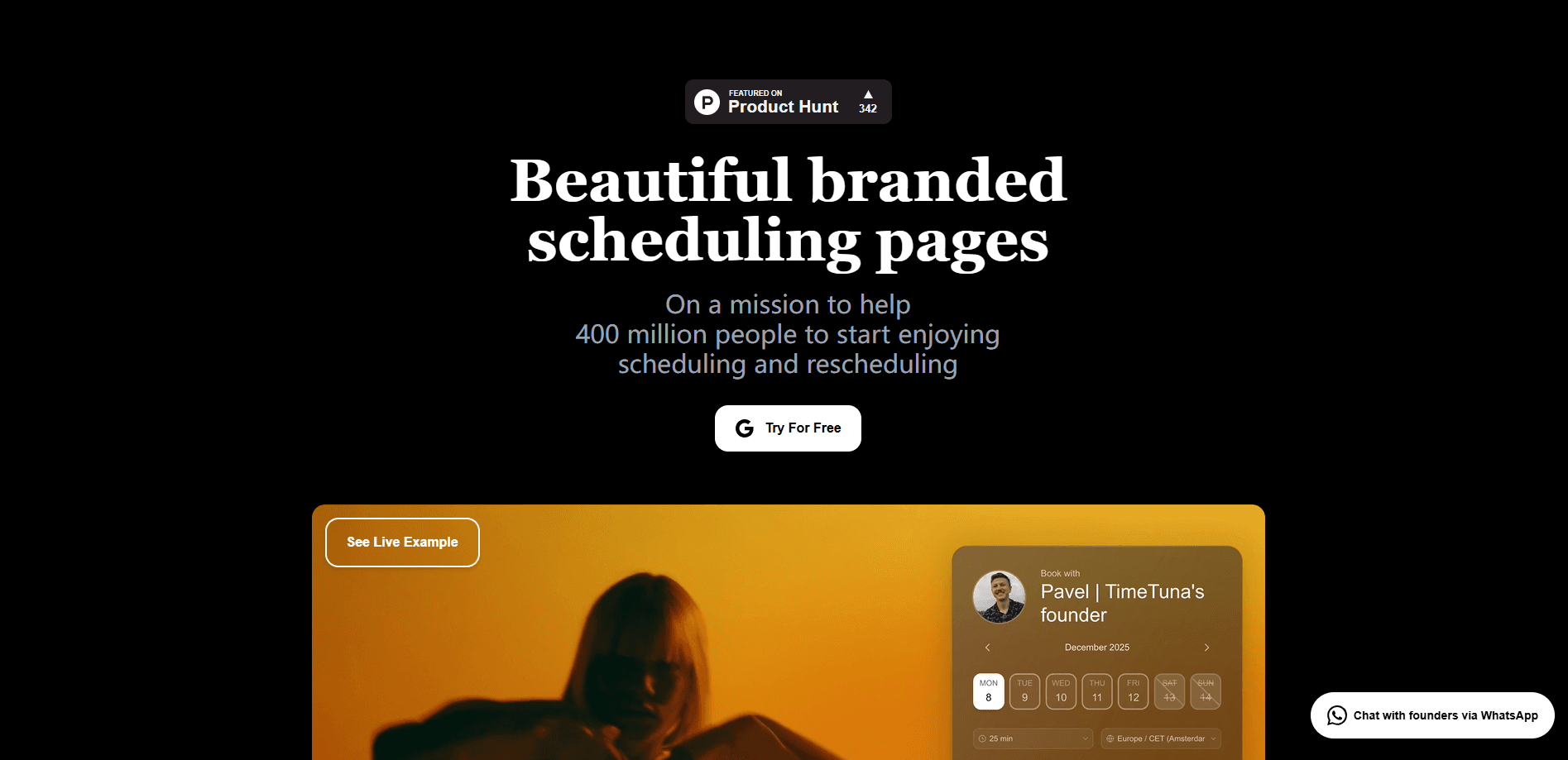
Every page can carry a video or YouTube background, an avatar, and your logo, which turns a scheduling link into something that looks built for your brand. This is the feature the product leans on hardest, and it's the clearest difference from a plain Calendly grid. As a Calendly alternative, that styling is the whole point. You can run several pages, each with its own availability, branding, and questions.
Two-Way Calendar Sync
TimeTuna.com syncs in real time with Google Calendar, Microsoft Outlook, and any iCal feed, so your availability stays accurate and double-bookings get blocked automatically. If you already run your life in one of those calendars, setup is mostly a matter of signing in and picking it. Your existing availability comes along with you.
Paid Bookings Through Stripe
Connect Stripe and set a price per meeting length, and the slot is only confirmed once the payment clears. That single rule changes the economics of no-shows, since a spot held by an unpaid booking isn't a spot you have lost. Want to sell a session without chasing the money? This does it. You can pair a free intro with a paid session on one page.
Multiple Durations on One Page
Instead of several separate links, you offer several meeting lengths on a single page and let guests choose the format that fits. A 15-minute intro and a 60-minute session sit side by side, which cuts back-and-forth about how long a call should run.
Automatic Video Links
A Google Meet, Microsoft Teams, or Zoom link is generated for each booking and added to both calendar invites, so neither side has to set the call up by hand. It removes one of the small chores that quietly eats time before every meeting.
Cross-Timezone Scheduling
The system detects your time zone and your guest's, then shows every slot in each person's local time. Guests confirming from another country see a time that's actually right for them. That detail prevents missed calls after the fact.
Multi-Host and Round-Robin Routing
You can share pages with teammates and route bookings across cohosts, either in a combined view or round-robin. Guests always land with someone who is free. Small teams stop stacking every meeting on one person.
Custom Domains and Embedding
Paid plans let you serve your booking page from your own domain with automatic HTTPS, then embed the whole flow into an existing site. The result is a booking experience that matches your design. Guests never leave your site.
Pros and cons
Pros
- The branding options are unusually strong for this category, with video backgrounds and logo control on every page.
- Two-way sync with Google, Microsoft, and iCal keeps availability accurate without manual upkeep.
- Paid bookings hold the slot until payment clears, which directly reduces no-shows for paid sessions.
- The free tier is genuinely usable, covering custom backgrounds, calendar sync, and unlimited booking pages.
Cons
- There is no public API or listed webhook support, so teams needing deep automation will have to plan around that gap.
- Custom domains, custom emails, and team routing are locked behind paid plans, which limits what the free tier can do for a growing practice.
- The white-label plan is sold only through a 45-minute sales call, so agencies can't evaluate the top tier without talking to someone first.
Frequently asked questions
Yes. You can create a booking page, connect a calendar, and take bookings without entering a card. Paid plans add custom domains, paid bookings, and team scheduling when you need them.
Related content
Explore related tools, skills, and articles for TimeTuna.com.
TimeTuna.com Alternatives

Base Code
Base44 (Wix) · Coding · ProductivityBase Code is a shared cloud development environment from Base44. Teammates describe changes to an existing GitHub codebase in chat, preview them live and send them back as pull requests.

Knocket
Knocket (Tencent RTC team) · Productivity · Business · ChatbotKnocket is a free live chat and contact page tool that lets visitors message you from your website, app, or a shareable link, with every reply handled from Telegram or one inbox.

FloorGen
Vinit Kumar (FloorGen) · Productivity · China AIFloorGen is a browser-based floor plan maker that turns a sentence or a sketch into an editable 2D plan and a 3D walkthrough. Export to PDF, DXF or video, and draw without an account.