

Bracket
Bracket · Productivity · Business · Chatbot
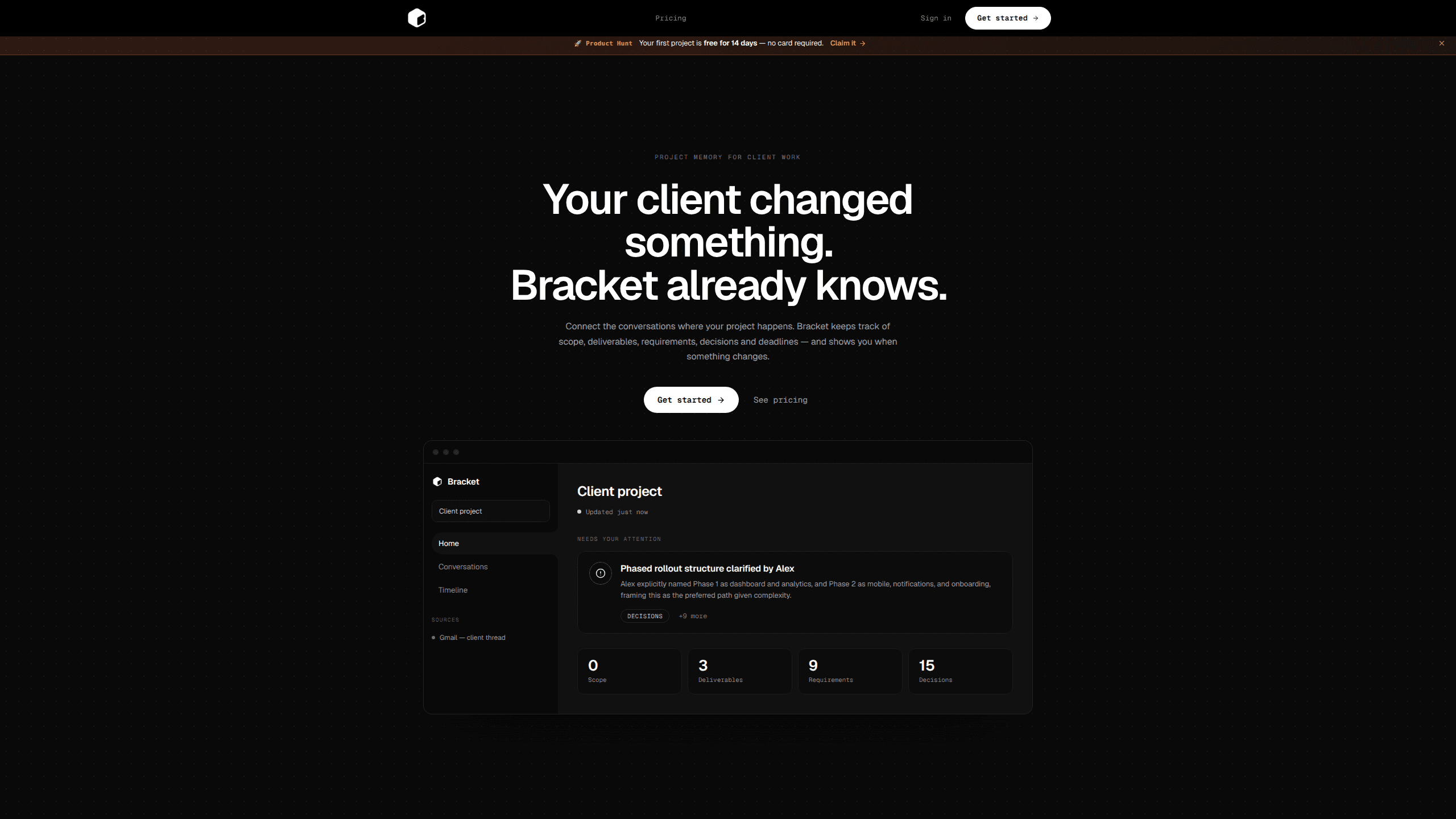
Bracket is project memory for client work: it connects Gmail, Slack, Figma and GitHub, then keeps scope, decisions and deadlines in one record you approve.
About Bracket
What Is Bracket
Bracket is a web app that holds one current record of a client project. It connects the tools where that project already lives, then pulls requirements, decisions, deliverables, deadlines, scope changes and open questions into a single memory. The company calls it a memory for your business, a client OS for small teams, and a decision OS that updates itself from the accounts you link.
Most freelancers and small studios run a project across too many surfaces. A brief arrives by email, a revision lands as a Figma comment, a deadline moves in Slack, and the agreed scope lives in whoever remembers it. Bracket reads only the threads, channels, files and repos you pick, extracts what changed, and queues each change for your approval before it counts.
Two limits shape how you use it. Every update waits for review, so the record is only as accurate as your review habit. And there's no free tier: ₹199 buys one project for 60 days, while ₹999 a month covers up to 10 active projects.
Getting Started
- Sign up with Google or email, then create a project.
- Connect the sources for that project through one-click OAuth. Bracket reads the specific threads, channels, files or repos you select, not the whole account, and syncs them on its own.
- Work as usual. When a conversation, a Figma comment, a Slack update or a GitHub change touches the project, Bracket flags it. Meeting notes or transcripts can be pasted or uploaded as .txt, .md, .docx or .pdf.
- Open the pending item, check who asked for it, then approve it, draft a reply, or turn the project into a shareable document for the client.
Product Information
A quick look at Bracket's pricing, supported platforms, and performance.
Best for
The users, tasks, and scenarios where this tool fits best.
Users
- Freelancers juggling three to five clients
- Small design and development studios
- Consultants who bill by the hour
Tasks
- Scoping a messy client brief
- Keeping decisions from drifting
- Writing the status reply
Scenarios
- A client changes direction mid-build
- Weekly client reporting
- Taking over someone else's project
Key features
Connected Sources With Scoped Access
One-click OAuth links Gmail, Slack, Figma and GitHub. Access is scoped, so Bracket reads the threads, channels, files or repos you name and ignores the rest of the account. That matters if personal mail and client work share one inbox, because the assistant never sees the parts you kept out.
AI Project Memory Kept Current
For each project, Bracket maintains structured AI project memory covering requirements, decisions, deliverables, deadlines, scope changes and open questions. It updates as the connected conversations move, so Friday's status update doesn't start from a blank page. Pasted meeting notes and uploaded transcripts feed the same record.
Review Before It Enters the Record
Nothing enters the record until you approve it. Each pending item carries an author attribution such as "Requested by {client name}", so confirmed means you accepted the change, not that a client asked for it. One queue, one decision at a time, with the reasoning kept next to the outcome.
Change Alerts Tied to Real Work
When a Slack update, a Figma comment, a GitHub change or an email thread affects a project, Bracket raises a single alert about that change. It points at the one thing that needs attention rather than a feed you have to trawl through.
Drafted Client Replies
Bracket writes a reply that summarizes an update, and you can send it from Gmail or Slack as yourself. The draft is useful in the gap where the technical work is finished and the two paragraphs explaining it are not.
Shareable Client Documents
Any project can be turned into a client-ready document: scope, decisions, deliverables and deadlines on one page you can share. It replaces the usual copy and paste from five tabs into a deck, and it stays tied to the record it came from.
Pros and cons
Pros
- The approval queue keeps the record honest. A client request never becomes agreed scope on its own.
- Scoped OAuth access is the right default: you grant specific threads and channels instead of a whole mailbox.
- Change alerts stay tied to a project, which makes them easier to act on than another notification stream.
- Replies and shareable documents come out of the same record, so client communication stops being a separate chore.
- Setup is short: sign up, create a project, link two or three sources, and the memory starts filling.
Cons
- No free plan. Testing it means paying ₹199 for a single project, which is cheap but still a decision.
- The value depends on disciplined review. Skip the queue for a week and the record drifts away from reality.
- Four integrations only. Teams running on Asana, Jira, Notion or Linear won't see their task data in the memory.
- Meeting notes need a manual paste or upload, so calls aren't captured on their own.
Frequently asked questions
It keeps a current record of a client project by reading the Gmail threads, Slack channels, Figma files and GitHub repos you connect, then tracking scope, decisions, deliverables and deadlines. Changes arrive as items you approve.
Related content
Explore related tools, skills, and articles for Bracket.
Bracket Alternatives

Base Code
Base44 (Wix) · Coding · ProductivityBase Code is a shared cloud development environment from Base44. Teammates describe changes to an existing GitHub codebase in chat, preview them live and send them back as pull requests.

Knocket
Knocket (Tencent RTC team) · Productivity · Business · ChatbotKnocket is a free live chat and contact page tool that lets visitors message you from your website, app, or a shareable link, with every reply handled from Telegram or one inbox.

FloorGen
Vinit Kumar (FloorGen) · Productivity · China AIFloorGen is a browser-based floor plan maker that turns a sentence or a sketch into an editable 2D plan and a 3D walkthrough. Export to PDF, DXF or video, and draw without an account.