

BrainLoom
Ujjwal Ranga · Productivity · Leaning
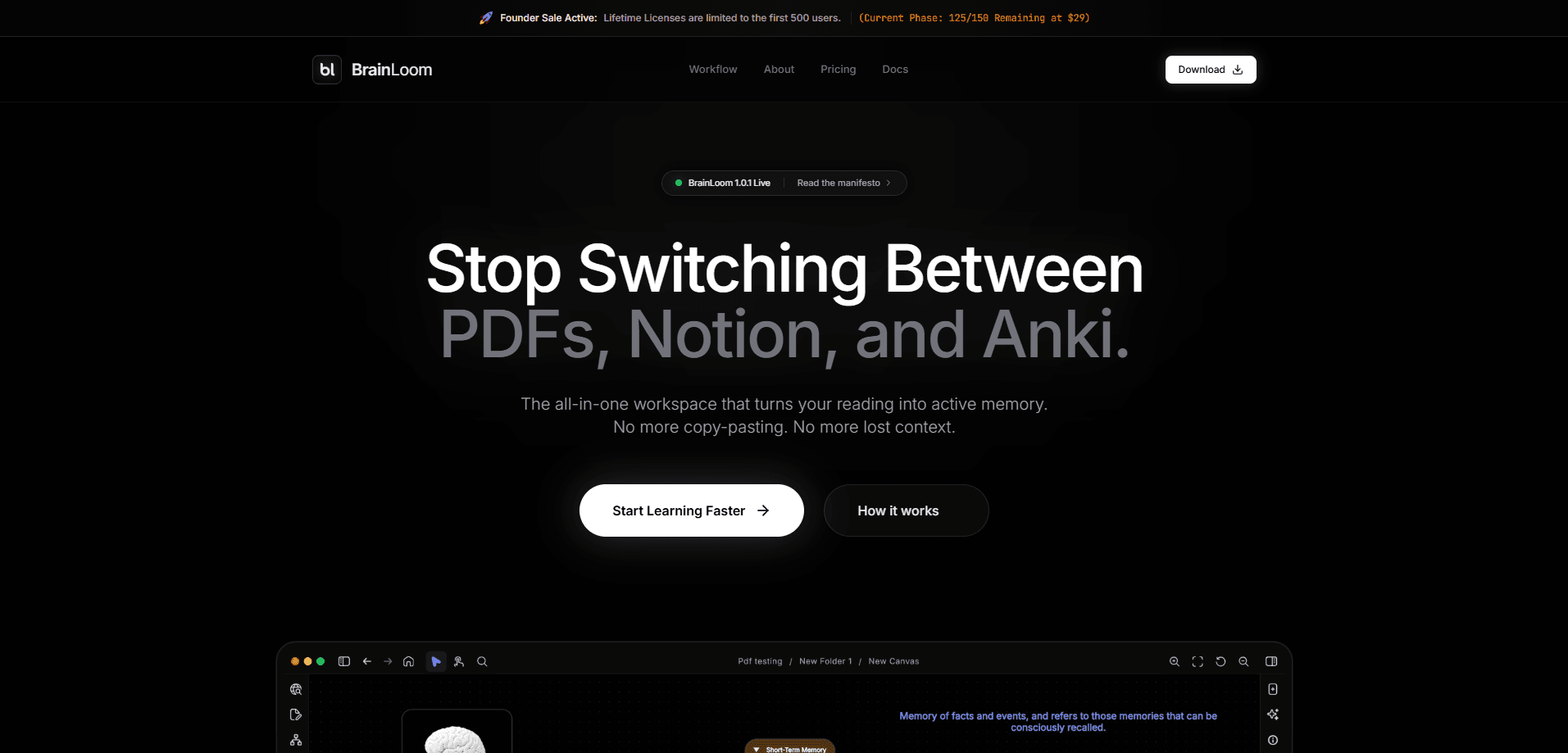
BrainLoom is an AI learning OS that folds note-taking, PDF reading, visual thinking, and spaced-repetition flashcards into one desktop app. It works like a second brain app with a memory engine attached, so a highlighted paragraph can become a card, and that card can jump back to its source text. The PDF annotation app side is just as central: you read and mark up documents without leaving the window. Built local-first by a single developer, it keeps your vault on your machine while offering a Pro tier for encrypted cloud sync.
About BrainLoom
What Is BrainLoom
BrainLoom is a learning workspace that tries to replace the stack of apps people normally juggle: a PDF reader, a notes app, a mind-map canvas, and a flashcard tool. Instead of moving between four programs, you plan, capture, connect, and review inside one window. It's local-first note taking at heart. That design choice shapes most of what the app does well, and a few things it doesn't.
The pitch is aimed at anyone who studies on a computer, from medical students revising anatomy diagrams to developers working through a new framework. The AI isn't there to write text for you. It reads your own material and helps you turn it into structure, like mind maps or study decks.
The catch is the platform story. BrainLoom is a native desktop app first, and the learning loop depends on keeping your vault local, so it rewards people who study on one or two machines rather than phones. It's also the work of one developer, so feature pacing and polish can vary release to release. That's worth knowing before you commit.
Getting Started
- Download the native build for macOS, Windows, or Linux from the official site and open it.
- Create a local vault, then split your work into separate workspaces for personal, school, or job projects.
- Import a PDF into the Resource Manager and highlight passages in the dual-pane editor as you read.
- Turn any highlight into a flashcard with one click, then drop cards onto the infinite canvas to map how ideas connect.
- Run a review session in the Memory Engine and let the FSRS scheduler set your next intervals.
Product Information
A quick look at BrainLoom's pricing, supported platforms, and performance.
Best for
The users, tasks, and scenarios where this tool fits best.
Users
- Students
- Lifelong self-learners
- Researchers and writers
Tasks
- Turning lecture PDFs into review decks
- Building a study roadmap
- Reviewing on the go
- Organizing scattered notes
Scenarios
- Exam revision where forgetting curves matter
- Catching up on a subject from scratch
- Studying offline on a plane
- Keeping research private
Key features
Local-First Vault and Privacy
Your notes, PDFs, and cards live on your device, not on a shared server, so the app works fully offline. No connection, no problem. That matters if you handle unpublished research or confidential work. Pro adds zero-knowledge encrypted cloud sync when you want the same vault on more than one machine.
FSRS v6 Spaced Repetition
BrainLoom uses the FSRS v6 algorithm, a modern spaced-repetition scheduler that predicts when you're about to forget a card and pushes the review out accordingly. It's the same algorithm Anki users have adopted. You get grade-based recall or a fast gesture-swipe mode, plus analytics like forgetting curves and predicted recall stability.
Infinite Visual Canvas
The canvas is an unconstrained board where notes and live flashcard decks sit alongside mind-map branches, sticky notes, and geometric frames. You draw connections between cards to map how concepts relate. Facts rarely sit still on their own. That visual layer suits subjects where relationships matter more than isolated facts.
Instant Flash-Loom and LinkSource
Highlight a passage, click once, and it becomes a structured card. One click. That's the whole workflow. LinkSource takes it a step further by tying each card back to the exact note paragraph, canvas node, or PDF highlight it came from, so one click on View Source returns you to the origin text.
Vault-Aware AI Chat
The chat reads across your whole vault, every note, PDF, canvas, and card, to answer questions grounded in your own material. What if you forget where an idea came from? You ask, and the answer comes back with its source. You can plug in your own API keys or run open-source models through local Ollama, and a side-by-side diff viewer lets you accept or reject AI edits before they touch your notes.
AI Learning Roadmaps
Type a goal and pick a planning framework, and BrainLoom generates a day-by-day syllabus with checklists. It's a starting point rather than a fixed plan. It works best when you give it a deadline like an exam date to work backward from.
Local On-Device OCR
The Image Occlusion Studio uses a local OCR engine to detect text labels on diagrams, anatomy charts, and technical figures, then masks them into review cards. No API call required. Handwritten strokes on the canvas can be converted into mind-map nodes or headings, all without sending data off the device.
Pros and cons
Pros
- Local-first storage keeps your documents private and makes the app work with no internet connection.
- The four study stages, plan, capture, connect, and review, live in one app instead of four.
- FSRS v6 scheduling and 14 deck analytics give serious studiers real data on retention.
- Build-your-own AI setup with BYOK and Ollama means you aren't locked into one model provider.
- A lifetime license and a $5/mo Pro tier keep the cost well below most note-plus-flashcard combos.
Cons
- It's a native desktop app first, so phone users get a lighter experience than laptop users.
- The AI features depend on connecting your own API keys, which is more work than a turnkey subscription.
- With a single developer behind it, updates and fixes can move slower than a funded team's.
- Free plan caps you at 1 workspace, 5 canvases, and 5 PDFs, which fills up fast for heavy readers.
Frequently asked questions
BrainLoom is a study workspace that combines note-taking, PDF reading, visual mapping, and flashcards. People use it to take notes from reading material and turn them into review cards they can memorize over time. Think of it as a study loop, not a filing cabinet.
Related content
Explore related tools, skills, and articles for BrainLoom.
BrainLoom Alternatives

Base Code
Base44 (Wix) · Coding · ProductivityBase Code is a shared cloud development environment from Base44. Teammates describe changes to an existing GitHub codebase in chat, preview them live and send them back as pull requests.

Knocket
Knocket (Tencent RTC team) · Productivity · Business · ChatbotKnocket is a free live chat and contact page tool that lets visitors message you from your website, app, or a shareable link, with every reply handled from Telegram or one inbox.

FloorGen
Vinit Kumar (FloorGen) · Productivity · China AIFloorGen is a browser-based floor plan maker that turns a sentence or a sketch into an editable 2D plan and a 3D walkthrough. Export to PDF, DXF or video, and draw without an account.