

BrandCrowd
BrandCrowd · Image
BrandCrowd is an AI logo maker and branding platform that turns a business name into thousands of logo concepts in seconds, then helps you apply that logo across cards, social posts, and websites.
About BrandCrowd
What Is BrandCrowd
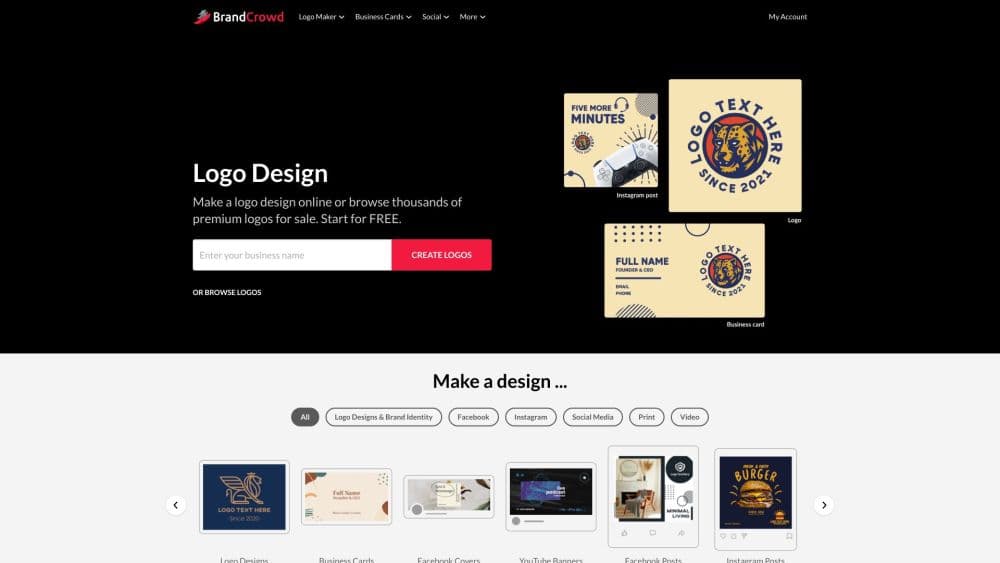
BrandCrowd is a web-based design service built around logo creation. You type in a business name, and its AI logo generator pulls from a library of more than 145,000 designer-made logos to produce hundreds or thousands of tailored concepts. The library is the core asset: every design comes from professional designers rather than generic clipart, so the starting point is already polished.
The product goes past the logo itself. Once you settle on a mark, BrandCrowd carries the colors and style into business cards, social media graphics, letterheads, email signatures, and full websites. That makes it a fit for solo founders and small teams who want one place to handle a whole brand instead of paying a designer, then a separate hand for print and social assets.
The main limitation is licensing and cost. Searching and customizing are free, but a production-ready download needs payment. Vector files and unlimited edits sit behind paid plans, and the highest level of exclusivity costs extra. If you want a fully unique mark that no one else can license, you'll pay for a buyout rather than the standard royalty-free license.
Getting Started
- Enter your business name and a keyword or two describing your industry on the logo maker page.
- Browse the generated logo concepts, then shortlist the ones that fit your brand.
- Open the editor to change colors, fonts, and layout, and add shapes, gradients, or curved text.
- Add a tagline if you want one, then preview the mark on mockups for cards and social posts.
- Pick a plan, download the files, and find them saved in your account for later re-download.
Product Information
A quick look at BrandCrowd's pricing, supported platforms, and performance.
Best for
The users, tasks, and scenarios where this tool fits best.
Users
- Solo founders and startups
- Small businesses rebranding
- Freelancers and creators
Tasks
- Generating initial logo concepts
- Editing a chosen mark
- Producing brand collateral
- Building social graphics
Scenarios
- Launching a new business with no design budget
- Refreshing a dated logo before a marketing push
- Running a one-person shop
Key features
AI Logo Generator
Typing a business name triggers the AI to build unique concepts from a library of over 145,000 designer-created logos. You can refine results with extra keywords when the first batch misses the mark. It turns a blank page into a shortlist in seconds, which is the main time-saver for anyone who doesn't know where to start.
Unlimited Logo Editor
The editor lets you change colors, fonts, and layout, move the icon, and adjust spacing without design experience. You can add gradient colors, shapes, and curved text to move a template away from its original look. Edits are unlimited on paid plans, so you can shape as many variations as you want.
Multi-Format Downloads
Downloads cover high-resolution PNG and JPG files for web use and vector SVG, EPS, and PDF files for print. A transparent-background PNG comes standard, so the logo drops cleanly onto websites and dark headers. Having both raster and vector in one download saves a second trip to a conversion tool.
Brand Identity Templates
Once a logo is set, BrandCrowd applies its colors to business cards, letterheads, and email signatures automatically. This keeps a small brand visually consistent without manual color matching. The templates matter most for founders who need print and email assets on day one, not weeks later.
Social Media Design Tools
Dedicated templates cover Instagram posts and stories, TikTok videos, YouTube banners, LinkedIn pages, and more, all pre-loaded with your logo palette. You can publish a coordinated set of profiles instead of styling each platform by hand. It's the practical bridge between having a logo and actually using it everywhere.
Website Builder and Brand Kit
A website builder and AI website generator create a site that inherits your logo's colors and style. The brand kit ties the logo to hundreds of thousands of coordinated templates for a single consistent identity. For a new business, that means the site, the social pages, and the print materials all look related from the start.
Pros and cons
Pros
- Searches and edits are free, so you can explore thousands of logo concepts before spending anything.
- Every design in the library comes from professional designers rather than stock icons, which raises the baseline quality.
- Downloads bundle web and print formats, including transparent PNG and vector SVG and PDF files.
- The branding templates carry your logo colors into cards, social posts, and websites, cutting manual work.
- A royalty-free commercial license is included, with optional exclusive licensing on select designs.
Cons
- Production-ready downloads require payment, and vector files sit behind paid plans, so the free tier is limited to browsing and previews.
- Standard logos are royalty-free rather than exclusive, so the same design can be licensed to other buyers unless you pay for a buyout.
- The site is browser-based, so there's no dedicated desktop or mobile app for offline work.
Frequently asked questions
Yes, you can search the library and customize logos at no cost. You only pay when you download production files, and the download step is what requires a plan.
Related content
Explore related tools, skills, and articles for BrandCrowd.
BrandCrowd Alternatives

Google EmbeddingGemma 2
Google DeepMind · Writing · Image · CodingGoogle EmbeddingGemma 2 is a 740M-parameter open model that turns text, code, images, audio, and video frames into vectors in one 768-dimension space, running on phones and laptops.

Tractionwave
TractionWave · Image · MarketingTractionWave is an AI attention heatmap tool for static ads. Upload a PNG or JPG and it returns predicted attention, ranked hotspots, and fixes before you spend budget.

Imejis.io
Imejis.io · Image · MarketingImejis.io is an AI design studio for agents and marketing teams. Describe an image in plain words, and it writes the copy, builds the layout, reflows it to every size, then exports a finished file.