
BRIA.ai
Bria · Image · Video
Bria is a visual generative AI platform for businesses, offering image and video tools trained only on licensed data, with published pricing and a developer API.
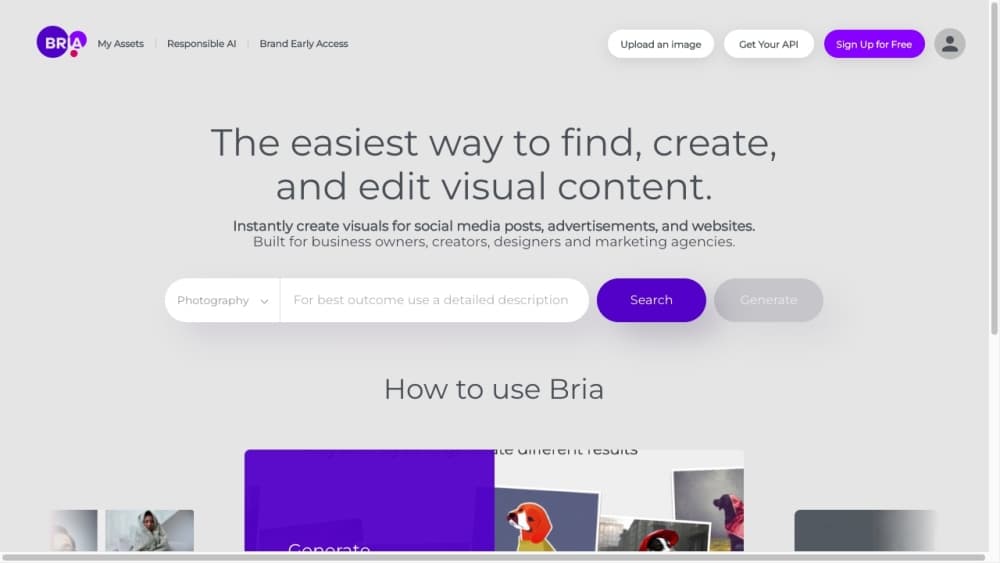
About BRIA.ai
What Is Bria
Bria is a visual generative AI platform aimed at teams that need brand-safe images and video at scale, not just a playful image generator. Its foundation models, called FIBO, generate and edit photos and illustrations from text, a reference image, or a structured description of the scene. What sets Bria apart is where its training data comes from: the company says its models learn only from licensed content, and every output carries a content credential plus commercial indemnity in paid plans.
That legal footing is the whole pitch. Teams that ship marketing, ecommerce, or ad assets often run into copyright worries when they lean on models trained on whatever was scraped off the open web. Bria sidesteps that by licensing the data up front and tracing each output back to it. For a brand that has to stand behind every image in a campaign, that traceability matters more than a few extra pixels of flair.
There are real limits worth knowing. Bria is built around commercial workflows rather than casual one-off fun, so the free tier is a trial rather than a daily driver. The tool works through the web platform, APIs, SDKs, and plugins, and there is no consumer mobile app. Several capabilities, including on-premises deployment and full IP indemnity, sit behind the Enterprise plan with custom pricing, so smaller teams mostly live inside pay-as-you-go rates.
Getting Started
- Go to bria.ai and create an account to open the console, which unlocks 100 free generations without a credit card.
- Pick how you want to work: the web console for hands-on edits, or an API token, Python or TypeScript SDK, or MCP server for a built pipeline.
- Enter a text prompt, upload a reference image, or feed in a structured VGL description of the scene you have in mind.
- Generate the image, then edit one attribute at a time, erase or replace objects, adjust background, light, or season, or upscale to a higher resolution.
- Send finished assets to your design tools through the Photoshop or Figma plugins, or pull them into your app with the REST API.
Product Information
A quick look at BRIA.ai's pricing, supported platforms, and performance.
Best for
The users, tasks, and scenarios where this tool fits best.
Users
- Marketing and brand teams
- Ecommerce and product teams
- Developers and product builders
Tasks
- Generating brand-safe images from text
- Editing an existing image with instructions
- Producing ecommerce visuals
- Cleaning up video
- Building ad variants
Scenarios
- Scaling a campaign across formats
- Launching a product without a photo shoot
- Keeping a content pipeline compliant
Key features
FIBO Image Generation
Bria's FIBO models generate photos and illustrations from text, a reference image, or a structured prompt. FIBO first translates your input into VGL, a structured JSON description of the scene, then renders from that description. Because the description comes back with every image, you can inspect it, edit one attribute at a time, and reproduce the same result later instead of gambling on a lucky prompt.
Instruction-Based Image Editing
After generation, AI image editing works with plain language or focused single-purpose tools. Swap or erase an object, rewrite text in an image, change the season or lighting, colorize a sketch, or restore a photo. Deeper mask-based tools let you segment every region into its own mask and fill or erase with precision. Background controls cover removal, replacement, blur, and expansion.
Product Shot Editing
A dedicated set of commerce tools handles catalog basics like cutouts, packshots with even shadows, and lifestyle scenes generated from text or a reference image. Products can be integrated into a scene, shown held, or tried on virtually, and there is a separate group of automotive tools for vehicle shots, reflections, and tire refinement. This is the part of Bria built for ecommerce catalogs rather than general art.
Video Editing and Streaming
AI video editing in Bria covers files over the API and live streams frame by frame over a WebSocket connection. You can remove or replace a background, apply a green screen, erase objects, or upscale footage up to 8K. The streaming path means real-time background removal for calls, live content, or interactive apps, not just finished clips.
Ads: Delayer and Resize
Two ad tools tackle a familiar headache. Ad Delayer takes a finished flat ad and breaks it into editable layers with typography, cutouts, and vector shapes, so a team can revise wording without the original file. Ad Resize returns one layout at up to ten other sizes, with the layout redone for each shape rather than squashed or stretched.
Provenance and Visual Verification
Every output carries a C2PA manifest and an invisible watermark, and Bria traces images back to the licensed data behind them. Public Visual Verification endpoints let anyone check whether a file came from Bria and what it was built from. An attribution engine shares revenue with the data owners, which is what makes the commercial indemnity in paid plans possible.
Developer Integrations
Bria is meant to be wired into existing tools. There is a REST API for any language, a Python SDK, a TypeScript SDK, an MCP server for agents like Claude and Cursor, and agent skills for coding assistants in a terminal or editor. Plugins for Photoshop and Figma bring the same capabilities into design apps. The company reports more than 99.9% uptime on its status page.
Pros and cons
Pros
- Training data is fully licensed, and outputs carry provenance, which removes the copyright guesswork that slows down commercial image generation.
- The API, SDKs, MCP server, and agent skills make Bria straightforward to embed in an existing product or pipeline.
- Pay-as-you-go starts at about $0.018 per generation, so a small team can test and scale without a big upfront contract.
- Purpose-built product shot and ad tools handle ecommerce and campaign work that general generators leave you to assemble by hand.
Cons
- The free tier caps you at 100 generations, so it works as a trial rather than a free everyday tool.
- The strongest protections, including full IP indemnity and on-premises deployment, sit behind Enterprise pricing you have to request.
- Bria targets commercial workflows and has no consumer mobile app, so casual users looking for a fun generator will find it business-oriented.
- Reproducible, controlled output trades some of the raw creative surprise you get from open-ended hobby generators.
Frequently asked questions
Bria handles AI image generation and editing plus video work for commercial projects. Teams use it to create brand-safe visuals from text, edit existing photos with instructions, build ecommerce product shots, clean up video backgrounds, and produce ad variants, all while keeping a record of where each asset came from.
Related content
Explore related tools, skills, and articles for BRIA.ai.
BRIA.ai Alternatives

Google EmbeddingGemma 2
Google DeepMind · Writing · Image · CodingGoogle EmbeddingGemma 2 is a 740M-parameter open model that turns text, code, images, audio, and video frames into vectors in one 768-dimension space, running on phones and laptops.

Tractionwave
TractionWave · Image · MarketingTractionWave is an AI attention heatmap tool for static ads. Upload a PNG or JPG and it returns predicted attention, ranked hotspots, and fixes before you spend budget.

Imejis.io
Imejis.io · Image · MarketingImejis.io is an AI design studio for agents and marketing teams. Describe an image in plain words, and it writes the copy, builds the layout, reflows it to every size, then exports a finished file.