

Buddy.ai: Kids Learning Games
AI Buddy, Inc. · Leaning
Buddy.ai is a voice-based AI tutor for kids ages 3 to 8. Cartoon lessons and kids learning games let children practice early reading, math, and science by talking to Buddy out loud.
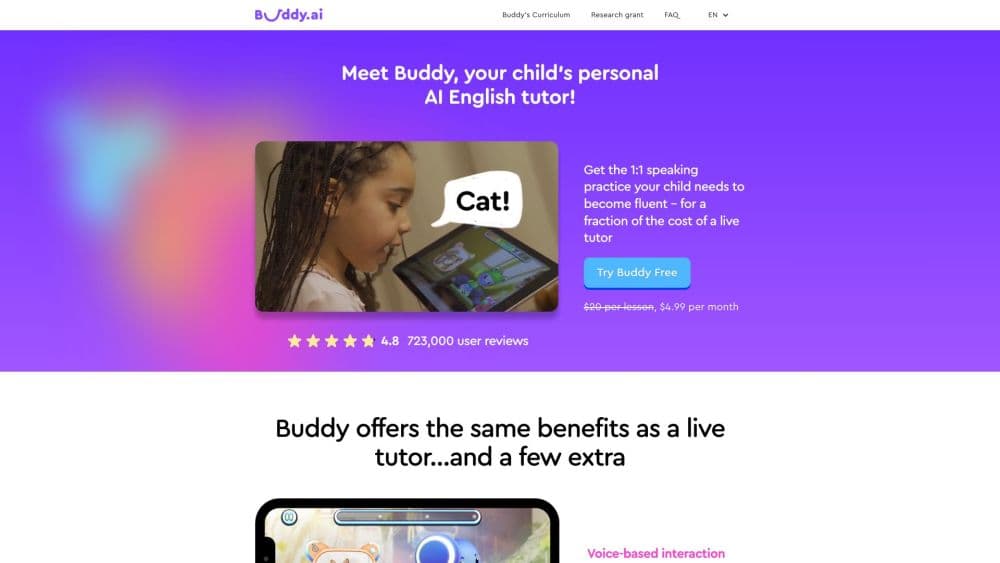
About Buddy.ai: Kids Learning Games
What Is Buddy.ai
Buddy.ai is an educational app built around a talking cartoon character. It works as a voice tutor app that a child can open without an adult reading the instructions first. A child speaks, the app recognizes the words, and Buddy answers with a short reply or a follow-up question. AI Buddy, Inc. publishes it for phones and tablets, and the company reports more than 115 million downloads.
The appeal is straightforward. A kid gets one-on-one speaking practice without waiting for a tutor slot, and a parent gets screen time that isn't an ad-filled video. As a preschool learning app, the curriculum covers letters, numbers, shapes, colors, and simple science across three programs that follow the U.S. school sequence.
The limits matter as much as the features. Everything runs in English, the teacher is a cartoon, and most content sits behind a paid subscription. A child who won't talk into a microphone gets far less out of it than a chatty one.
Getting Started
- Install the app from the App Store or Google Play, or from Samsung Galaxy Store and Huawei AppGallery.
- Answer the setup questions about your child's age and current level, which builds the learning plan.
- Sit through the first lesson together and check that the microphone picks up a normal speaking voice.
- Set a short daily session and review the weekly progress report in the parent section.
Product Information
A quick look at Buddy.ai: Kids Learning Games's pricing, supported platforms, and performance.
Best for
The users, tasks, and scenarios where this tool fits best.
Users
- Parents of 3 to 8 year olds
- Bilingual households
- Preschool and kindergarten teachers
Tasks
- Building a first English vocabulary
- Practicing letters and shapes by hand
- Following spoken directions
- Describing a picture out loud
Scenarios
- A 15 minute slot after dinner
- The summer before kindergarten
- A weekly speaking block in class
Key features
Voice Conversation With ChiChat
Children talk to Buddy the way they talk to a friend, and the character answers with a joke, a story, or another question. The ChiChat mode handles questions that fall outside the lesson, which keeps a curious kid engaged after the planned material runs out. Speech recognition is tuned for young voices, so a lisp or a half-finished sentence doesn't end the exchange.
Three School-Aligned Programs
Preschool covers ages 3 to 5, kindergarten 5 to 6, and first grade 6 to 7. Each level blends language and literacy, mathematical reasoning, number sense, and science. That structure lets a parent match the app to what a child already does at school instead of guessing at a level.
Game-Based Lesson Flow
Every lesson opens with small talk, introduces new words through flashcards, 3D objects, and short animations, then moves into practice and a final task where the child uses the words in context. The order is deliberate: warm up, introduce, practice, apply.
Tracing Games for Fine Motor Skills
Starscribe and Shapescribe turn letters, numbers, and shapes into finger-tracing exercises. Kids see the stroke order and get nudged back on track when the line wanders. It's the closest thing in the app to handwriting practice.
Daily Routines With Buddy
A tamagotchi-style loop gives a child reasons to return: cook in Buddy's kitchen, feed him, help him get ready for bed. Each chore hides a comprehension task, and the bedtime sequence winds down with soft music and a story.
Safe, Ad-Free Setup With Parent Reports
The app carries KidSafe+ and COPPA certification, runs no ads, and sells nothing inside the lesson flow. A parent section shows weekly activity, streak length, and the words a child has practiced. It won't replace a teacher's assessment, but it does show whether the subscription is earning its keep.
Pros and cons
Pros
- Real speaking practice: a child talks for most of a session instead of tapping answer buttons.
- No tutor schedule to work around, so a lesson can run at 7 a.m. or 8 p.m.
- No ads and no in-app purchases, which means a kid can't wander into a storefront.
- The three programs line up with preschool, kindergarten, and first grade, so picking a level is simple.
- Weekly reports give parents a concrete signal about what a child has covered.
Cons
- English only. A family hoping for another language gets nothing here.
- Almost everything sits behind a subscription, and 7 days is a short trial for judging whether a child sticks with it.
- Speech recognition suffers in a noisy room, and a shy child may have to repeat themselves.
- The cartoon tone wears thin for older kids. A 9 year old will probably call it babyish.
Frequently asked questions
Buddy.ai targets children from 3 to 8, split into preschool, kindergarten, and first grade programs. A 2 year old can play the games, but the lessons assume a child who can follow simple spoken directions.
Related content
Explore related tools, skills, and articles for Buddy.ai: Kids Learning Games.
Buddy.ai: Kids Learning Games Alternatives

HireKey
HireKey · Voice & Language · Productivity · LeaningHireKey is an AI job search copilot built by a former tech recruiter. It checks role fit, tailors resumes, runs interview practice and tracks every application.

Lune
Retrograde Labs · Productivity · LeaningLune is a research search engine for scientific AI agents. It runs as an MCP server that lets Claude, ChatGPT and Cursor search peer-reviewed computer science papers and cite them.
Coddy
Coddy · Coding · LeaningCoddy is a gamified platform to learn to code through short interactive lessons in 20+ languages, with a browser editor, an AI tutor and free certificates.