

Build0
Build0 · Coding
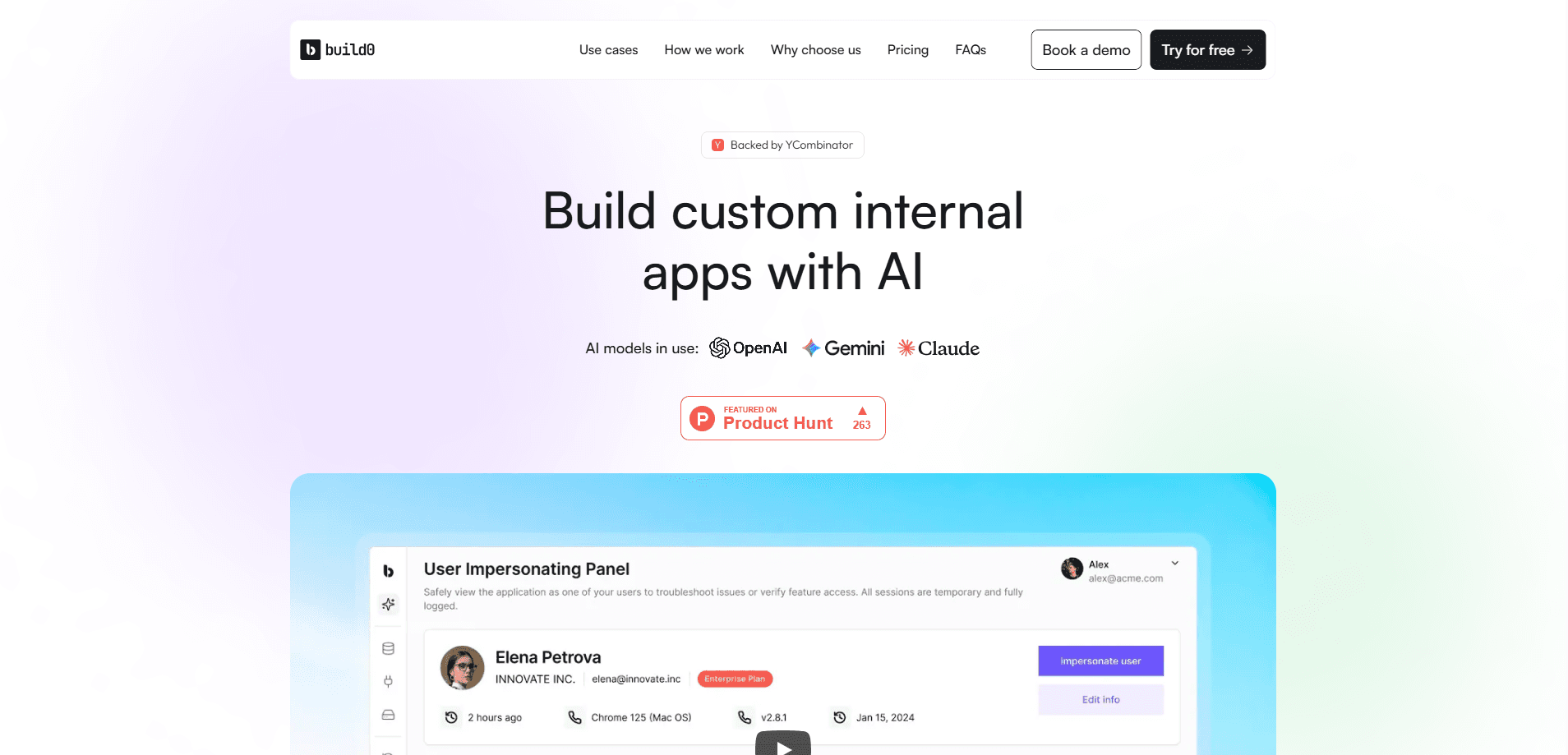
Build0 is an AI app builder that turns a plain-language description into a working internal app, complete with a database, connectors, and access controls. You describe a tool you need, connect the services you already use, and share it with your team. It doubles as a platform for AI workflow automation, since the apps it builds can run multi-step processes on live data. It targets operations, sales, product, and engineering teams that want custom internal apps without hiring developers or waiting on a backlog.
About Build0
What Is Build0
Build0 is a no-code platform for building internal tools and automation workflows with AI. Instead of sketching a spec and waiting for an engineer, you type a request like "build me a tool that" and the platform scaffolds a full-stack app: front end, data model, and connection to your existing services. It sits somewhere between a spreadsheet and a custom software project, aimed at teams that keep outgrowing off-the-shelf SaaS but can't justify a build from scratch.
The product is backed by Y Combinator and marketed around speed and governance. The pitch is that you get real apps, not demos, and you get them inside an environment with roles, permissions, version history, and audit logs. For companies with security reviews, that combination matters more than raw generation speed. One DevOps lead quoted on the site said their security sign-off got easier because the language model can't touch stored credentials.
The biggest limit is scope. Build0 is built for internal apps like dashboards, admin panels, CRMs, and feedback hubs, not customer-facing products at scale. That distinction matters. Teams on the Free or Team tiers also work within monthly credit and execution caps, so heavy usage pushes you up the pricing ladder. If you need a public app serving thousands of users, this is the wrong shape of tool.
Getting Started
- Sign up at app.build0.ai and start on the Free plan, which includes 1 builder and 1,500 AI build credits per month.
- Describe the app you want in plain language, for example "build me a billing dashboard that pulls from Stripe."
- Connect your existing tools: Slack, Notion, Stripe, your database, or one of the other built-in connectors.
- Set roles and permissions, then review version history and audit logs before anyone else gets access.
- Deploy and share the app with your team, and invite viewers or additional builders as usage grows.
Product Information
A quick look at Build0's pricing, supported platforms, and performance.
Best for
The users, tasks, and scenarios where this tool fits best.
Users
- Operations teams
- Product managers
- Sales teams
- Startup founders
- Junior and mid-level engineers
Tasks
- Building custom internal dashboards
- Automating repetitive workflows
- Assembling admin panels and CRMs
- Prototyping an internal tool fast
Scenarios
- A team outgrowing spreadsheets
- A funded startup without a platform team
- A partner or customer-facing dashboard behind login
Key features
Prompt-to-Full-Stack App Building
You describe what you want and Build0 generates a working app rather than a mockup. The output includes a front end, a data model, and typed queries, so you get something you can actually use instead of a clickable prototype. This is real software. The platform frames the result as real apps, not demos, which is the main reason teams choose it over a design tool.
Native Third-Party Connectors
The platform connects to the tools teams already run, including Slack, Notion, Stripe, PostHog, Grafana, and databases, with connectors organized by category like Data & Databases, CRM, and DevOps. Integrations are the difference between a toy and a useful internal tool, because the app pulls live data instead of asking people to re-enter it. Connector counts scale with your plan, from two per app on Free up to nine on Scale.
Role-Based Access and Governance
Build0 ships with roles, permissions, version history, and audit logs built into the environment. That stack is what makes internal apps safe to hand to a whole team, and it's the part most no-code tools treat as an afterthought. Stored credentials stay out of the model's reach, which several users flagged as the reason their security review passed.
Managed Secrets and Execution Layer
Credentials are managed as secrets rather than pasted into generated code, and app logic runs through an execution layer counted in executions (each plan bundles a monthly allowance, from 2,000 on Free to 75,000 on Scale). For teams handling API keys and billing data, keeping secrets out of the app code removes a common security headache. Simple, but important.
Multi-Team Use Case Templates
Build0 targets several functions: product (analytics dashboards, feedback hubs), operations, sales, founders, and engineering. Each area gets described use cases so you can start from a known pattern instead of a blank prompt. That structure shortens the gap between "I have an idea" and "I have something my team uses." Templates help. Blank prompts don't.
Version History and Audit Logs
Every change is tracked, so you can see what shifted, when, and by whom, and roll back if something breaks. For regulated teams or anyone who has inherited a fragile spreadsheet, this traceability is the feature that makes the tool trustworthy rather than risky. It matters. Few no-code tools take it this seriously.
Launchpad Setup and Support Tiers
Paid tiers from Growth upward include Launchpad, a white-glove setup service, plus Slack and email support, with priority support on higher plans. Setup help matters when you're connecting sensitive data sources and want a working app at the end of onboarding, not just a login. Worth it? Depends on your team.
Pros and cons
Pros
- Turns a plain-language request into a working internal app with a database and connectors, not just a mockup.
- Built-in RBAC, version history, and audit logs make it realistic for teams with security reviews.
- Connects to tools teams already use, including Slack, Notion, and Stripe, so apps run on live data.
- Free plan with 1,500 monthly build credits lets you test real use cases before paying.
- Generated output is structured and readable, which helps junior developers learn from it.
Cons
- Monthly credit and execution caps mean heavier usage pushes you onto pricier tiers quickly.
- It's aimed at internal apps, so it isn't suitable for public, high-traffic products.
- API availability isn't publicly documented, which is a blocker if you need programmatic control.
- Enterprise pricing is quote-only, so you can't estimate large-team costs without contacting sales.
Frequently asked questions
Internal apps and workflows, mainly. Common examples include analytics dashboards, admin panels, CRMs, user feedback hubs, and partner portals. It's designed for tools your team uses behind a login, not customer-facing products at scale.
Related content
Explore related tools, skills, and articles for Build0.
Build0 Alternatives
Forefront
Forefront · CodingForefront is a web platform for building with open-source AI. It lets you fine-tune leading open-source language models on your own data, evaluate how they perform, and run them through an API or export them to host yourself. Developers who want the convenience of a closed-source platform but insist on owning their models and data are the target audience here.

Startkit
StartKit.AI · CodingStartkit is a boilerplate for building AI SaaS and AI wrapper products. Think of it as an AI startup boilerplate with the boring parts already wired up: authentication, Stripe and Lemon Squeezy payments, usage limits, transactional email, and an AI API starter that talks to OpenAI, Anthropic, Groq, or Llama. You clone the repo, set your price, and start on the part of your product that people actually pay for. It's Next.js under React and Tailwind, so most of the boilerplate code already feels familiar.
Testim
Tricentis · CodingTestim is an AI-powered test automation platform for building and running end-to-end tests across web, mobile, and Salesforce applications. It leans on machine learning to keep tests stable when an interface changes, so teams spend less time fixing broken selectors. Not bad for an automated testing tool you can start using today. You create tests by recording actions in a browser, then optionally add JavaScript when you need more control. It's a solid pick for busy QA teams.