

Bulkmark
Moody Labs · Productivity
Bulkmark is an AI bookmark manager and Twitter bookmark organizer built for people who save posts on X/Twitter and never read them again. It connects to your X account, syncs every bookmark automatically, tags each one by topic, and turns the pile into searchable, shareable lists. A daily or weekly email digest summarizes what you saved, and a chat feature answers questions using only your own posts as sources.
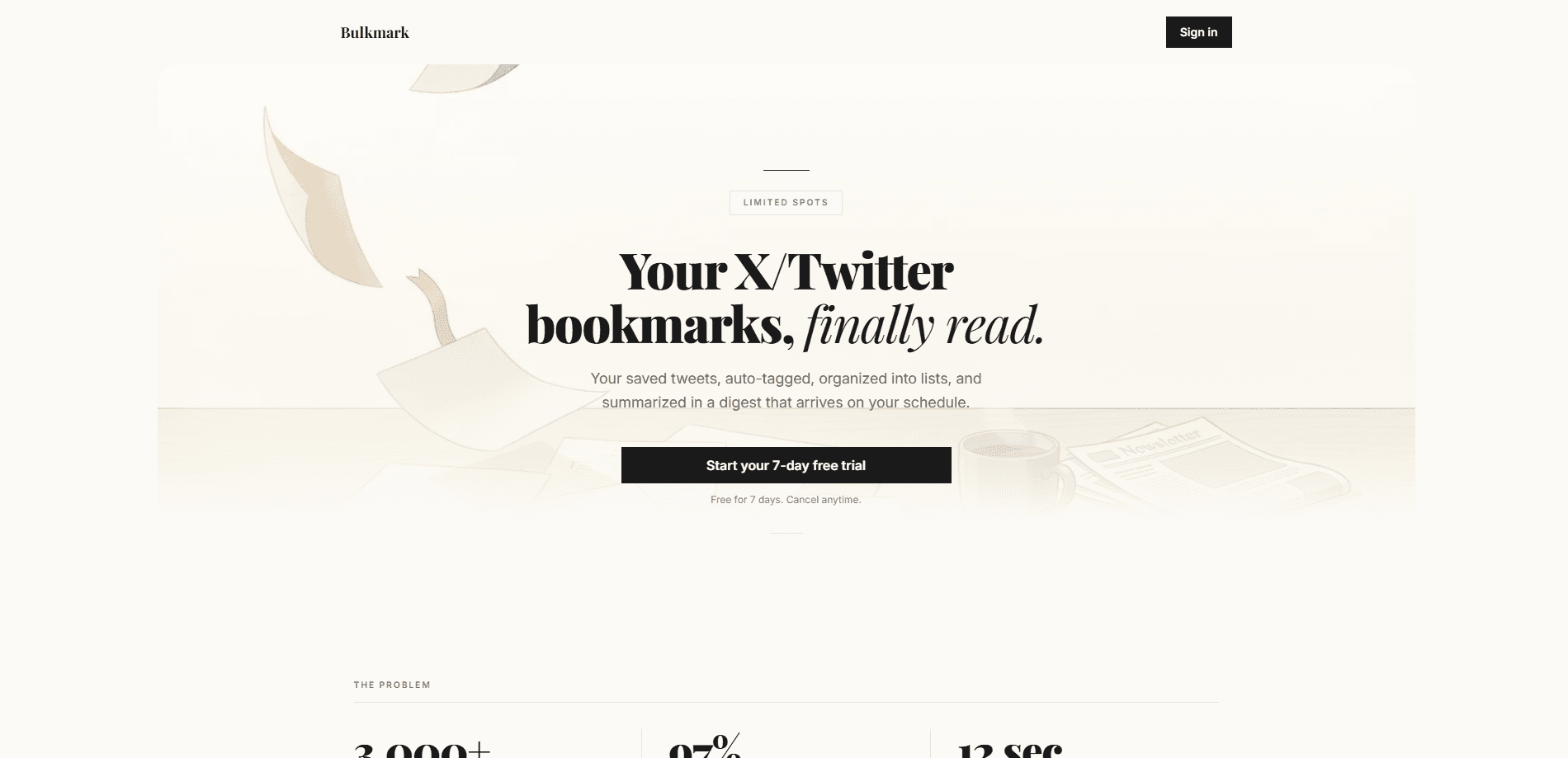
About Bulkmark
What Is Bulkmark
Bulkmark is a web-based tool that fixes one specific problem: X/Twitter bookmarks are a write-only database. You save tweets all day, and the platform buries them in a single unsorted list you'll never scroll back through. Bulkmark pulls those saves into a separate workspace where an AI tags them before you even open the app, so the backlog stays organized without manual work.
The product targets heavy savers. Bulkmark's own marketing claims the average user has over 3,000 saved bookmarks, and it leans on the figure that most of them never get opened again. So what do you actually get? A library, not a feed: topic tags, full-text search, filters, and collections you can share with a single link. The email digest is the hook for casual users, since a briefing lands in your inbox rather than asking you to visit yet another app.
The limits are worth stating up front. Bulkmark only works with X/Twitter bookmarks, so it won't touch Reddit saves, browser bookmarks, or Pocket. It's a web app with no mobile or desktop client that we could find. And its pricing is deliberately elastic, which is unusual for a bookmark tool.
Getting Started
- Create an account on bulkmark.io and start the free seven-day trial. You won't be charged on day one. Cancel whenever you like.
- Link your X/Twitter account. Bulkmark pulls your existing bookmarks during the first sync.
- Let the AI tag new saves by topic (AI, Design, Dev, Business) as they sync, or sync on demand if you'd rather control the timing.
- Search, filter, or drag bookmarks into themed lists such as AI Research or Design Inspo, then share any list with a link.
- Set your digest to daily or weekly, and use the chat panel when you want a direct answer pulled from your own saved posts.
Product Information
A quick look at Bulkmark's pricing, supported platforms, and performance.
Best for
The users, tasks, and scenarios where this tool fits best.
Users
- Heavy X/Twitter users who save dozens of posts a week and lose track of them
- Researchers, designers, and developers who gather reference material from social posts
- Newsletter writers and content creators who want a quick briefing of what they saved, rather than scrolling to find that one thread.
Tasks
- Clearing a bookmark backlog
- Finding a specific saved tweet
- Building a shareable reading list
Scenarios
- Morning catch-up
- Project research sprints
- Sharing curated picks with a team or audience
Key features
Automatic sync and AI tagging
Link your X account once and every new bookmark syncs on its own, tagged by topic before you open the app. You don't sort anything by hand. That's the point. If you'd rather control when the import runs, an on-demand sync is there too.
Full-text search across your saves
Search works across the full text of every bookmark, not just titles. You can filter by tag and sort by date or engagement, which is the part that makes a 3,000-item backlog usable. For a backlog this size, search is the feature that matters most.
Shareable themed lists
Drag bookmarks into collections like AI Research, Design Inspo, or Startup Playbooks. Each list gets a single link, and viewers don't need a Bulkmark account to read it. Great for a teammate or an audience. No sign-up needed on their end.
Daily and weekly email digest
The digest is the product's main habit hook. AI reads your bookmarks and compiles a topic-grouped briefing delivered daily or weekly. Bulkmark pitches it as catching up on 30 saved tweets in the time it takes to drink your coffee, which is the right framing for people who won't open a dedicated app.
Chat AI over your bookmarks
Ask a question and get an answer drawn from your own saved posts, with links back to the originals. It's a retrieval layer on top of your library rather than a general chatbot, so it stays grounded in what you actually saved.
One plan, every feature
Bulkmark runs a single subscription tier that includes every feature, with no separate free tier beyond the seven-day trial. The price is set to rise as more spots fill, which the company frames as a reason to join early.
Pros and cons
Pros
- Auto-tagging removes the manual sorting that kills most bookmark tools.
- Full-text search plus tag, date, and engagement filters handles large backlogs.
- Shared lists need no account on the viewer's side, which makes them easy to send.
- The email digest fits people who won't visit another web app every day.
Cons
- It only handles X/Twitter bookmarks, so your other saved links stay in their own silos.
- We couldn't find a mobile app, so catching up on the go means using a browser.
- Pricing rises as spots fill, so the cost depends on when you subscribe rather than what you need.
- The library has no API availability listed, which matters if you wanted to pull tags into your own workflow.
Frequently asked questions
It's an AI bookmark manager for X/Twitter. It syncs your saved posts, tags them by topic automatically, adds full-text search and filters, lets you build shareable lists, and sends a summarized email digest. A chat feature answers questions using your own bookmarks as sources.
Related content
Explore related tools, skills, and articles for Bulkmark.
Bulkmark Alternatives

Foley
Hanamori Labs, LLC · Voice & Language · Productivity · AI AssistantFoley is a voice to-do list that turns a spoken sentence into a filed task, complete with project, date and time, then helps you plan the day around what is already there.

OpenScreen 2
OpenScreen (open-source project) · Video · ProductivityOpenScreen 2 is a free, open-source screen recorder and demo video editor for Windows, macOS, and Linux, with automatic zooms, styled frames, local captions, and agent edits.

Ghost Core
Ghost · Productivity · AI AssistantGhost Core is a $3,499 screenless personal AI computer that runs local AI models on its own hardware, builds context from your apps and devices, and acts without waiting for a prompt.