

Butternut.ai
Butternut AI · Coding
Butternut AI builds a multi-page business or portfolio website from a short description of what you do, then adds hosting, a free domain, SEO and an optional AI chatbot.
About Butternut.ai
What Is Butternut AI
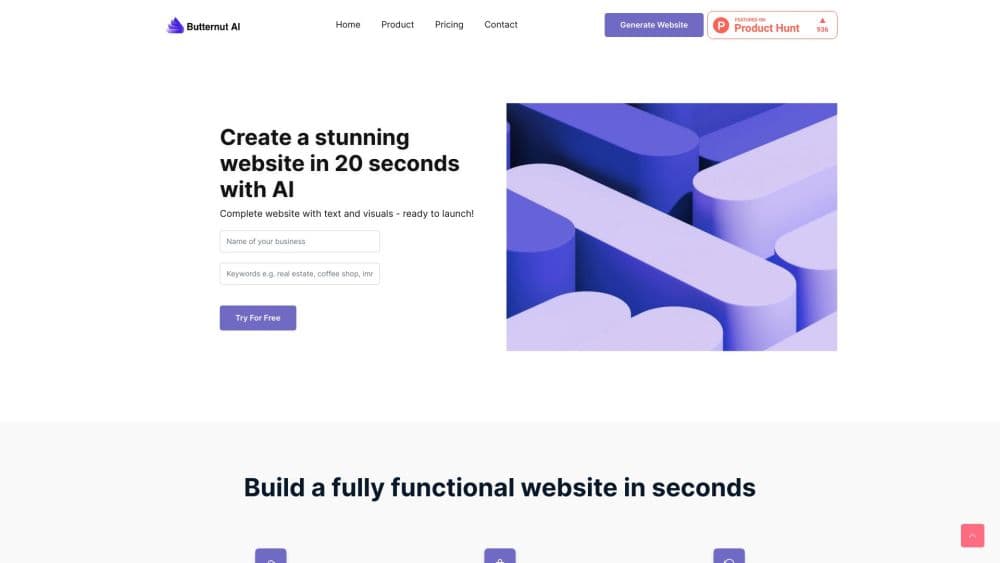
Butternut AI is an AI website builder for people who need a working site but have no interest in templates, page builders, or code. You type a business name, pick a category such as dental clinic or coffee roastery, add a sentence or two about what you sell, and the platform lays out a multi-page site with images and copy. The company says the first draft arrives in under 20 seconds.
The site is hosted on the same subscription. A custom domain, SSL, backups and security updates come bundled, so you never touch a server or a plugin list. That packaging is the real product: the pitch is replacing hosting, an SEO tool, a blog writer, a chatbot and a form builder with one bill.
The tradeoff sits in the same place. You get speed and a single dashboard, but you do not get the design control of a hand-built site, and the output follows the platform's layouts rather than a custom brand system.
Getting Started
- Open butternut.ai and choose whether you are building a business site or a portfolio. No credit card is needed for a first draft.
- Enter your business name, pick a language, write a short description, and optionally choose a design style such as modern, dark, minimal or playful.
- Review the generated site, then edit colors, swap images, rewrite copy, or type plain-language commands to add sections and pages.
- Connect a custom domain and hit Publish. The platform handles DNS, SSL, hosting and the security layer.
Product Information
A quick look at Butternut.ai's pricing, supported platforms, and performance.
Best for
The users, tasks, and scenarios where this tool fits best.
Users
- Small business website owners with a deadline
- Solo founders and freelancers
- Designers, photographers and writers
Tasks
- Producing a first version of a site
- Adding pages by prompt
- Keeping the site maintained
Scenarios
- Launching a new venture on a deadline
- Replacing a stale brochure site
- Running a campaign page
Key features
Prompt-to-Site Generation
You describe the business in plain language and the builder assembles a complete multi-page site with layout, stock imagery and written copy. Category examples speed up the start, because the model already knows what a dental clinic or a coffee roastery usually needs. The result is a first draft you can steer, not a finished brand identity.
Drag-and-Drop Editing and AI Commands
Every section can be edited visually by changing colors, images, video and text, or by typing an instruction such as "add a pricing table" and letting the site agent build it. Starter includes 200 AI commands and 100 AI credits a month, and Pro raises both limits. For owners without a designer, the command route is usually faster than hunting through settings.
Hosting, Domain and Security Included
Both plans include hosting, free SSL, automated backups and security updates, and the first year of a custom domain is free. Starter allows one custom domain with 10 GB of hosting, and Pro allows two with 200 GB. This is the part that removes the usual stack of separate hosting and security bills.
Built-In SEO and AI Blog Writer
The platform adds automated SEO to published pages and writes blog posts from the same dashboard, ten a month on Starter and unlimited on Pro. Pro also adds an SEO guide tailored to your business. Owners who want organic traffic get a starting point without a separate keyword tool.
Commerce and Payments
Starter lets you sell products, services and courses and take payments through Stripe or PayPal. The company states it takes no cut of sales beyond the payment processor fee. For creators selling a course or a service pack, that keeps margins simple.
Custom AI Chatbot and WhatsApp Capture (Pro)
Pro includes a chatbot trained on your own site content, described by the company as worth $1,000, plus WhatsApp integration so leads land directly in a messaging thread. Both items usually cost extra elsewhere, which is why the plan is priced well above Starter.
Pros and cons
Pros
- A no-code website can be published within minutes of signing up, which matters for owners who need something live before a meeting or a launch.
- Hosting, SSL, a domain year, backups and security updates sit inside one subscription instead of four or five separate services.
- No code is required at any step, and plain-language commands cover most layout changes.
- Publishing includes the domain connection, so there is no separate DNS setup guide to follow.
Cons
- Design freedom is limited. You choose from generated layouts and preset styles, so a brand with a strict design system will find it hard to match.
- This AI website generator writes your copy and picks your images, so both need, a careful pass for accuracy and tone. Anything factual about your business has to be checked by you.
- The free draft is generous for building, but connecting a custom domain requires a paid plan, so a live site always costs money.
- There is no public API, which rules out automated content pipelines or custom integrations.
Frequently asked questions
It generates a complete website from a written description of your business, then hosts it. You get layout, copy, images, a domain connection, SEO basics and editing tools in one place.
Related content
Explore related tools, skills, and articles for Butternut.ai.
Butternut.ai Alternatives

Udon
Udon · Coding · ProductivityUdon turns an Apple Silicon Mac into a home server you run from a browser, with container controls, file shares, and an optional AI sysadmin.

offstage
offstage cloud · Coding · Productivityoffstage gives AI coding agents and CI jobs a real Mac: a fresh macOS account on Apple silicon, driven over an API and billed by the second.

BotBus
Chengdu Tuyang Tusen Technology Co., Ltd. · Coding · ProductivityBotBus lets you control AI coding agents from your phone and watch: approve commands, start tasks and read results while the code stays on your desktop.