

CalPulse
CalPulse · AI Assistant
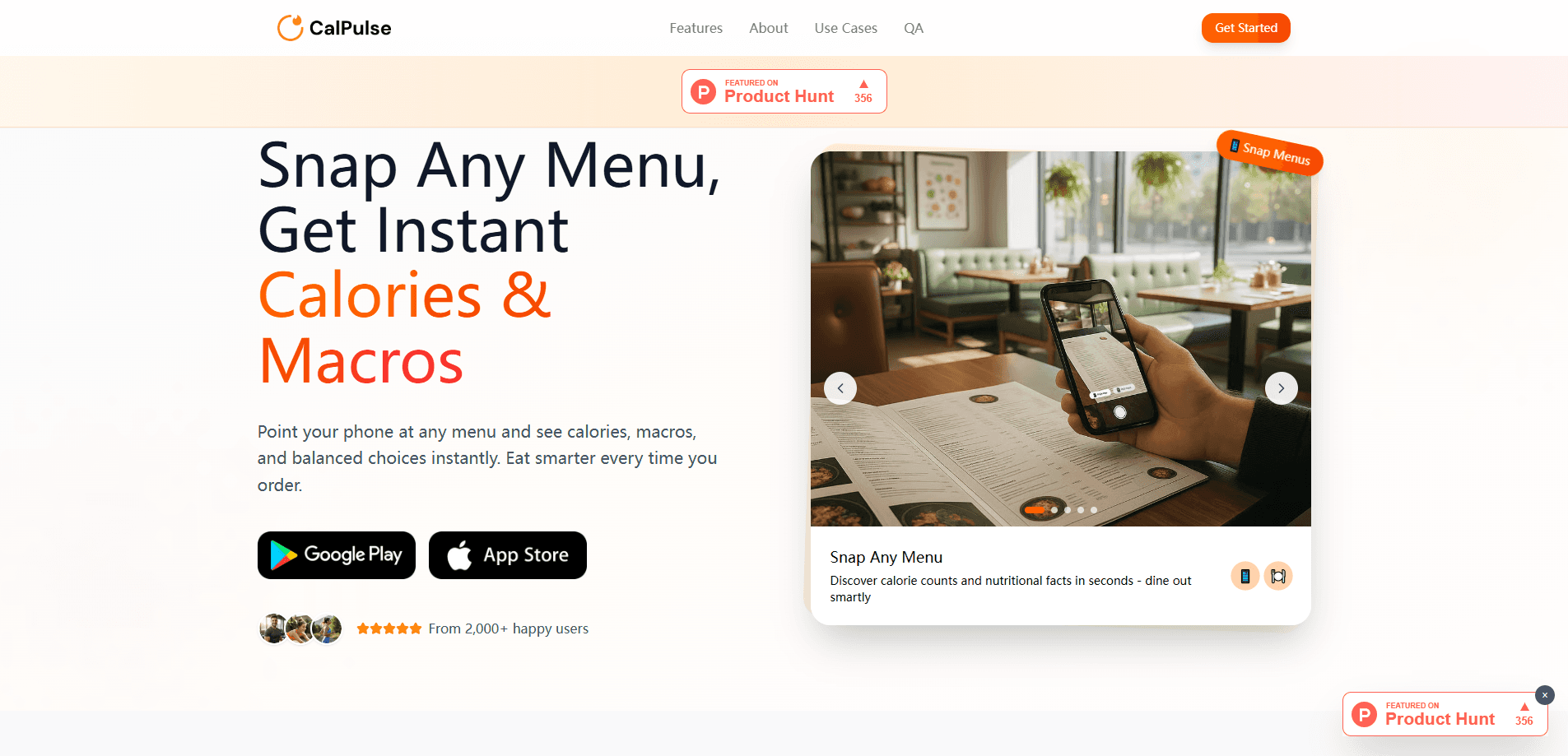
CalPulse is an AI calorie tracker that reads calories and macros straight from a photo. Snap a menu or a plate of food and it estimates the nutrition behind each item, then points you toward lighter choices. It suits anyone who wants a macro tracker and calorie count without typing every ingredient into a database, which is exactly the chore that makes most people abandon food logging. Calpulse.ai runs in the browser, so there's nothing to install before you start nutrition tracking.
About CalPulse
What Is CalPulse
CalPulse is a browser-based nutrition tool built around a single idea: the fastest way to log food is to photograph it. Open calpulse.ai, point your camera at a menu or a meal, and the app estimates calories, protein, carbs, and fat for what it sees. You get numbers back in seconds instead of spending five minutes searching a food database. Why does that matter? Because speed is what keeps a food log alive.
The product targets the hardest part of calorie tracking, which is the friction of manual entry. Most people quit food logging because typing and weighing take too long, and when a habit takes longer than the meal it describes, it tends to fall apart within a couple of weeks. CalPulse trades that labor for a photo, which keeps daily tracking realistic.
The limitation is accuracy. AI photo estimates are educated guesses, not lab measurements. Portion sizes and hidden oils or sauces can throw the numbers off. A sauce-heavy dish can quietly add hundreds of calories that the camera never sees. Treat CalPulse as a close-enough guide for trends, not a precise scale. It also reads menus rather than only your own cooking, which helps when you eat out and can't see the kitchen.
Getting Started
- Open calpulse.ai in a browser on your phone or computer and create an account.
- Set your goals: daily calorie target, weight aim, and activity level.
- Snap a photo of a menu or a meal and let CalPulse scan the items.
- Review the estimated calories and macros, and adjust portions if the read looks off.
- Save the meal to your daily log and check your progress as the day goes on.
Product Information
A quick look at CalPulse's pricing, supported platforms, and performance.
Best for
The users, tasks, and scenarios where this tool fits best.
Users
- People tracking calories for weight loss
- Busy diners who eat out often
- Macro-focused lifters and athletes
Tasks
- Estimating the calories in a restaurant menu before ordering
- Logging a home-cooked meal without weighing ingredients
- Keeping a lightweight daily food log
Scenarios
- Grabbing lunch at a new cafe and wanting a rough calorie count fast
- Traveling where local foods aren't in a standard database
- Building awareness of eating habits over a week
Key features
Photo-Based Food Scanning
The core of CalPulse is snapping a picture and getting nutrition back. Point your camera at a plate or a menu and the app identifies the items and estimates calories, protein, carbs, and fat for everything in the frame at once. No database search. No weighing. It's the feature that makes tracking fast enough to keep up with a real day.
Menu Scanning for Eating Out
CalPulse reads menus, not just plated food. That matters when you're at a restaurant and can't see how a dish is prepared, because the calorie gap between two similar-sounding dishes on the same page can easily top a few hundred calories once butter, oil, or a heavy sauce enters the picture. As a menu calorie scanner, it lets you compare options and pick the one that fits your target before you order.
Personalized Food Recommendations
After scanning, CalPulse suggests healthier alternatives based on your goals. A dish that runs high on calories or fat gets paired with lighter options. The advice is goal-aware, so it shifts depending on your aim: cutting, maintaining, or bulking up.
Calorie and Macro Tracking
Every logged item rolls into a daily total for calories, protein, carbs, and fat. You see how the day stacks up against your targets. It covers the four numbers most people care about without burying you in micronutrient detail. Simple and focused.
Daily Progress Overview
A running dashboard shows where you stand against your calorie goal as the day moves. It's a plain view of calories in and what's left, so you can decide whether to adjust your next meal, and that single number often decides whether you reach for a snack or hold off until dinner. No spreadsheets, no manual math.
Pros and cons
Pros
- Logging by photo removes the typing and searching that make most calorie trackers tedious.
- Menu scanning is genuinely useful for restaurant meals, where most tools fall short.
- Personalized suggestions tie the tracking back to a concrete next choice.
- Runs in a browser with no install. Try it in seconds.
Cons
- Photo estimates are approximate; portion sizes and hidden oils can skew the numbers, so totals won't match a weighed log.
- It leans on AI guessing rather than a verified food database, which matters if you need precision.
- Pricing and plan details aren't clearly published, so you may need to check the site directly before committing.
Frequently asked questions
CalPulse is an AI calorie tracker that estimates calories and macros from a photo of your food or a menu. You use it to log meals quickly and get a sense of how your daily intake compares to your goals, whether that goal is losing a few pounds or simply eating with more awareness.
Related content
Explore related tools, skills, and articles for CalPulse.
CalPulse Alternatives

Iplan AI
Iplan AI · Productivity · AI AssistantIplan AI is an AI travel planner that turns a few trip details into a full day-by-day itinerary in seconds. You answer questions about your destination, interests, budget, and travel companions, and the tool builds a plan you can edit, share, and carry with you on any device. It targets travelers who want a solid draft without spending hours in spreadsheets and browser tabs. Think of it as an itinerary generator that does the tedious part for you.

Screenhelp
Screenhelp · Productivity · AI AssistantScreenhelp is an AI screen assistant that turns a single keyboard shortcut into real-time help. You press Ctrl+Shift+Space, it captures what's on your screen, and it streams an answer into a private panel in about two seconds. Think of it as an AI screenshot helper you trigger on demand. It runs on Mac, Windows, and the web, starts free with 30 answers a month, and stays invisible during screen sharing on Zoom, Teams, and Google Meet.

Rainbow
Rainbow · AI AssistantRainbow is an AI weather forecast app built around short-term precipitation nowcasting. Its engine pushes min-by-min rain and snow predictions up to four hours ahead, blending live satellite and radar feeds into hyperlocal forecasts. The app adds live rain radar, a seven-day outlook, precipitation alerts, home-screen widgets, and a hurricane tracker, and it runs on both Android and iOS with a free tier plus paid upgrades.