

Capacitor Remote Workforce Software
Capacitor Software (ATech) · Productivity · Marketing · Leaning
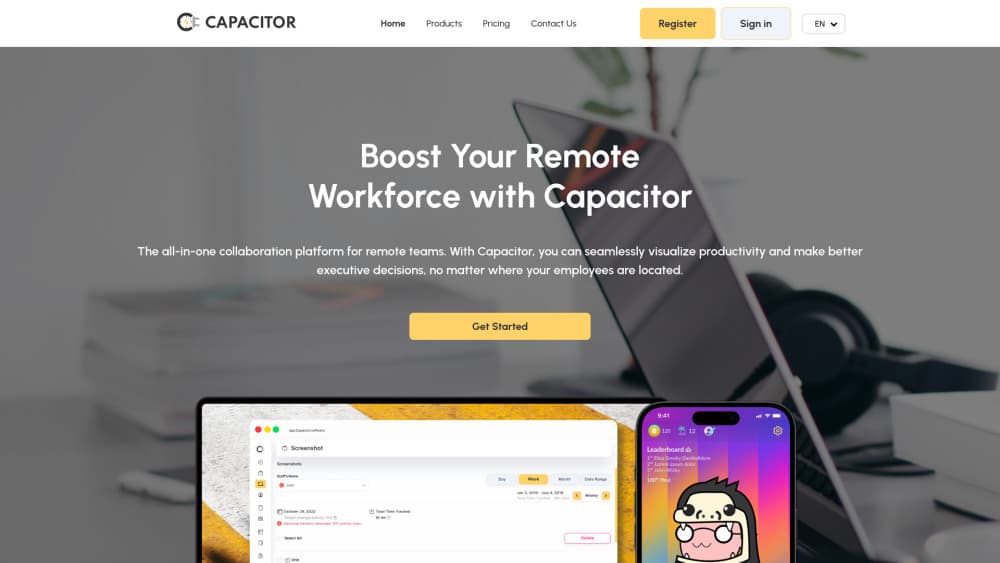
Capacitor is remote workforce software that puts time tracking, tasks, capacity planning, HR records and payroll in one workspace, with AI prompts that flag overload before a deadline slips.
About Capacitor Remote Workforce Software
What Is Capacitor
Capacitor is built for managers who run a team they don't see every day. One dashboard shows hours logged per project, who is close to capacity, and what a week of work actually cost. The tracker sits beside the task board, HR records and payroll, so the same hour feeds billing, attendance and salary instead of being retyped in three places.
The sales pitch is fewer subscriptions for remote team management. A team replaces a timer, a project board, an HR spreadsheet and a payroll service with one login. The AI layer is the second half of that pitch. It nudges people to step away, reminds them about deadlines, and raises a flag when someone's workload is heading past what they can finish.
Two limits matter. The platform earns its price only if you actually track hours, and not every team wants activity data collected. Payroll is also the module that varies most by country, so local tax handling is worth checking before you migrate. Availability is the third question: the original capacitor.software domain no longer serves a product page, and the remote-work suite is now sold as Teamtrics by ATech.
Getting Started
- Sign up and create a workspace. The free plan covers teams with up to three active users.
- Add people with their role, hourly rate and weekly contract hours. Capacity and payroll both read from those fields.
- Turn on time tracking and decide whether screenshots and activity levels get captured, or whether the timer runs in manual mode.
- Build the first project, add tasks, and assign owners so tracked time lands on billable work rather than a blank bucket.
- Set up leave types and expense categories, then run one payroll cycle in draft before you pay anyone from it.
Product Information
A quick look at Capacitor Remote Workforce Software's pricing, supported platforms, and performance.
Best for
The users, tasks, and scenarios where this tool fits best.
Users
- Operations managers at agencies
- HR generalists at small companies
- Founders of distributed startups
Tasks
- Invoicing clients from tracked hours
- Planning a sprint around real capacity
- Running leave and expense approvals
Scenarios
- A 15-person studio closing monthly invoices
- A support team spread across time zones
- Onboarding a first remote hire
Key features
Time Tracking With Activity Context
The employee time tracker records time against tasks and projects, and it can attach screenshots and activity levels to those entries. Managers get a distribution view of where the week went, which is more useful than a single total. Employees can pause the timer when they step away or work on something private.
AI Prompts for Breaks and Deadlines
Capacitor uses its data to nudge people rather than to report on them. The system reminds someone to take a break after a long stretch, and it pushes a warning when a task is trending past its due date. Reminders land inside the workspace, so they compete with work instead of with email.
Capacity Planner
The planner estimates how much work fits into a given period by comparing assigned tasks with contract hours and time off. That number is the basis for staffing decisions. It also turns a vague complaint about being busy into a dated record of who was over capacity and when.
Project and Task Management
Tasks carry an owner, a due date and estimated hours, and they link back to the time logged against them. The board works for a small studio running client projects and for an internal team tracking a backlog. Time burn per task is visible without a separate report.
HR Records, Leave and Onboarding
The HR side covers employee files, attendance, leave balances, onboarding steps and expense claims. Because attendance comes from the tracker, leave calculations use real worked hours. Onboarding checklists give a new hire a defined path in the first weeks, which is the part remote teams usually improvise.
Payroll and Expense Handling
Payroll pulls from the same attendance and leave data, so a pay run reflects hours, absences and approved reimbursements. Salary disbursement, time off requests and expense handling live in the same module. Local tax rules still need a check, since payroll compliance is country-specific.
Pros and cons
Pros
- One subscription replaces a time tracker, a project board, an HR tool and a payroll service, which cuts both cost and the number of places a record can drift.
- Capacity planning is tied to tracked hours, so the staffing picture comes from data the team already produces.
- A free plan for three active users makes a trial possible without a sales call.
- AI reminders target breaks and slipping deadlines, which are the two problems remote managers hear about most.
Cons
- Screenshots and activity levels are the core of the tracker. Teams that treat monitoring as a trust problem will find the default setup hard to sell internally.
- The feature list is wide, and setup takes real work. Expect a week of configuration before capacity and payroll numbers mean anything.
- Payroll compliance varies by country, and the product does not advertise deep support for every tax regime.
- The old product site is gone, so new buyers deal with the Teamtrics branding and a fresh evaluation.
Frequently asked questions
Capacitor is remote workforce software. Managers use it to track hours against projects, watch capacity, run HR records and process payroll for a distributed team. The value shows up in month-end invoicing and in staffing decisions, where tracked hours replace estimates.
Related content
Explore related tools, skills, and articles for Capacitor Remote Workforce Software.
Capacitor Remote Workforce Software Alternatives

Udon
Udon · Coding · ProductivityUdon turns an Apple Silicon Mac into a home server you run from a browser, with container controls, file shares, and an optional AI sysadmin.

offstage
offstage cloud · Coding · Productivityoffstage gives AI coding agents and CI jobs a real Mac: a fresh macOS account on Apple silicon, driven over an API and billed by the second.

BotBus
Chengdu Tuyang Tusen Technology Co., Ltd. · Coding · ProductivityBotBus lets you control AI coding agents from your phone and watch: approve commands, start tasks and read results while the code stays on your desktop.