

Carepatron
Carepatron · Productivity
Carepatron is an all-in-one practice management platform for clinicians, bundling scheduling, telehealth, AI scribe notes, and billing so small health practices cut admin time.
About Carepatron
What Is Carepatron
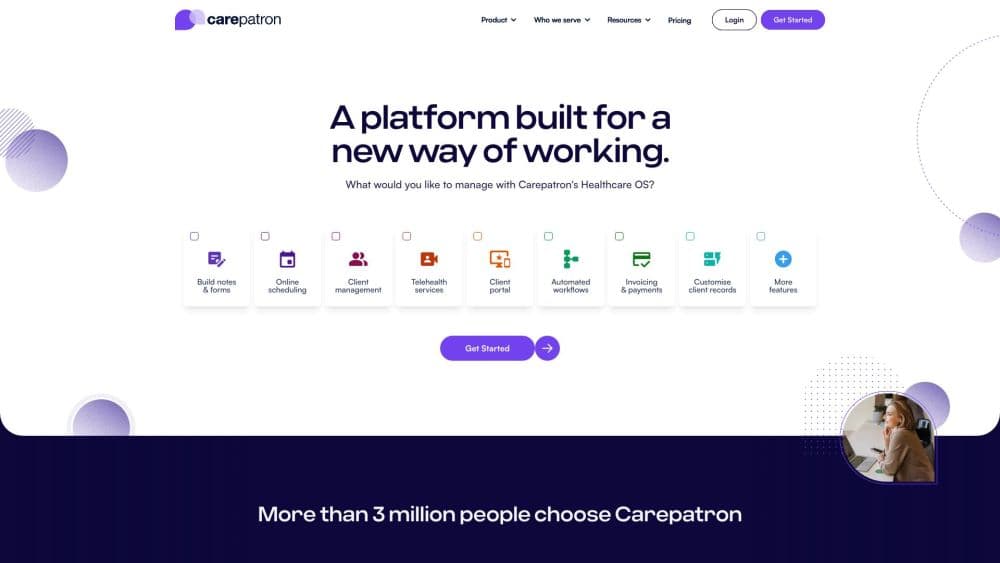
Carepatron is practice management software for healthcare clinicians, and it runs the whole workflow from booking to payment in one place. Scheduling, secure messaging, telehealth, clinical notes, patient records, and insurance billing all sit on the same system, so a solo therapist and a small clinic use the same tools.
The problem it targets is admin load. Many clinicians stitch together a calendar app, a video service, a notes tool, and a separate billing product, then retype the same details into each one. Carepatron replaces that pile with one account. Its AI scribe drafts notes during a session, reminders chase appointments automatically, and invoices pull from the calendar so nothing has to be re-entered.
The limits matter too. Carepatron is built for small and mid-sized practices, behavioral health, allied health, medical, and wellness, rather than large hospital systems with complex enterprise needs. Managed insurance billing runs through Carepatron's team and applies to US practices only. Cross-border teams should also check which local compliance frameworks apply to them before switching.
Getting Started
- Create a free account at carepatron.com. There is no credit card gate, and most people are working inside the platform in under an hour.
- Set up your profile and practice details, then add clients. You can import existing records or start fresh.
- Share your booking link and connect your calendar. Clients pick a time, confirm, and get automatic reminders by email and SMS.
- Run sessions. Start a telehealth call from the same screen as the chart, and let the AI scribe draft notes while you talk.
- Send invoices and claims. Payments collect online, and insurance claims validate before they go out.
Product Information
A quick look at Carepatron's pricing, supported platforms, and performance.
Best for
The users, tasks, and scenarios where this tool fits best.
Users
- Solo practitioners
- Small clinics and growing teams
- Behavioral health and allied health clinicians
Tasks
- Automating clinical documentation
- Reducing no-shows
- Handling insurance billing
- Running telehealth sessions
Scenarios
- A therapist finishing notes after a long day
- A physio clinic juggling back-to-back clients
- A new practice going fully paperless
Key features
AI Scribe and Clinical Notes
Carepatron's AI scribe listens during a session and drafts the clinical note before you finish. It is included on the free plan, which is unusual among practice tools that usually charge for AI features as an add-on. You review, edit, and sign rather than writing from a blank page, and templates keep structure consistent across every record.
Telehealth Built Into the Chart
Video sessions start with one click and open right next to the client's chart, history, and notes. There is no separate video product to license or switch to. Group telehealth is available on higher plans for practices that run shared sessions.
Scheduling and Automated Reminders
Clients book themselves through a shared link, confirm their slot, and receive automatic email and SMS reminders. The calendar syncs with tools you already use, so your week stays in one view. Carepatron reports that automated reminders cut no-shows by 40 percent.
Client Portal and Secure Messaging
Patients book, pay, message, and complete forms from their own secure portal. Conversations stay in one thread inside the platform instead of scattering across personal email and text, which keeps intake forms and confirmations in the same place as the rest of the record.
Invoicing, Payments, and Insurance Claims
Invoices raise themselves from appointments and payments collect online. Insurance claims validate before they are sent, so fewer get rejected on simple errors. Carepatron also offers a managed billing service that gets you credentialed and works denials for US practices.
Treatment Plans and ePrescribe
Clinicians build treatment plans from templates, track progress across sessions, and ePrescribe from the same screen they already work in. That keeps a client's goals, history, and prescriptions together instead of split across three systems.
Compliance and Security
Carepatron is HIPAA audited and compliant with GDPR, PIPEDA, and SOC 2 Type II, with 256-bit encryption on client data. The platform does not use client data to train its AI. For practices handling sensitive health records, those certifications are usually a hard requirement before adoption.
Pros and cons
Pros
- Free plan covers unlimited clients, telehealth, the AI scribe, and a client portal, which is more than most competitors give away.
- One platform replaces the usual stack of calendar, video, notes, and billing tools, cutting the retyping that eats into a clinical day.
- AI scribe is included rather than sold as a separate add-on, and it drafts notes during the session.
- Compliance coverage spans HIPAA, GDPR, PIPEDA, and SOC 2 Type II, which matters for regulated health data.
- Managed insurance billing handles credentialing and denials for US practices, a service many tools leave out.
Cons
- Managed insurance billing is limited to US practices, so clinics elsewhere handle claims on their own.
- It targets small and mid-sized practices, so large hospital systems with heavy enterprise requirements will look elsewhere.
- No public developer API is documented, which blocks teams that want to build custom integrations on top of the records.
- The most advanced controls, such as roles, white labeling, and premium support, sit on the top tier.
Frequently asked questions
Yes. The Free plan includes unlimited clients, telehealth, a 1GB storage allowance, a client portal, automated online payments, and the AI scribe. No credit card is required to start, and there is a 14-day trial of the paid features.
Related content
Explore related tools, skills, and articles for Carepatron.
Carepatron Alternatives

Base Code
Base44 (Wix) · Coding · ProductivityBase Code is a shared cloud development environment from Base44. Teammates describe changes to an existing GitHub codebase in chat, preview them live and send them back as pull requests.

Knocket
Knocket (Tencent RTC team) · Productivity · Business · ChatbotKnocket is a free live chat and contact page tool that lets visitors message you from your website, app, or a shareable link, with every reply handled from Telegram or one inbox.

FloorGen
Vinit Kumar (FloorGen) · Productivity · China AIFloorGen is a browser-based floor plan maker that turns a sentence or a sketch into an editable 2D plan and a 3D walkthrough. Export to PDF, DXF or video, and draw without an account.