

Caret
Caret · Productivity
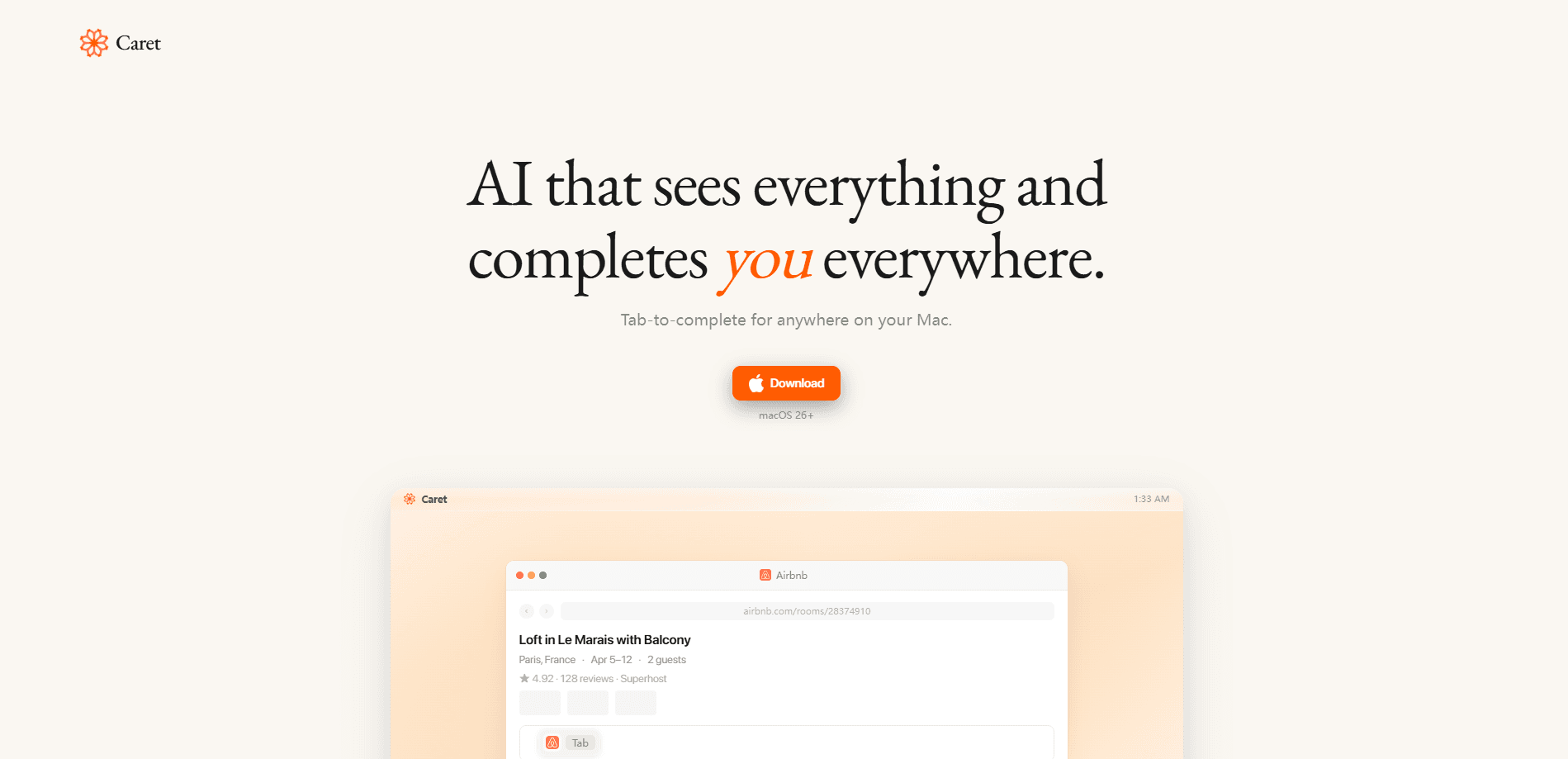
Caret is an AI writing assistant that lives on your Mac and completes what you're about to type. You can think of it as a text expander with a brain. Instead of opening a separate chat window, it watches your screen through macOS accessibility features, builds a memory of your work, and offers a greyed-out suggestion at your cursor. Press Tab and the sentence finishes in your voice. It runs across Mail, Slack, Notes, browsers, and any other field where you type, so you don't have to bounce between tools to get help.
About Caret
What Is Caret
Caret is a Mac application that turns the Tab key into an AI writing assistant. It reads your screen, keeps context about what you're working on, and predicts the rest of your sentence inline, right where you're already typing. Think of it as AI text completion that shows up everywhere you type across the system. The pitch is simple. Your next sentence is already written, and Tab accepts it.
The product targets a real annoyance. Most AI helpers force you to leave your document, paste text into a chat box, copy the answer back, and clean up the formatting. Caret skips that loop by staying inside the app you're in. The longer you use it, the more it learns your phrasing, so the suggestions start sounding like you rather than a generic model.
Two limits are worth knowing up front. Caret is Mac-only and needs macOS 26 or later, so Windows and older Macs are out. It also depends on reading your screen to work, which means you're trusting a piece of software with a lot of what's on your display, including messages, documents, and anything else you happen to have open while you type. That's the trade-off for the convenience.
Getting Started
- Download Caret from the official site at trycaret.com and install it on a Mac running macOS 26 or newer.
- Grant the accessibility and screen-reading permissions Caret asks for, since those are what let it see your cursor and offer completions.
- Open any app you write in, type the start of a sentence, and wait for the grey hint to appear at your cursor.
- Press Tab to accept the suggestion, or keep typing to ignore it and let Caret try again.
- Keep working as normal. Caret builds up context and gets better at matching your voice over time.
Product Information
A quick look at Caret's pricing, supported platforms, and performance.
Best for
The users, tasks, and scenarios where this tool fits best.
Users
- Writers and bloggers
- Email-heavy professionals
- Customer support and sales teams
Tasks
- Drafting replies and follow-ups
- Filling out forms and long fields
- Writing product notes and meeting summaries
Scenarios
- Clearing an inbox of similar emails
- Jotting down ideas in Notes before you lose them
- Working across many apps in one session
Key features
Tab to Complete Everywhere
The core move is the Tab key. Caret shows a faint suggestion at your cursor in whatever app you're using, and Tab accepts it. You never open a chat panel, copy text, or paste it back. That's the point. That single-keystroke flow separates it from browser-based AI writers, which interrupt you every time you need help.
Reads Your Screen for Context
Caret understands what you're looking at by reading the screen, not just the text field you're typing in. That wider view means suggestions can reference the email thread above your cursor or the notes beside it. So they land closer to what you actually meant. Does that always work? Not perfectly. When the screen is cluttered, the hint can miss the mark.
Learns Your Voice Over Time
Caret builds memories as you work and gets sharper the longer you use it. Suggestions shift from generic phrasing toward your own habits, so accepted lines need less rewriting than a fresh model would produce. It takes a while. Give it a week of real use before you judge the output.
Runs Inside Your Existing Apps
There's no separate editor to learn. Caret works in Mail, Slack, Notes, browsers, and standard macOS text fields through system accessibility features, so your workflow stays put.
On-Device Positioning on Apple Silicon
Caret is built for modern Macs and leans on Apple Silicon, so it acts as system-wide AI rather than a single-app helper. For teams that care about where their text goes, that local-first framing is a selling point. Check the official privacy details before trusting it with sensitive material.
Pros and cons
Pros
- This Mac autocomplete app completes sentences with a single Tab press, so writing stays in one window.
- Works across most apps on your Mac rather than one dedicated editor.
- Learns your phrasing, which reduces how much you rewrite each suggestion.
- Needs no new workspace, cutting the copy-paste dance common to other AI tools.
Cons
- Mac only, and it requires macOS 26 or later, so Windows and older Macs can't run it.
- Reading your screen is central to how it works, which raises privacy questions for sensitive content.
- Pricing and free-tier details weren't published where we could confirm them, so budgeting takes a direct check with the vendor.
- Inline suggestions still need review; a confidently wrong completion can slip into a sent message if you accept without looking, so keep your eyes on the text and treat Caret as a first draft rather than a final one.
Frequently asked questions
Caret is an AI writing assistant for Mac that predicts and completes your sentences inline. You type the beginning, it offers the rest at your cursor, and Tab accepts it. It works inside the apps you already use instead of a separate chat window.
Related content
Explore related tools, skills, and articles for Caret.
Caret Alternatives

Base Code
Base44 (Wix) · Coding · ProductivityBase Code is a shared cloud development environment from Base44. Teammates describe changes to an existing GitHub codebase in chat, preview them live and send them back as pull requests.

Knocket
Knocket (Tencent RTC team) · Productivity · Business · ChatbotKnocket is a free live chat and contact page tool that lets visitors message you from your website, app, or a shareable link, with every reply handled from Telegram or one inbox.

FloorGen
Vinit Kumar (FloorGen) · Productivity · China AIFloorGen is a browser-based floor plan maker that turns a sentence or a sketch into an editable 2D plan and a 3D walkthrough. Export to PDF, DXF or video, and draw without an account.