

Cascadeur
Nekki · Image
Cascadeur is a 3D character animation tool from Nekki that combines physics-based motion, AI inbetweening and AutoPosing so you can build believable movement without mocap.
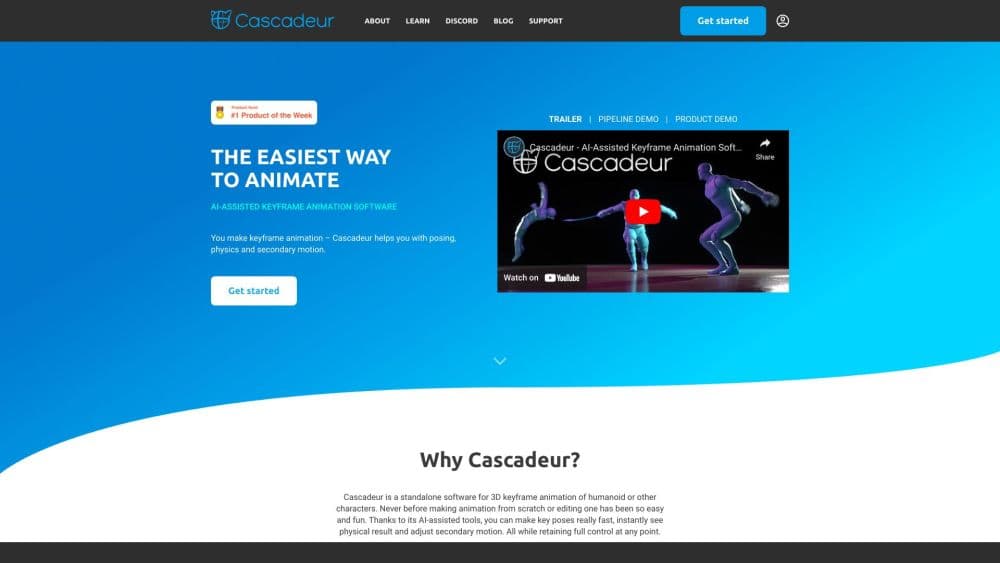
About Cascadeur
What Is Cascadeur
Cascadeur is a 3D character animation software built around the idea that physics should do the heavy lifting. Instead of posing every joint by hand, you set key frames and let the software work out balance, momentum and contact with the ground. It was made by Nekki, the studio behind the Shadow Fight games, and it grew out of the team's own need for faster action animation.
The problem it targets is speed. Traditional keyframe animation for a fight, a fall or a run cycle eats hours of manual tweaking, and motion capture is expensive and awkward for stylized or exaggerated characters. Cascadeur fixes the parts that look physically wrong, then lets you adjust the poses that carry meaning. You keep control of the acting, the tool handles the weight.
The main limitation is scope. Cascadeur is a character animation stage, not a full production suite: there's no modeling, no rigging from scratch for custom skeletons, and no rendering to final footage. You import a rigged character, animate it, and export the motion to an engine or another tool. It also runs on fairly specific hardware, and the Mac version needs an Apple silicon chip.
Getting Started
- Download Cascadeur for Windows, Linux or macOS from cascadeur.com and sign in. The Free plan has no time limit, but it only exports the proprietary CASC format.
- Import your character as an FBX or DAE file, or start from one of the built-in rigs.
- Block out the key poses on the timeline, then open the physics tools to correct balance, add a ragdoll impact or interpolate between poses with AI inbetweening.
- Refine the acting with AutoPosing, easing controls and animation layers, then check the motion against the ground and any props.
- Export the animation in the format your engine needs. Indie and Pro plans unlock all export formats; Free is limited to CASC.
Product Information
A quick look at Cascadeur's pricing, supported platforms, and performance.
Best for
The users, tasks, and scenarios where this tool fits best.
Users
- Indie game developers
- Animation students
- Technical artists at studios
Tasks
- Animating fight scenes
- Cleaning up motion capture
- Generating in-betweens
- Transferring motion style
Scenarios
- Prototyping a game character before full production
- Animating a non-human character
- Working inside an Unreal Engine pipeline
Key features
Physics-Based Animation
Cascadeur's core is a physics engine that understands weight, balance and contact. When you move a character, the software recalculates how the body stays upright and how limbs react to impact, so poses stop looking floaty. You animate the intent and let physics settle the details. This is what separates it from tools where every joint angle is your problem.
AI Inbetweening
Inbetweening generates the frames between two key poses for you. Rather than filling in each middle frame by hand, you set the start and end and let the AI produce a natural transition. Recent updates refined the control you have over these transitions, which matters most in fast action where a single bad in-between breaks the illusion.
AutoPosing and Ragdoll
AutoPosing suggests natural full-body poses from a few control points, so you spend far less time nudging fingers and shoulders into place. Ragdoll physics brings procedural impacts, falls and collisions, and a character reacts to a hit the way a body actually would. The two cover the slowest parts of character work.
Quadruped Animation
Cascadeur supports four-legged characters, not just humans. AutoPosing and one-click rigging now work for quadrupeds like cats and horses, and later releases made the posed results feel more natural. That opens the tool up to creature animation, which is where traditional keyframe work gets especially tedious.
Motion Style Transfer
The Root Motion Tool uses a diffusion model to analyze the movement signature of a reference animation and apply its character to a new clip. Instead of copying poses, it transfers how the motion feels, which is useful when you want a walk to carry a specific swagger or a run to feel a certain way.
Python API and Integrations
Cascadeur ships a Python API, expanded in recent versions, for scripting tools and custom interface elements. It also connects to other software: you can import and export FBX and DAE, retarget animation between different skeletons, and stream motion into Unreal Engine through the Live Link plugin.
Pros and cons
Pros
- Physics and ragdoll correction remove the floaty, off-balance look that hand-keyed action animation often has.
- AI inbetweening and AutoPosing cut the number of frames you touch manually, which speeds up fights and falls the most.
- A Free plan with no time limit lets you learn the tools before paying for export formats.
- The Indie plan unlocks engine export at a price a solo developer can carry.
- Imports and exports FBX and DAE and streams to Unreal Engine, so it fits existing pipelines.
Cons
- The Free plan only exports the proprietary CASC format, so you can't use it in a real pipeline without paying.
- Free and Educational plans block commercial use, and Indie caps it at under $100,000 in yearly revenue.
- It's an animation stage only, so you still need separate tools for modeling, final rigging and rendering.
- The Mac build needs an Apple silicon chip, which locks out older Intel Macs.
Frequently asked questions
Cascadeur is used to animate 3D characters with the help of physics and AI. Animators use it for fight scenes, falls, locomotion and creature motion, often as a fast alternative to motion capture or manual keyframing.
Related content
Explore related tools, skills, and articles for Cascadeur.
Cascadeur Alternatives

Google EmbeddingGemma 2
Google DeepMind · Writing · Image · CodingGoogle EmbeddingGemma 2 is a 740M-parameter open model that turns text, code, images, audio, and video frames into vectors in one 768-dimension space, running on phones and laptops.

Tractionwave
TractionWave · Image · MarketingTractionWave is an AI attention heatmap tool for static ads. Upload a PNG or JPG and it returns predicted attention, ranked hotspots, and fixes before you spend budget.

Imejis.io
Imejis.io · Image · MarketingImejis.io is an AI design studio for agents and marketing teams. Describe an image in plain words, and it writes the copy, builds the layout, reflows it to every size, then exports a finished file.