

Chargen
Chargen · Image
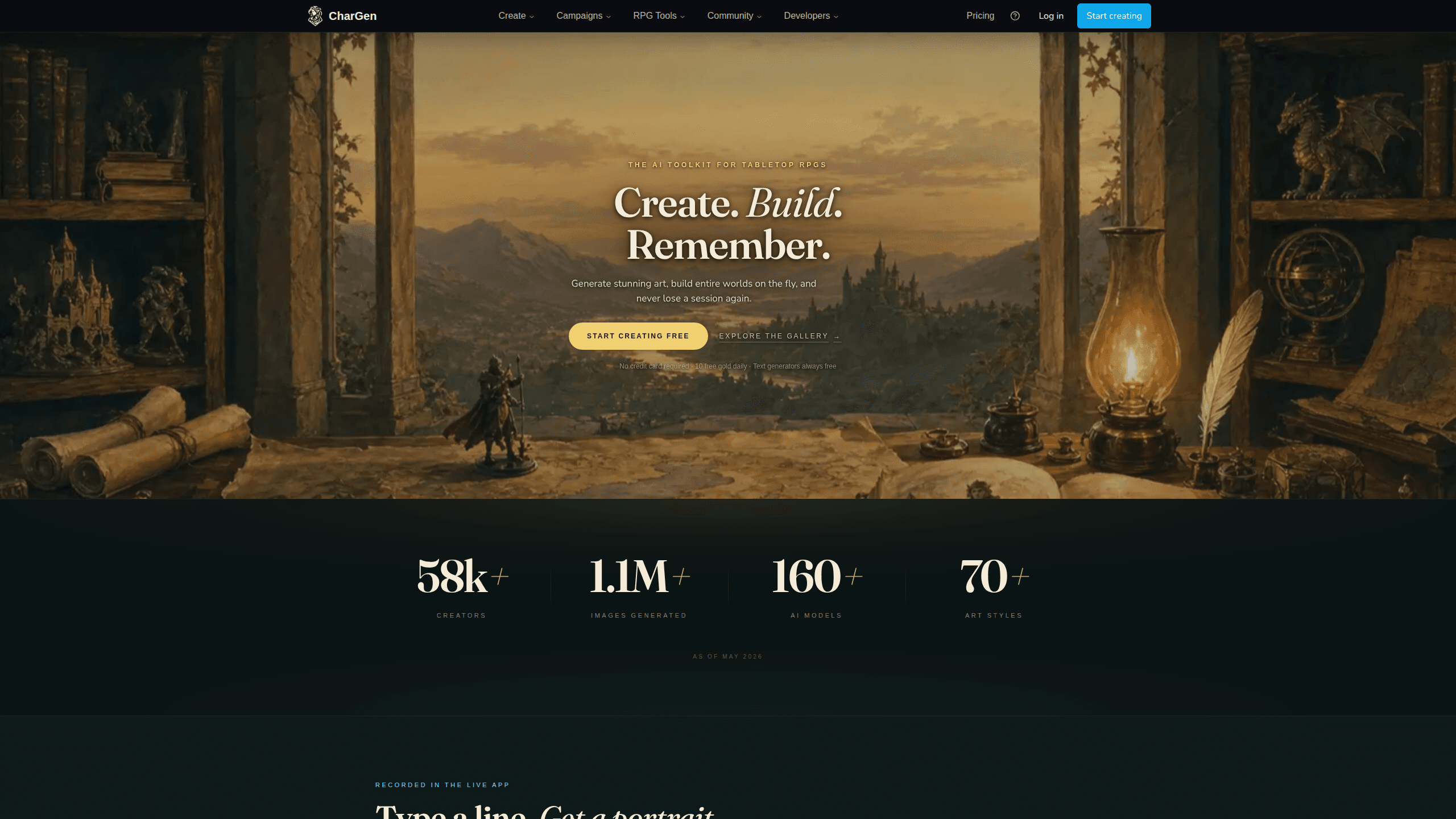
Chargen is an AI character generator and worldbuilding toolkit built for Dungeons & Dragons and other tabletop RPGs. It turns a one-line idea into a painted character portrait, spins up NPCs, monsters, maps and encounters from the same session, and keeps every creature's details close at hand. The tabletop RPG art side runs on a credit system called Gold, while the text generators stay free for everyone.
About Chargen
What Is Chargen
Chargen is a web studio and companion iPhone app for dungeon masters and players who want art that matches the character on their sheet, fast. It reads a race, class, and gear, then paints a portrait, and it remembers that face so the same hero keeps the same horns, scar, and gold eyes across a tavern, a fight, and new armor.
The main problem it solves is prep time. Instead of hunting for stock art or learning prompt craft, you pick a category, choose a model and style, and let the studio paint the scene. It's fast. Text generation for NPCs, quests, monsters, and encounters costs nothing, which makes it easy to improvise when the table goes somewhere you didn't plan.
The biggest limit is that images, video, and audio all cost Gold. Free accounts get 10 Gold a day and a single Character Reference, so heavy image use needs a paid membership. Not ideal for a four-player party. It's also iPhone and web only for now, since Android is still in closed testing.
Getting Started
- Create a free Chargen account on the website or download the iPhone app, then sign in so your Gold and gallery sync.
- Open the Generate page and pick a category, like Characters, NPCs, or Monsters, then choose an image model and an art style from the dropdowns.
- Describe your idea in one line, or upload a sheet by PDF, a D&D Beyond link, or a photo of your handwritten page to have Chargen read the details.
- Generate the portrait, then save it as a Character Reference if you want the same face to appear in later scenes and video.
- Track the Gold cost shown on the button before you create, and revisit anything you made from your gallery.
Product Information
A quick look at Chargen's pricing, supported platforms, and performance.
Best for
The users, tasks, and scenarios where this tool fits best.
Users
- Dungeon masters
- Players
- Indie RPG writers
Tasks
- Character portraits
- Session prep
- Scene video
Scenarios
- A Thursday night game where the party wanders into an unplanned fight and you need a monster now.
- Photographing a handwritten character sheet and letting the studio read the margin notes for a portrait.
- Building ambient music and character voices so NPCs actually speak during downtime and boss fights.
Key features
Prompt-Free Fantasy AI Art Studio
Eight bespoke categories cover characters, NPCs, monsters, landscapes, town maps, and more, each with curated dropdowns. You pick what the scene is and the studio paints it. No prompt wrangling. That's the part most people trip on with general-purpose image tools.
Sheet to Art
Upload a PDF, paste a D&D Beyond link, or drop a photo of your paper sheet, and Chargen reads the race, class, gear, and even the notes in the margin. The result is a D&D character art piece that looks like the character on the page, not a generic adventurer.
Character Consistency
Save a portrait as a Character Reference and reuse it on the Generate page and in video. The same hero keeps the horns, the scar, and the gold eyes across every new scene, which matters when a campaign runs for months.
Four Media in One Studio
The studio handles painted RPG image generator output across 160+ models and 70 styles, scene video, ambient and battle music, character voices, and a battlemap generator for top-down encounters. Everything threads through the same session, so your prep stays in one place.
Free Text Generators
The AI NPC generator, plus quests, classes, worlds, encounters, settlements, factions, monsters, and items, runs free with no daily limit. What needs a plan? Editing the output afterward. So you can rough out a whole session before spending a thing.
Session Tools
Campaigns, session notes, and a world codex keep your game organized, and campaign context flows into every generator so you can mention your own entities in any prompt. Session processing and storyboards are available on the higher tiers.
Companion iPhone App
The iPhone app shows portraits, roleplay notes, and game stats during a session, so you can run an NPC's details beside you at the table. It uses your existing account and Gold, and art costs the same as it does on the web. No extra fees.
Pros and cons
Pros
- Text generators stay free and unlimited, so you can prep a whole session before spending any Gold.
- Sheet to Art reads a real character sheet, which cuts out the guessing that makes generic art look wrong.
- Character References keep one face consistent across scenes, armor changes, and video.
- 160+ image models and 70 styles give you range without learning prompt syntax.
Cons
- Images, video, and audio all cost Gold, and the free 10 Gold a day runs out fast if you're painting a full cast.
- There's no Android app yet, so Android-only groups are stuck with the browser for now.
- Free accounts get just one Character Reference, which is tight for anyone tracking a party of four.
Frequently asked questions
It's an AI art and worldbuilding toolkit for tabletop RPGs. You use it to paint character and NPC portraits, generate quests and encounters, produce battlemaps, and add voices and music to a session. That covers most prep.
Related content
Explore related tools, skills, and articles for Chargen.
Chargen Alternatives

X Ray Interpreter
X-ray Interpreter · ImageX Ray Interpreter is a web-based AI radiology tool that turns X-rays, CT scans, MRI, ultrasound, and PET images into plain-language reports. You upload a scan, get a preliminary X-ray interpretation in moments, then ask follow-up questions if something needs explaining. It works as a second opinion and a learning aid, not as a medical diagnosis.

Aieasypic
AIEasyPic · ImageAIEasyPic is an AI image generator that turns plain text prompts into finished artwork in seconds. You can also train custom models on your own photos, swap faces in existing images, and create short video clips from text, all from a browser. It suits casual creators who want quick visuals and hobbyists who want to build a personal model without touching any code.

On Model
On Model · Image · MarketingOn Model is an AI fashion model tool that places your clothing on virtual models so online stores can get on-model product photos without booking a photoshoot. It runs as a Shopify app, letting you swap the model in an existing image, change backgrounds, and generate faces for cropped or headless shots. The goal is simple: match your product photos to your customers and stand out from competitors using the same supplier images.