

Charm Shot AI
CharmShotAI · Image
Charm Shot AI is a browser-based screenshot beautifier and image beautifier that wraps your images in fresh gradients, balances text in one click, and hides sensitive details before you share.
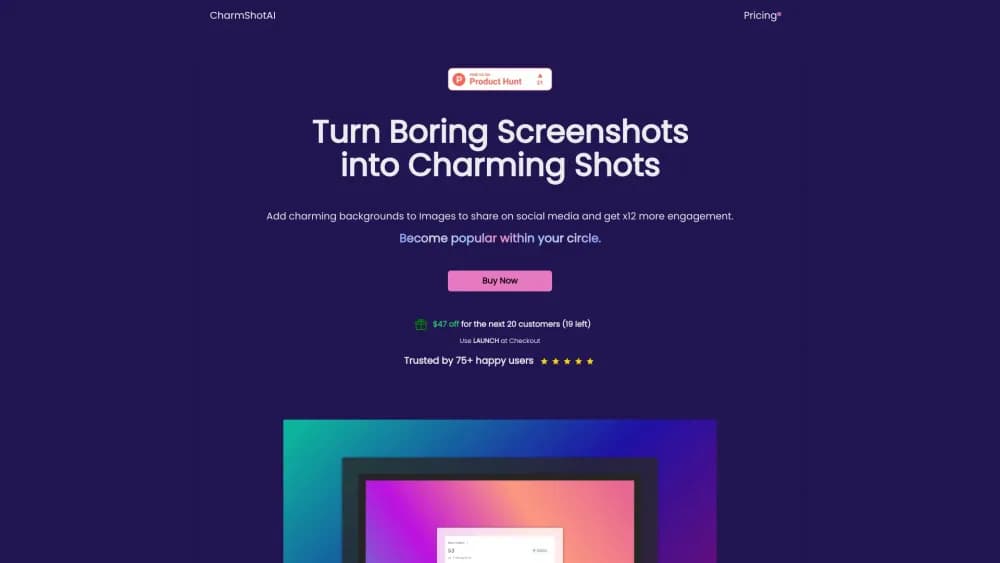
About Charm Shot AI
What Is Charm Shot AI
Charm Shot AI is a lightweight AI screenshot tool and web app that makes plain screenshots look designed. Drop in an image, pick a background, and the tool pads it with gradients, patterns, or solid colors so it reads as a polished graphic rather than a raw capture.
The everyday problem is that screenshots look flat next to the content around them, and they often carry details you don't want public. Charm Shot AI tackles both: it frames the image attractively and lets you blur out emails, keys, or account numbers before posting.
The catch is scope. Charm Shot AI is a presentation tool, not a full photo editor. It won't replace a layered design app for heavy retouching, and some of its slickest tricks, like AI text overlay and text extraction, are built mainly for clean screenshots rather than messy photography.
Getting Started
- Open CharmShotAI in your browser and add it to your home screen as a PWA if you want app-style access.
- Upload or paste a screenshot into the editor.
- Pick a background from the gradient, pattern, and color library, or let the tool detect the image's background color automatically.
- Use the AI tools to balance text, overlay labels, blur sensitive info, or extract text, then export the finished image.
Product Information
A quick look at Charm Shot AI's pricing, supported platforms, and performance.
Best for
The users, tasks, and scenarios where this tool fits best.
Users
- Developers and technical writers
- Social media and content creators
- Support and documentation teams
Tasks
- Beautifying a raw screenshot
- Redacting private details
- Making code snapshots
- Extracting text from an image
Scenarios
- Posting a UI walkthrough
- Sharing a bug report
- Blogging a code snippet
Key features
Gradient and Pattern Backgrounds
This background gradient generator ships a library of gradients, patterns, and colors to frame an image, and it keeps adding fresh ones rather than recycling a handful of overused styles. You can also let automatic background color detection sample your image and pad it with a matching tone so the frame blends in.
Instant Image Balancing
One click evens out the whitespace around text and fixes lopsided padding, which is the slow part of making a screenshot look deliberate in a normal editor. It's the feature that removes the most fiddly manual work.
Hide Sensitive Information
If you want to hide sensitive information in images, these redaction tools blur emails, currency figures, API keys, and license keys before you share an image. It covers a wider range than rivals that stop at emails and API tokens, which matters when a screenshot mixes several kinds of private data.
AI Text Overlay
The AI overlay places labels and captions at a sensible position automatically, so you skip dragging text boxes into place by hand. It's aimed at screenshots with clear structure rather than busy photos.
Effortless Text Extraction
Click any text inside an image to copy it, or pull all of the text at once. The text detection engine handles over 110 languages, which helps teams that document in more than one language.
Code Snapshots
The code snapshot generator renders source code as a styled image you can drop into a blog post, README, or slide deck. You control the theme and framing so it matches the surrounding content.
Watermarks, Shapes, and Themes
Beyond the core tools, you can add or remove watermarks, pick social media sizes and ratios, and drop in shapes like boxes, arrows, lines, and stars, along with fonts, text size, spacing, and themes. It turns the app into a light dashboard for assembling share-ready images.
Pros and cons
Pros
- Runs entirely in the browser: your images never leave your device, and there's nothing to install.
- Built-in privacy tools: blurring emails, keys, and account details is a first-class feature, not an add-on.
- Works on any device through a PWA, so a phone or tablet can produce the same result as a desktop.
- Covers the small stuff too: social sizes, shapes, watermarks, and fonts save a trip to another app.
- One-time license option: the SoloPlus plan is pay once and use forever, which suits people who hate subscriptions.
Cons
- No free tier: you pay before you can use the editor, so there's no way to test it first without buying.
- Not a full photo editor: it's built for screenshots and graphics, so deep retouching still needs a design app.
- No public API: developers can't call CharmShotAI from their own tools, which rules out automated pipelines.
Frequently asked questions
Charm Shot AI is a browser-based screenshot beautifier. It adds gradient and pattern backgrounds, balances text and padding, hides sensitive details, overlays labels, extracts text, and builds code snapshots, all without uploading your images to a server.
Related content
Explore related tools, skills, and articles for Charm Shot AI.
Charm Shot AI Alternatives

Google EmbeddingGemma 2
Google DeepMind · Writing · Image · CodingGoogle EmbeddingGemma 2 is a 740M-parameter open model that turns text, code, images, audio, and video frames into vectors in one 768-dimension space, running on phones and laptops.

Tractionwave
TractionWave · Image · MarketingTractionWave is an AI attention heatmap tool for static ads. Upload a PNG or JPG and it returns predicted attention, ranked hotspots, and fixes before you spend budget.

Imejis.io
Imejis.io · Image · MarketingImejis.io is an AI design studio for agents and marketing teams. Describe an image in plain words, and it writes the copy, builds the layout, reflows it to every size, then exports a finished file.