

Mapify:AI思维导图&大纲笔记
Xmind · Productivity
Mapify is an AI mind map generator from Xmind that turns PDFs, videos, webpages and long text into structured maps, with chat, translation and slide export.
About Mapify:AI思维导图&大纲笔记
What Is Mapify
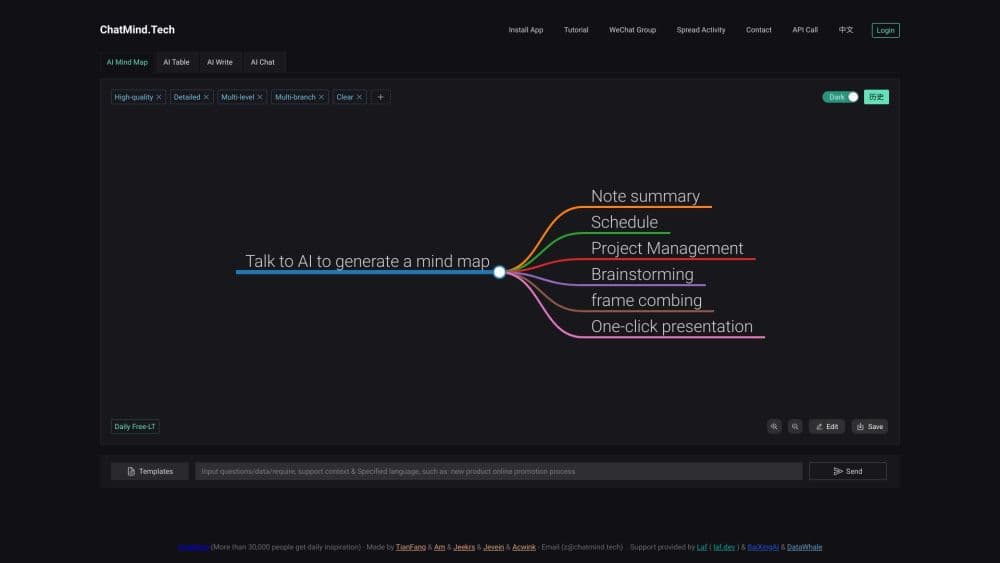
Mapify is an AI mind mapping app built by Xmind, the team behind one of the best-known mind map editors. It grew out of ChatMind, a chat-based mapping app Xmind absorbed and rebuilt into a full product. You drop in a source, a PDF, a YouTube link, a webpage or a block of text, and Mapify lays out the key points as an editable mind map in seconds. The same app also runs on iOS, Android and as a Chrome extension.
The idea is to skip the blank canvas. Instead of drawing branches by hand, you let the AI structure the material first, then adjust it. Chat with your file, ask follow-up questions, translate a foreign article and map it in your own language, or turn the whole thing into slides for a meeting.
The main catch is the credit system. Free accounts get a small monthly allowance, and heavier tasks, like a 90-minute podcast or a 1-million-character ebook, burn through credits fast. There is no public developer API listed, so you cannot yet plug Mapify into your own apps.
Getting Started
- Sign in at mapify.so with an email or a Google account, or install the iOS, Android or Chrome app.
- Paste a link, upload a PDF or doc, or type a topic into the input box.
- Pick a model and settings, then hit Generate to build the mind map.
- Edit branches, chat with the file, or export the map as an image, PDF, Markdown or slides.
Product Information
A quick look at Mapify:AI思维导图&大纲笔记's pricing, supported platforms, and performance.
Best for
The users, tasks, and scenarios where this tool fits best.
Users
- Students who want lecture slides, readings and papers turned into study maps without hand-drawing each branch
- Researchers and analysts who need to digest long PDFs and reports faster
- Busy professionals who want a meeting recording or webinar boiled down to a shareable map
Tasks
- Turning a PDF or Word document into a mind map
- Summarizing a YouTube video
- Translating and mapping a foreign article
Scenarios
- Prepping for an exam by mapping a stack of textbook chapters into one review map
- Catching up on an industry report before a morning meeting
- Booting up a brainstorm from a single prompt and expanding branches with the AI
Key features
PDF and Document to Mind Map
Upload a PDF, Word file or ebook and Mapify maps its key points into a structured outline. Chat with the document afterward to pull out more detail, so you can interrogate a dense report instead of rereading it. It handles long files, but a 1-million-character ebook burns around 100 credits in one pass.
YouTube and Audio to Mind Map
Drop a YouTube link or an audio file and the tool returns a map built from the transcript. Videos with subtitles map faster and cheaper than ones without. Click a node to jump to that moment in the video, which is handy for long lectures or interviews.
Translation and Multilingual Maps
Mapify reads and summarizes content in over 30 languages and can map a foreign article in your own. It is useful when your best source on a topic is not in your first language, since the map keeps the structure while you read in the language you think in.
Web-Powered AI Search and Chat
This AI summarizer answers questions with online search enabled, linking to its sources so you can check the claims. Expand any branch in one click to grow a map with more ideas. It turns a single prompt into a starting structure you can then refine by chatting.
Customize, Export and Present
Edit structure and layout with keyboard shortcuts or clicks, then share a map by link or export it as an image, PDF or Markdown. A built-in slide view turns a map into a presentation, which saves a rebuild step when the map is headed for a meeting or classroom.
Cross-Platform Sync
One account works across the web, iOS, Android, macOS and a Chrome extension, and maps stay synced between them. You can start a map on your laptop and check it on your phone, which matters when you research on the move.
Pros and cons
Pros
- Turns PDFs, videos, webpages and long text into structured maps in one click
- Supports over 30 languages, so foreign sources are usable without a separate translator
- Runs across web, mobile and a browser extension with synced maps
- Slide export turns a finished map into a presentation without rebuilding it
- Chat and web search let you dig into a source instead of just skimming it
Cons
- Credits vanish quickly on heavy jobs, so a long podcast or ebook eats a chunk of your monthly allowance
- Free accounts are capped, which limits how much you can map in a month
- No public developer API, so it cannot be wired into your own tools
- The AI structure needs review, since dense or messy sources can produce a map that misses the point
Frequently asked questions
Mapify turns PDFs, documents, videos, webpages and long text into mind maps. People use it to summarize research, study from lectures, brainstorm from a prompt and turn dense material into a structure they can scan and share.
Related content
Explore related tools, skills, and articles for Mapify:AI思维导图&大纲笔记.
Mapify:AI思维导图&大纲笔记 Alternatives

Base Code
Base44 (Wix) · Coding · ProductivityBase Code is a shared cloud development environment from Base44. Teammates describe changes to an existing GitHub codebase in chat, preview them live and send them back as pull requests.

Knocket
Knocket (Tencent RTC team) · Productivity · Business · ChatbotKnocket is a free live chat and contact page tool that lets visitors message you from your website, app, or a shareable link, with every reply handled from Telegram or one inbox.

FloorGen
Vinit Kumar (FloorGen) · Productivity · China AIFloorGen is a browser-based floor plan maker that turns a sentence or a sketch into an editable 2D plan and a 3D walkthrough. Export to PDF, DXF or video, and draw without an account.